
Top 10 AI Medical Receptionist Companies Of 2026
| # | Platform | Best For | Core Strength | Key Capabilities | Main Limitation |
|---|---|---|---|---|---|
| 1 | Luma Health | Large health systems, multi-location groups | End-to-end patient access automation | AI call handling, scheduling, intake, referrals, fax automation, smart waitlists, bidirectional EHR integration | More platform than most small practices need |
| 2 | Sully.ai | Practices wanting gradual AI adoption | Modular AI workforce | Receptionist, scribe, coder, interpreter, calls, texting, intake across phone, text, and web chat | Shorter operating history than legacy vendors |
| 3 | Notable Health | Hospitals overwhelmed by referrals and prior auth | EHR-native administrative automation | Referral transcription, patient registration, insurance verification, prior authorization initiation, proactive outreach | Not designed as a traditional phone receptionist |
| 4 | DeepCura | Small–mid practices wanting predictable pricing | All-in-one AI suite at transparent pricing | Receptionist, scribe, billing support, EHR write-back, SMS fallback during calls, choice of AI engine | Fewer independent validation studies |
| 5 | DoctorConnect ARIA | Practices prioritizing stability and EHR compatibility | Long operating history + broad integrations | AI receptionist, appointment reminders, patient recall, digital forms, secure messaging, surveys, RCM, eligibility verification, 24/7 call answering | Less aggressive AI innovation |
| 6 | reetmate | Multi-location groups and DSOs | Centralized workflows across locations | Scheduling, intake, after-hours coverage, overflow routing, confirmations, reminders, reactivation, billing coordination, no-code workflows, centralized reporting | Too complex for most single-site practices |
| 7 | OmniMD | Practices that want front-desk automation, billing, and RCM without stitching together separate tools | Native front-desk + billing workflow | Scheduling, eligibility, insurance verification, claims, payments, QR/facial check-in, no-show prediction, KPI dashboards, 20+ specialties | EHR integration depth varies by third-party system |
| 8 | Weave | Dental, optometry, therapy, and SMB practices | Mature patient communications | Phones, texting, appointment reminders, digital intake forms, payments, automated billing reminders, call pop | Not advanced conversational AI |
| 9 | Mend | Telehealth-first practices | Digital intake + visit continuity | Intake (demographics, insurance, ID, consents), predictive scheduling, reminders, confirmations, telehealth prep and follow-up | Limited autonomous phone capabilities |
| 10 | TriageLogic | Practices with heavy symptom-call volume | AI + nurse-supervised clinical triage | Symptom routing, urgency assessment, after-hours coverage, enhanced 911 assessment, structured callback and follow-up | Not a full receptionist platform |
Think about the last time your practice had a truly quiet Monday morning. No backlog of overnight voicemails. No stack of unprocessed faxes from Friday. No patient who called three times and never got through.
For most practices, that morning does not exist. The front desk is perpetually catching up, and the gap between what patients expect and what an understaffed reception team can deliver keeps widening.
Here is what the numbers look like right now. The average medical receptionist earns between $33,000 and $46,000 annually, handles one call at a time, and leaves gaps in coverage every time someone takes lunch, calls in sick, or resigns. Meanwhile, the American Hospital Association cites analysis showing a shortage of up to 3.2 million healthcare workers by 2026 across physicians, nurses, and support staff.
According to MGMA, recruitment and retention of front desk and clinical support staff has intensified as one of the most pressing challenges in medical practice management, with nearly six in ten practices reporting their staffing challenge has worsened in recent years.
AI medical receptionists were built for exactly this situation. And in 2026, the platforms that have been around long enough to prove themselves have real results to show from real health systems.
This blog covers ten platforms honestly. For each one, you will find a quick overview of what it is, when it was founded, what independent reviewers say about it, and what it costs. Then we go deeper into what it actually does, what makes it stand out, where it is less ideal, and answers to the questions practice leaders most commonly ask before making a decision.
What You Actually Need from an AI Medical Receptionist
A lot of tools call themselves AI receptionists. Before comparing any of them, here is the minimum a genuine AI medical receptionist must be able to do:
- Answer inbound calls in real time. No hold music, no voicemail as the default. The AI picks up and handles the conversation directly.
- Schedule, reschedule, and cancel appointments bidirectionally. That means changes flow both ways between the AI and your EHR in real time, not just one direction.
- Collect patient intake information before the visit. Demographics, insurance details, and consent forms captured and routed into your systems before the patient walks in.
- Handle after-hours calls. Nothing sits in a voicemail queue overnight waiting for someone to sort it in the morning.
- Escalate to a human when needed, with full context. The AI passes the call over with everything it already knows so the patient does not have to start the conversation over.
- Maintain HIPAA compliance throughout. This means a signed Business Associate Agreement, encrypted handling of all call recordings, and a clear process for what happens if there is a breach.
If a tool cannot demonstrate all six of these in a live setting, it is a scheduling widget, not a receptionist.
1. Luma Health
Founded: 2015, San Francisco, CA
G2 rating: 4.8 out of 5 stars, based on 84 reviews Pricing: Custom.
Best known for: End-to-end patient journey automation with the most extensively documented case study library in this space.
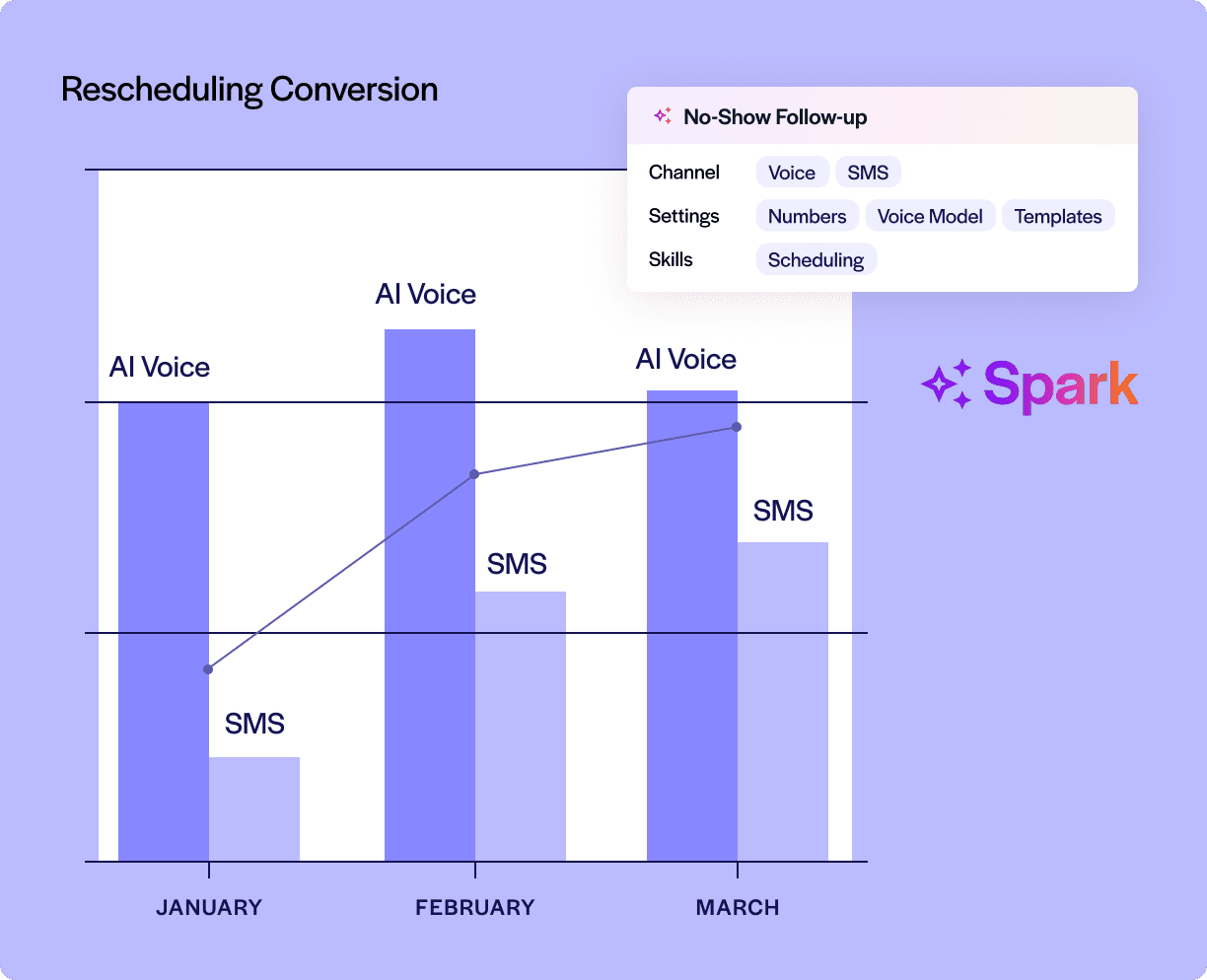
Luma Health is built for health systems and multi-location practices that need end-to-end patient journey automation, from the first referral through scheduling, intake, appointment prep, reminders, fax processing, and follow-up, all in one platform.
What Luma Health Does
Luma Health automates the entire patient journey, from the moment a referral comes in through scheduling, intake, appointment prep, reminder sequences, and follow-up. Its Navigator AI handles live inbound calls and after-hours requests conversationally, in multiple languages. Its Fax Transform product processes incoming faxes and routes them automatically into the correct EHR workflow. Its Smart Waitlist fills canceled slots by proactively contacting waitlisted patients without any staff involvement.
The platform connects bidirectionally with Oracle Health, Epic, eClinicalWorks, MEDITECH, athenahealth, NextGen, and Greenway Health. It holds HITRUST r2, SOC Type II, ISO 27001:2022, and TX-RAMP Level 2 certifications. It serves more than 1,000 health systems and clinics across the U.S., Canada, and the United Kingdom.
What Luma Health looks like in practice
The University of Arkansas for Medical Sciences ran their call center until 5 p.m. every day. Anything after that landed in voicemail. Each morning, staff cleared that backlog manually, spending around three hours canceling appointments and updating records before they could get to anything else. Within one month of going live with Luma’s Navigator, as documented in Luma Health’s October 2024 press release:
- 98 call center staff hours saved in a single month
- 95% of phone calls fully automated
- 1,200 cancellations processed with zero human interaction
- 82% patient verification success rate
Michelle Winfield-Hanrahan, Chief Clinical Access Officer at UAMS, said: “The team was spending three hours daily just listening to patient voicemails and then going in and canceling appointments. Navigator completely took that manual work off our plates.”
DENT Neurologic Institute receives around 1,500 faxes a day. Each one used to take up to 10 minutes for staff to manually process. Emily Smythe, EMR and Technology Systems Manager at DENT, said: “We were thinking of hiring more staff just to handle the backlog. But we didn’t want to just throw more people at the problem.” After deploying Luma’s Fax Transform, as documented in Luma Health’s case study archive, fax processing became 70% faster.
Across other published outcomes from Luma’s customer case studies:
| Organization | Outcome |
|---|---|
| TriState Health | 3 FTEs freed from phone work, 40% fewer no-shows, $760,000 saved annually in prevented no-shows |
| Tandem Health | 9,000 more patients seen, $450,000 more in annual revenue |
| Phelps Memorial | 85% reduction in time spent manually processing faxes, with no additional staff hired |
| Northfield Hospital (reminders) | 80 hours saved monthly in manual reminder calls |
| Northfield Hospital (fax) | 250-plus hours saved monthly from AI fax processing across five clinics |
| Tenafly Pediatrics | $1.8 million in annual revenue captured through automated scheduling |
What Makes Luma Health Stand Out
Luma’s strength is in its depth of published, named outcomes from real health systems. No other platform on this list has as many documented case studies with specific, traceable numbers. Its end-to-end architecture means that scheduling, intake, fax processing, waitlist management, and follow-up are all handled by one integrated platform rather than stitched together from separate point solutions. The combination of enterprise EHR integrations and multiple security certifications makes it a credible choice for large organizations with strict governance requirements.
Where Luma Health Is Less Ideal
Luma is an end-to-end platform built around the needs of large health systems, and for smaller practices, that depth can feel like more than they need. The architecture, the implementation process, and the customization requirements are all sized for enterprise environments. If your workflows do not fit neatly into Luma’s standard patient messaging logic, getting them to work takes real configuration effort and back-and-forth with their team.
Real users reflect exactly this. A Director of Transformation and Innovation at a major health system wrote on Capterra: “The hardest part of dealing with Luma is trying to fit some of our highly customized workflows into patient messaging processes. There are some custom workflows that we have that do not easily fit into their product.” A separate reviewer on Capterra noted: “Some settings and customization options can feel a bit complex at first, and certain features require digging into configurations to fully understand.”
And on G2, a Senior Manager of Patient Access pointed out: “There is no easy way to send patients multiple forms in one link, they are all separate. This proves to be challenging when sending forms to new patients as they have so many links to complete.” For a health system with a dedicated IT team, these are manageable. For a small practice relying on a single front desk administrator, they add real overhead.
Questions Practice Leaders Often Ask About Luma Health
Does Luma handle after-hours calls?
Yes. Navigator AI answers inbound and after-hours calls conversationally, handling scheduling, patient verification, and cancellations without sending patients to voicemail.
Will Luma write appointments directly into my EHR?
Yes. Luma integrates bidirectionally with Oracle Health, Epic, eClinicalWorks, MEDITECH, athenahealth, NextGen, and Greenway Health.
Can Luma process faxes automatically?
Yes. Fax Transform processes incoming faxes and routes them into the correct EHR workflow with one-click staff verification.
Does Luma support multiple languages?
Yes. Navigator AI handles patient conversations in multiple languages.
Is Luma HIPAA compliant?
Yes. Luma holds HITRUST r2, SOC Type II, ISO 27001:2022, and TX-RAMP Level 2 certifications and offers a BAA.
How long does implementation take?
This is an enterprise-style deployment. Implementation typically takes weeks to months depending on your EHR, workflows, and number of locations.
Can I start with just call answering and add more later?
Yes, but Luma is designed as an end-to-end platform. You can phase in features, but the architecture is built for full patient journey automation.
What if my EHR is not on the supported list?
Luma works with the major enterprise EHRs listed above. If your EHR is not on that list, you will need to discuss custom integration options with their team.
Does Luma have a smart waitlist?
Yes. Smart Waitlist fills canceled appointment slots automatically by contacting waitlisted patients without staff involvement.
Will my patients still be able to reach a human if needed?
Yes. Complex or urgent calls are escalated to human staff with full context passed along.
2. Sully.ai
Founded: 2017, Santa Clara, CA
G2/Capterra rating: Not yet listed on major review platforms with sufficient reviews for a verified score.
Pricing: Not publicly listed. Contact sales.
Best known for: A modular AI workforce where you deploy one agent at a time and add more as you grow.
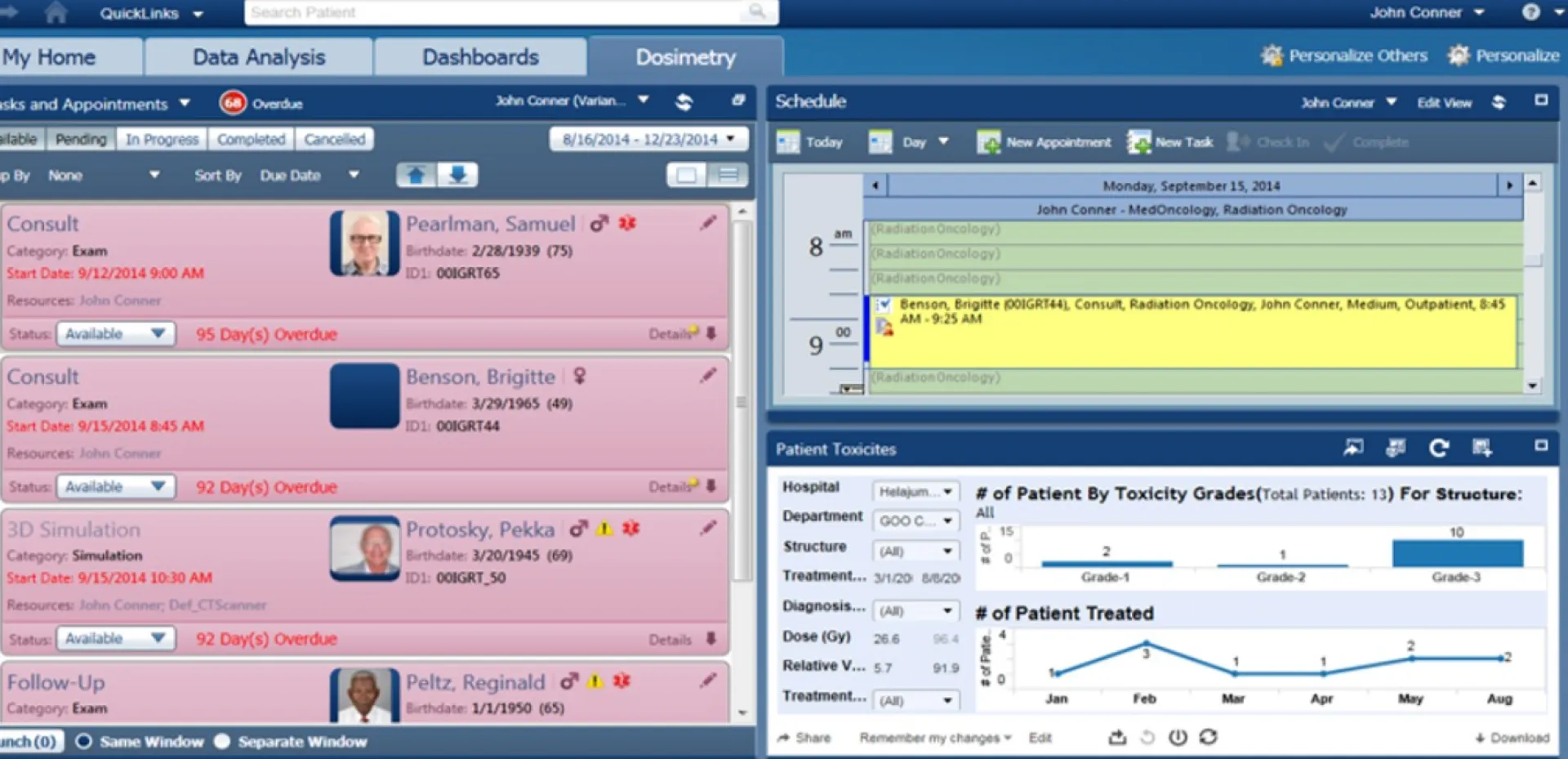
Sully.ai is built for clinics that want to introduce AI one role at a time, starting with a receptionist and expanding to scribe, coder, or interpreter without switching platforms.
What Sully.ai Does
Sully.ai is built as a team of AI agents that each cover a specific clinical or administrative role, and the key difference from other platforms is that each agent can work independently or together, so a practice can deploy one and add others later without switching systems.
Here is specifically what each agent does, as documented on Sully’s product pages:
The AI Receptionist handles front-desk communications across phone, web, and chat. It manages new-patient intake, collects insurance and ID information, schedules and reschedules appointments, sends reminders, and answers FAQs. It reads your existing call scripts, Word documents, PDFs, extracts the logic, and automates those call flows without requiring a redesign of your current process. When paired with digital forms, it pre-populates chart fields and flags missing information before the provider sees the patient.
The AI Scribe listens to the patient encounter in real time, transcribes the conversation, and generates clinical notes at over 98% accuracy. It drafts directly into the EHR, meaning providers are not copy-pasting from a separate window, the note is ready for review and sign-off when the visit ends.
The AI Interpreter provides real-time medical interpretation in 20-plus languages, with terminology accurate to the clinical context. Language barriers that previously required booking a third-party interpreter in advance are handled in the moment.
The AI Medical Coder reviews the documented encounter, generates ICD-10 and CPT coding suggestions, surfaces E/M level indicators, and flags documentation gaps that could affect compliance or reimbursement. Drafts go to a coder or clinician for verification before claim submission.
A practice can go live with just the receptionist and add the scribe or coder later without changing platforms. The platform integrates with Epic, AthenaOne, Cerner, CharmHealth, and additional EHR systems. It currently serves more than 100,000 providers across 400-plus healthcare organizations.
Baseten, the independent infrastructure company that powers Sully’s AI stack, published a case study documenting the platform’s performance across its full customer base. These numbers are from Baseten, not from Sully’s own marketing:
- January to December 2025: the platform added more than 30 million clinical minutes to its customers’ workforces
- 21x Return on Agent Spend (ROAS)
- 2.4-plus hours saved per physician per day
- 18.5% increase in patients seen
- 98% decrease in call abandonment rate
- 5% increase in patient retention
At Apogee Behavioral Medicine, implementing Sully’s full agent suite produced roughly $1 million in incremental revenue, raised patient engagement scores from 73% to 78%, and cut time spent on clinical notes by 92%, as documented in the same Baseten case study.
Derek Ayers, CMO at Apogee, said: “We’re getting paid faster, our compliance risk is much lower, and our administrative overhead is down. Most importantly, we have a happier, more effective clinical team that’s providing better care to more engaged patients.”
What Makes Sully.ai Stand Out
Sully’s modular design is its most distinctive feature. Rather than forcing a practice to buy a full platform upfront, it lets organizations deploy one agent, prove ROI, and expand at their own pace. The third-party Baseten case study provides independently documented performance data that is unusual in a market where most vendors rely entirely on self-reported metrics. The 21x Return on Agent Spend figure and the 30-plus million clinical minutes added to healthcare workforces in 2025 are the strongest third-party verified numbers on this list.
Where Sully.ai Is Less Ideal
Sully’s modular design is genuinely useful, but it also means the platform is harder to evaluate on paper than a single-purpose tool. You are not buying a receptionist, you are buying a workforce, and the scope of what you are committing to expands each time you add an agent.
For a practice that only needs one role covered, that may be straightforward. For a practice trying to understand the total cost before a sales call, it is not. Beyond cost, the EHR integration list covers the major systems (Epic, AthenaOne, Cerner, CharmHealth), but if you run a regional or specialty-specific system outside those four, compatibility needs to be confirmed before you invest time in a full evaluation.
Because Sully does not yet have a meaningful presence on G2 or Capterra, there is limited community feedback available from practice managers sharing day-to-day observations.
The most relevant signal comes from the Baseten case study, which is credible and third-party, but infrastructure-level rather than clinical-operator-level.
However, on Software Advice, reviewers of comparable AI-agent platforms consistently note that multi-agent platforms require a real onboarding period before they operate at full reliability, and that the first few weeks demand closer oversight than a stable legacy system would. That is not a reason to avoid Sully, it is a reason to build that ramp-up period into your deployment timeline.
Questions Practice Leaders Often Ask About Sully.ai
Can I start with just the receptionist and add other agents later?
Yes. That is the point of the modular design. You can start with the receptionist and add scribe, coder, or interpreter later without changing platforms.
Does Sully handle calls and texting?
Yes. The receptionist agent handles phone, text, and web chat.
Is Sully HIPAA compliant?
Yes. Sully is HIPAA compliant and offers a BAA.
How long does implementation take?
Implementation is designed to be phased. You can start with the receptionist and add other agents over time.
Does Sully integrate with my EHR?
Sully integrates with Epic, AthenaOne, Cerner, and CharmHealth. Contact sales to confirm your specific EHR.
What kind of ROI can I expect?
A third-party case study from Baseten documents 21x Return on Agent Spend and 2.4-plus hours saved per physician per day.
Can Sully handle after-hours calls?
Yes. The receptionist agent handles inbound and after-hours calls.
Will my patients still be able to reach a human if needed?
Yes. Complex or urgent calls are escalated to human staff with full context.
Does Sully support clinical decision support?
Yes. Sully holds a patent on live clinical decision support using AI.
Is pricing transparent?
Pricing is not publicly listed. You will need to speak with sales for specific numbers.
3. Notable Health
Founded: 2017, San Mateo, CA
G2/Capterra rating: No active, verified G2 or Capterra profile with sufficient healthcare-specific reviews for a meaningful score at time of writing.
Pricing: Enterprise contracts. Custom pricing only.
Best known for: A full-scale AI platform for enterprise health systems covering Voice AI for patient calls, conversational AI for scheduling and bill pay, referral and fax automation, prior authorization, and revenue cycle management.
Notable Health is built for enterprise health systems and large medical groups that need to automate high-volume patient communication and administrative workflows, from inbound patient calls and scheduling to back-office referral processing and revenue cycle operations, at scale.
What Notable Health Does
Notable is a full-scale AI platform for healthcare operations, built primarily for enterprise health systems and large medical groups. It operates across four core use cases: patient access, contact center automation, revenue cycle management, and care operations. The platform deploys AI agents, not a single tool, each trained for a specific role across these workflows.
On the contact center side, Notable’s Voice AI agents handle inbound and outbound patient calls for scheduling, billing inquiries, referral coordination, and prior authorization workflows. The Notable AI Assistant provides conversational AI for scheduling, bill pay, and patient navigation, delivering what the company describes as a “concierge-level experience for every patient.” Inbound call automation covers scheduling, appointment reminders, insurance verification, and referral intake. Outbound automation handles recall campaigns, follow-ups, and gap-in-care outreach.
On the back-office side, Notable’s Referrals Coordinator AI Agent processes faxed referral orders, including handwritten ones, inside the EHR, flags duplicates and failed medical necessity checks, and routes complex cases to staff with context already attached. It carries SOC 2 Type II and ISO 27001:2022 certifications.
The platform is built for enterprise scale. One large, community-focused Florida health system went into Notable’s deployment with 12.5 full-time employees manually indexing faxed referral orders. Average turnaround time was 48 hours, extending to five business days when staff were out. Fifteen percent of those referrals arrived handwritten.
After deploying Notable’s Referrals Coordinator AI Agent across three fax lines, as published by Notable Health:
- 85% referral completion rate, with AI handling straightforward transcription while routing complex cases to staff
- More than 10,000 faxed referrals transcribed without staff involvement
- 8,000 staff hours saved per year
- 2.6x ROI on referral transcription alone
- 5 FTEs cross-trained to focus on higher-value roles
- Turnaround time from fax receipt to transcribed order: 48 hours reduced to 10 minutes
What Makes Notable Health Stand Out
Notable’s strength is its breadth across the enterprise healthcare workflow. It is one of the few platforms on this list that combines Voice AI for live patient calls, a conversational AI assistant for scheduling and bill pay, back-office automation for referral indexing and prior authorization, and revenue cycle workflows, all under one platform with EHR integration. The Florida health system referral case study is one of the most specific and consequential documented outcomes in this guide: a 48-hour turnaround cut to 10 minutes, 8,000 staff hours saved annually, and a 2.6x ROI on a single workflow. The platform also handles handwritten fax documents reliably, which matters in real health system environments where not every referral arrives in a clean digital format.
Where Notable Health Is Less Ideal
Notable is an enterprise platform. It requires significant IT coordination to deploy and is designed for organizations handling large volumes of patient interactions, health systems, multi-site hospital groups, and large medical groups with dedicated operational and technology teams.
For independent practices or small groups that need to be live quickly with a simple call-handling solution, the implementation complexity and the enterprise-scale architecture are genuinely more than the situation calls for.
Notable also does not have an active G2 or Capterra profile with sufficient verified reviews from day-to-day clinical operators, which means independent peer feedback on support quality and real-world workflow performance is limited at time of writing.
For a procurement process that requires peer validation from practices similar to yours, that gap is a real constraint. The ROI case for Notable’s full platform, Voice AI, referral automation, prior authorization, and revenue cycle, compounds at scale. A two-person front desk handling 40 patients a day is not the environment where that value equation plays out.
Questions Practice Leaders Often Ask About Notable Health
Does Notable handle phone calls?
Yes. Notable’s Voice AI agents handle inbound and outbound patient calls for scheduling, billing inquiries, referral coordination, and authorization workflows. The Notable AI Assistant also provides conversational AI for scheduling, bill pay, and patient navigation.
Will Notable write data into my EHR?
Yes. Notable’s AI agents work directly inside EHR environments with bidirectional integration.
Can Notable process faxes automatically?
Yes. Notable handles both structured data and unstructured content including handwritten faxes for referral transcription.
Is Notable HIPAA compliant?
Yes. Notable holds SOC 2 Type II and ISO 27001:2022 certifications and offers a BAA.
How long does implementation take?
This is an enterprise-style deployment requiring IT coordination. Timeline varies by organization size and EHR complexity.
Can I start with just one workflow and expand?
Yes. Notable deploys AI agents by use case and organizations can phase in workflows over time.
What if my EHR is not supported?
Notable works inside EHR environments. Confirm your specific EHR compatibility directly with their team.
Does Notable handle prior authorization?
Yes. Notable automates prior authorization initiation as part of its workflow suite.
Will my staff still be involved?
Yes. Complex cases are routed to staff, and FTEs can be upskilled to higher-value work.
What kind of ROI can I expect?
A published case study shows 2.6x ROI on referral transcription alone and 8,000 staff hours saved per year.
4. DeepCura
Founded: San Francisco, CA. Exact founding year not publicly confirmed, operational since approximately 2021.
G2 rating: 4.6 out of 5 stars, confirmed on G2.
Pricing: $129 per provider per month for 1 to 2 providers. Scales to $101 per provider per month at 11-plus providers.
Best known for: Eight AI agents in one subscription at a flat, transparent monthly price with no sales call required to get started.
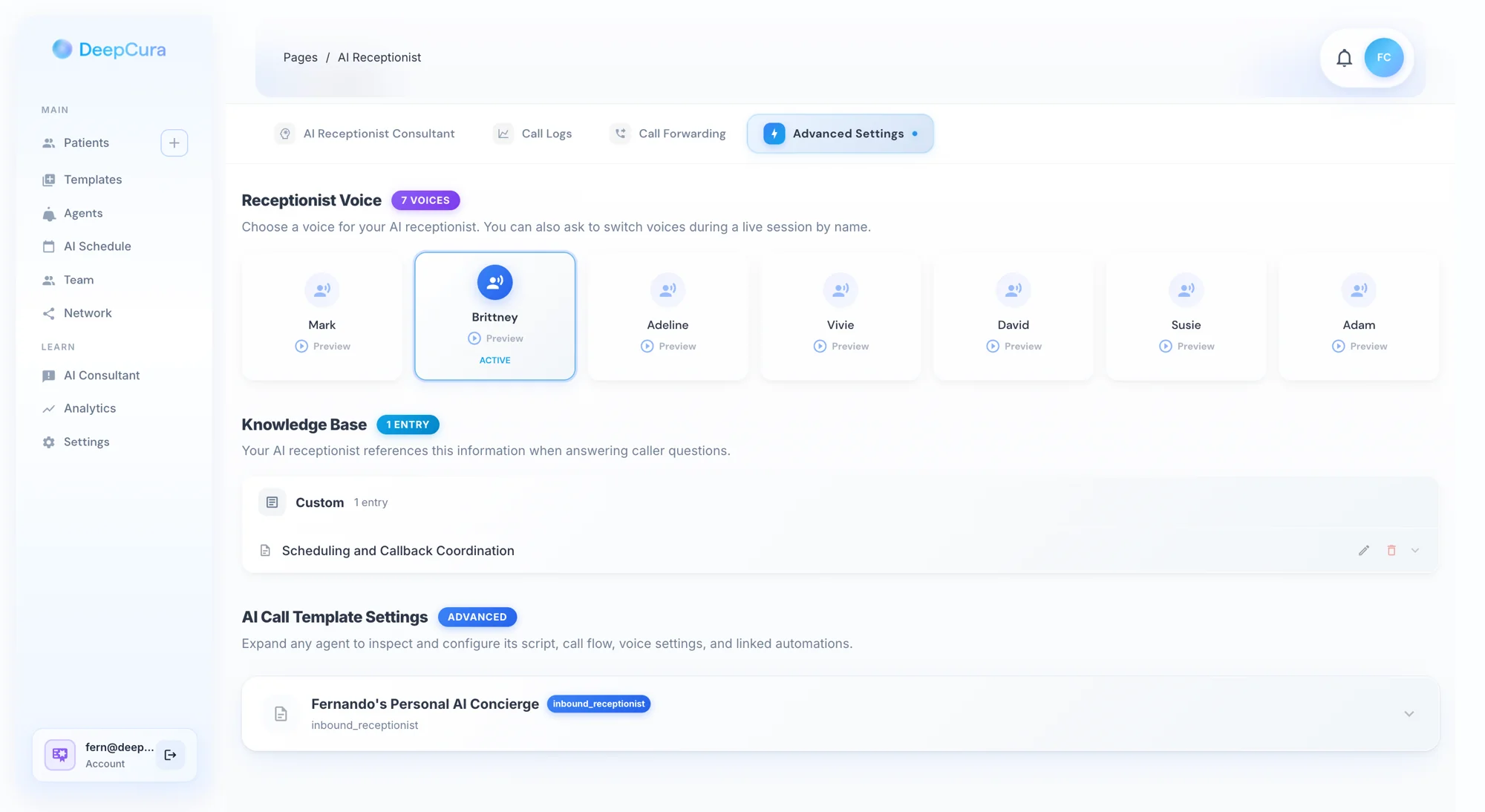
DeepCura is built for small to mid-size independent practices that want one subscription covering receptionist, scribe, and billing help at a transparent, predictable monthly price.
What DeepCura Does
DeepCura offers eight AI agents in one subscription at $129 per month per provider. Those eight agents cover patient history summarization, ambient scribing, diagnosis mapping, allergy capture, order management, CPT billing, referral letter drafting, and an AI receptionist. None of these are locked behind higher pricing tiers. The receptionist handles inbound calls and appointment scheduling, writing back directly into your EHR across seven-plus systems including Epic, eClinicalWorks, Athena, and AdvancedMD.
The platform includes a live SMS fallback during calls: when voice capture fails mid-call, the system automatically sends the patient a text message, collects their reply, and injects it back into the live conversation in approximately two to four seconds, as described on the DeepCura product page. That eliminates the dead-zone failures that cause patients to give up and call back later.
Providers can also choose which AI model handles their clinical notes: GPT, Claude, or Gemini. The platform is HIPAA compliant with a BAA available. A free trial is available with no sales call required.
Volume pricing, confirmed on DeepCura’s pricing page:
| Team Size | Monthly Price Per Provider |
|---|---|
| 1 to 2 providers | $129 |
| 3 to 5 providers | $116 |
| 6 to 10 providers | $110 |
| 11 or more providers | $101 |
What Makes DeepCura Stand Out
DeepCura’s strength is its pricing transparency and feature breadth at a single flat price. Eight AI agents in one subscription with no feature gating is genuinely rare in this market. The self-serve free trial with no sales call required is a meaningful differentiator in a space where most competitors require a demo request and a sales process before sharing basic product information. The live SMS fallback during calls is a technically distinct feature that no current competitor has matched.
Where DeepCura Is Less Ideal
DeepCura is primarily reviewed as a documentation and scribing platform, and the reviews it does have are strong on that front. But the AI receptionist function lives inside the same subscription, and there is almost no independent community feedback specifically testing how it handles inbound call types. If your primary need is the receptionist rather than the scribe, you cannot draw on a large pool of peer reviews to understand how the call-handling performs under real front-desk conditions. That gap is worth acknowledging honestly.
On Capterra, a physician reviewer noted the value for documentation but flagged: “Sometimes their server is down. Also, I have not integrated it with the EMR I have been using.” That second point matters, if your EHR falls outside the seven supported systems, the core write-back functionality that makes the platform efficient simply is not available.
Another Capterra reviewer added that while the scribing experience was accurate and efficient, they hoped the platform would “become more personalized to the person using the software over time”, meaning the AI adapts incrementally rather than arriving fully calibrated.
On G2, reviewers praise how quickly integrations can be set up, but with only 13 total reviews on the platform, the feedback base is too small to draw broad conclusions about performance across practice types. For governance-heavy procurement processes that require peer-reviewed case studies with named organizations and before-and-after numbers, DeepCura’s current evidence base will not satisfy that bar.
Questions Practice Leaders Often Ask About DeepCura
Does DeepCura handle phone calls?
Yes. DeepCura includes an AI receptionist that handles inbound calls and appointment scheduling.
Will DeepCura write data into my EHR?
Yes. DeepCura provides native bidirectional EHR write-back across 7-plus systems including Epic, eClinicalWorks, Athena, and AdvancedMD.
Can DeepCura handle SMS during calls?
Yes. DeepCura includes a live SMS fallback that activates when voice capture fails mid-call.
Is DeepCura HIPAA compliant?
Yes. DeepCura is HIPAA compliant and offers a BAA.
How long does implementation take?
DeepCura is designed for self-serve onboarding. You can be up and running within days.
Can I try DeepCura before buying?
Yes. A free trial is available with no sales call required.
What EHRs does DeepCura support?
Epic, eClinicalWorks, Athena, AdvancedMD, and 7-plus systems total. Check their integrations page for the full list.
Can I choose my AI engine?
Yes. You can choose GPT, Claude, or Gemini for clinical note generation.
Are all features included in the base price?
Yes. All eight agents are included at every pricing tier with no feature gating.
What is the pricing?
$129 per provider per month for 1 to 2 providers, scaling down to $101 per provider per month at 11-plus providers.
5. DoctorConnect ARIA
Founded: 1992, Dallas, TX (operated by Adtel International)
Capterra rating: 4.8 out of 5 stars, based on 71 verified user reviews
Pricing: Starts at $210 per month, flat monthly rate based on number of providers and locations
Best known for: 32-plus years of uninterrupted HIPAA-compliant operation and the broadest EHR integration library of any platform reviewed here.
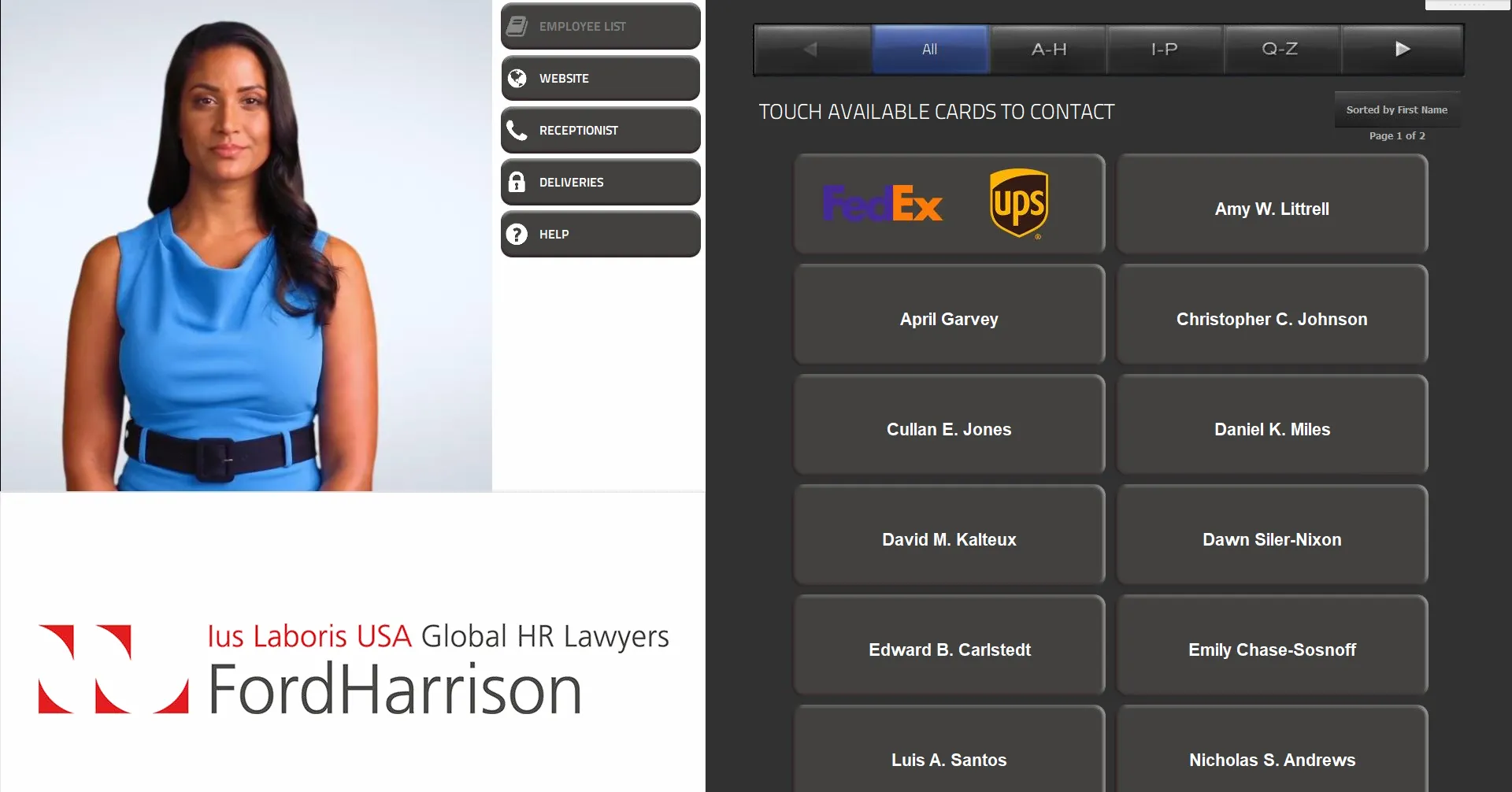
DoctorConnect ARIA is built for practices that care as much about vendor stability and long-term compliance history as they do about AI capabilities, and particularly for those running EHR systems that newer platforms have not yet integrated with.
What DoctorConnect ARIA Does
DoctorConnect has been running patient communication software continuously since 1992. A vendor with a 32-year uninterrupted HIPAA compliance record has survived multiple generations of regulatory change, technology transitions, and security audits that newer platforms have not yet faced.
ARIA is DoctorConnect’s AI medical receptionist, and it works in phases.
Phase 1, currently live, handles the highest-impact front-desk calls: ARIA picks up on the first ring, 24 hours a day, identifies what the patient needs, answers high-frequency FAQ questions consistently using clinic-approved answers, captures messages cleanly, and routes complex or sensitive calls to a human staff member. It understands natural language, not a phone tree, and handles the full range of routine front-desk call types: directions, hours, prescription refill requests, referral questions, pre-op and post-op instructions, billing basics, and appointment intent. It is multilingual, HIPAA-first in its architecture with PHI-aware redaction, and it never sends a patient to voicemail when it can give them an answer or a clear next step instead.
Phase 2, now available under the name MIRA, adds real-time autonomous scheduling. MIRA can schedule, reschedule, cancel, and look up visits directly inside the DoctorConnect calendar, giving clinics true 24/7 appointment management without staff involvement. Future phases on the roadmap include patient messaging and follow-up, referral intake and coordination, pre-visit intake form automation, and billing nudges.
The broader platform ARIA sits inside also covers appointment reminders, patient recall, digital forms, secure messaging, surveys, revenue cycle management, and insurance eligibility verification.
The integration list is the most practical selling point for many practices: DoctorConnect supports over 150 EHR and practice management systems. That includes a long list of regional and specialty-specific platforms that newer AI vendors have not yet built connections for. If you are on AccuMed, Azalea, MOSAIQ, Nextech, or any number of other platforms outside the Epic or athenahealth tier, DoctorConnect is likely to support you where others cannot.
What Makes DoctorConnect ARIA Stand Out
DoctorConnect’s strength is its longevity and integration breadth. Operating continuously since 1992 with a clean HIPAA compliance record throughout is verifiable evidence of sustained reliability that no newer platform can claim. Its 150-plus EHR integration library is the broadest of any platform reviewed in this guide, which is particularly valuable for practices running specialty or regional EHR systems that AI-first startups have not yet prioritized. ARIA Phase 1 and Phase 2 together cover a complete autonomous front desk workflow from call answering through real-time scheduling automation.
Where DoctorConnect ARIA Is Less Ideal
DoctorConnect is built for dependable, high-reliability routine coverage, and that is exactly what it delivers well. But its strength is also its ceiling.
The platform does not handle complex, multi-turn patient conversations the way newer conversational AI platforms do. If a patient calls wanting to change an appointment, check their insurance, and ask about a refill in the same call, ARIA will escalate before working through all three.
That is a deliberate design choice, not a bug, but it matters for practices whose patients tend to call with layered questions.
The clearest friction point in Capterra reviews is EHR integration reliability.
One verified reviewer, a mental health practice owner, wrote: “Did not integrate into my existing EHR, though the Sales Rep assured me it would.”
A clinical director echoed this directly: “The price is not so worth it if it does not integrate with your EHR.”
A third user noted: “It could be a little more intuitive on how to set up some of the features.”
DoctorConnect supports 150-plus EHR systems, but the breadth of that list does not guarantee that every connection works seamlessly out of the box for every configuration.
The practical takeaway: request a live integration test with your specific EHR during the demo, not a promise that it will work.
Questions Practice Leaders Often Ask About DoctorConnect ARIA
Does DoctorConnect handle phone calls?
Yes. DoctorConnect provides 24/7 inbound call answering with intelligent triage and escalation.
Will DoctorConnect work with my EHR?
DoctorConnect supports over 150 EHR and practice management systems, the broadest published integration library reviewed here.
Is DoctorConnect HIPAA compliant?
Yes. DoctorConnect has operated continuously since 1992 with a clean HIPAA compliance record and offers a BAA.
How long does implementation take?
Implementation is designed for broad compatibility across EHR systems. Timeline varies by practice size and configuration.
Can I try DoctorConnect before buying?
Pricing starts at $210 per month. Contact sales for a demo and current pricing details.
What features are included?
AI receptionist, appointment reminders, patient recall, digital forms, secure messaging, surveys, RCM, and insurance eligibility verification.
Does DoctorConnect handle after-hours calls?
Yes. 24/7 inbound call answering with intelligent triage and escalation is available.
Will my patients still be able to reach a human if needed?
Yes. Complex or urgent calls are routed to human staff with full context passed along.
Is pricing transparent?
Pricing starts at $210 per month. Contact sales for volume and specialty-specific pricing.
How does DoctorConnect compare to newer AI platforms?
DoctorConnect is more conservative on new feature development but offers long-term stability, 30-plus years of compliance history, and the broadest EHR coverage on this list.
6. Greetmate
Founded: 2022
G2/Capterra rating: No published rating with sufficient verified reviews at time of writing.
Pricing: Not publicly listed. Contact sales.
Best known for: AI Voice and SMS workflow infrastructure built ground-up for multi-location healthcare organizations.
Greetmate is built for dental service organizations, multi-location specialty groups, and regional health systems that need consistent patient experience and standardized call protocols across every site simultaneously.
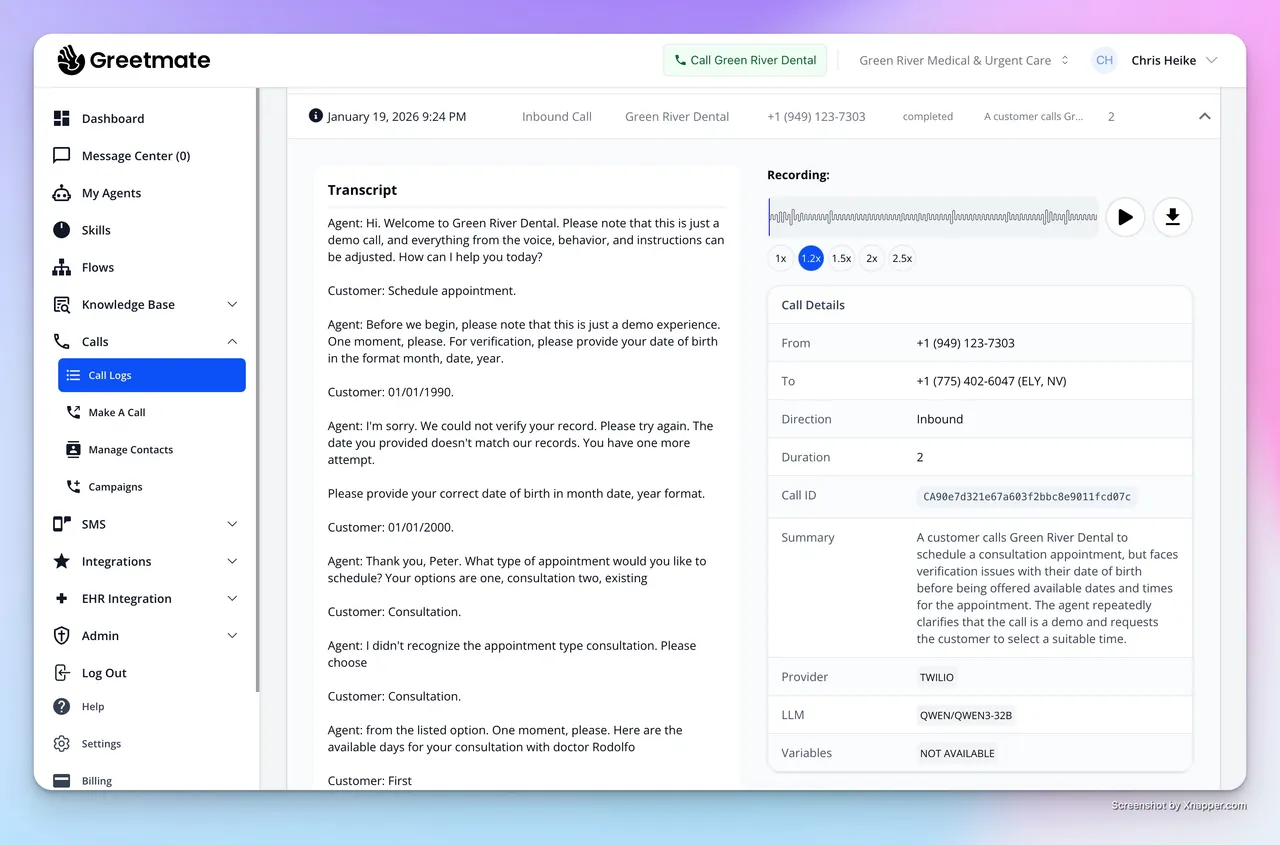
What Greetmate Does
Single-location tools can be adapted for multi-location use. Greetmate was built for multi-location use from the start, and that distinction shows up in the details.
Greetmate is an implementation partner, not just software. When a healthcare organization signs on, Greetmate’s team maps the practice’s real-world call flows, how calls are routed, how patients are triaged by call type, how scheduling works, what SMS touchpoints reduce no-shows, and builds the automation layer around those existing workflows rather than forcing the practice to adapt to a generic template. The rollout happens location by location, and Greetmate’s team continues to tune the voice and SMS workflows as volume and complexity grow.
Here is specifically what the platform does in a live patient interaction. When a patient calls a clinic at 9 PM on a Saturday, Greetmate’s voice AI answers in natural language, captures the patient’s intake information, checks availability, books the appointment directly into the schedule, sends a confirmation SMS to the patient, and logs the interaction in the practice’s systems, without any human involved. It handles inbound and outbound calls, gathers caller information conversationally, identifies what the patient needs, routes to the right person or location when escalation is required, and triggers follow-up SMS automatically based on what was said in the call.
For multi-location groups, the centralized no-code workflow builder means that when a protocol changes, a new insurance type to collect, a new appointment type to route differently, a new after-hours message, it is updated once and deployed to every location simultaneously. Centralized reporting gives operations managers visibility across all sites from one dashboard. Greetmate connects with 300-plus applications including athenahealth, Epic, ModMed, Tebra, eClinicalWorks, Dentrix, Open Dental, Canvas, and DrChrono, with the integration layer enabling bidirectional scheduling, real-time availability checks, and automatic record updates.
What Makes Greetmate Stand Out
Greetmate’s strength is its purpose-built multi-location architecture. Most platforms on this list were designed for single practices and later extended to multi-site use. Greetmate was built the other way around. The centralized no-code workflow builder means that clinical and administrative protocol changes are applied instantly across the entire enterprise rather than requiring local training at each site. For DSOs and regional groups, this is a meaningful operational advantage: patient experience consistency does not depend on which manager happened to run the Monday morning meeting.
Where Greetmate Is Less Ideal
Greetmate has no verified user reviews on G2 or Capterra at time of writing. For a platform that asks for an organizational commitment across multiple locations, that absence of independent community feedback is a real gap. You have no way to benchmark what other multi-site practices or DSOs have experienced with deployment timelines, support quality, or workflow consistency before you sign. You are working entirely from the vendor’s own claims until you are already in the implementation process.
The architecture also warrants scrutiny from an operational risk standpoint. Greetmate is built so that a single workflow update deploys instantly to all locations simultaneously, which is the feature, not a bug. But that same architecture means a misconfiguration does not affect one site, it affects all of them at once. Before committing, it is worth asking specifically how changes are staged and tested before a full enterprise deployment, what the rollback process looks like if something goes wrong at scale, and whether your EHR supports full bidirectional write-back, not just a read-only or one-way sync. Integration count claims across any platform can look impressive on paper while concealing meaningful differences in what those integrations actually do in practice.
Questions Practice Leaders Often Ask About Greetmate
Does Greetmate handle phone calls?
Yes. Greetmate handles intake, scheduling, after-hours coverage, and overflow call routing.
Will Greetmate work with my EHR?
Greetmate has 300-plus integrations. Confirm bidirectional write-back for your specific EHR before signing.
Is Greetmate HIPAA compliant?
Yes. Greetmate has HIPAA-ready infrastructure with a BAA available.
How long does implementation take?
Implementation is designed for multi-location deployment with centralized workflow setup.
Can I define workflows centrally for all locations?
Yes. Greetmate has a no-code workflow builder with instant centralized deployment across all sites.
Do all locations deliver the same patient experience?
Yes. Patients receive the same greeting, triage protocol, and follow-up procedure regardless of which location they contact.
Is pricing transparent?
Pricing is not publicly listed. Contact sales for details.
Does Greetmate have centralized reporting?
Yes. Centralized reporting across all locations is available from one dashboard.
Can I add locations later?
Yes. Updated workflows deploy instantly to all new locations.
Are there case studies?
Published case studies with named organizations and specific outcome numbers are not available at time of writing.
7. OmniMD AI Front Desk
Founded: 2002
Capterra rating: 4.5 out of 5 stars
Pricing: Flexible monthly subscriptions or usage-based plans. No startup costs and no long-term lock-in contracts.
Best known for: A complete AI front desk built for any EHR through FHIR 4.0.1 interoperability, automating 60-plus front-desk tasks across inbound calls, scheduling, insurance verification, billing, and patient check-in across 20-plus specialties.
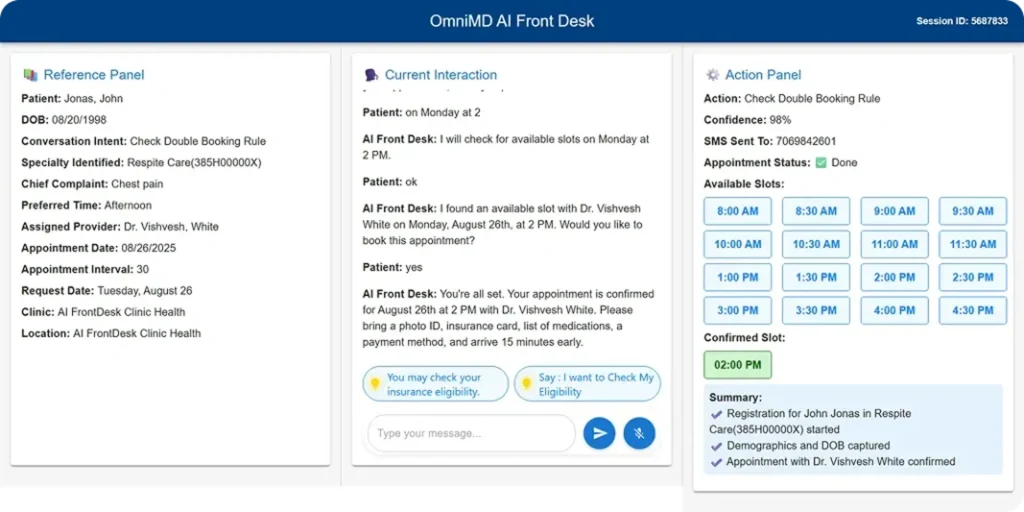
OmniMD AI Front Desk is built for practices of any size and specialty that want a fully integrated AI front desk working alongside their existing EHR, with the option to migrate to OmniMD’s full clinical and billing ecosystem when ready.
What OmniMD AI Front Desk Does
We have spent more than 20 years building healthcare software, and today we serve 12,000-plus providers across 600-plus clinics. Our AI Front Desk was built to work with any EHR ecosystem, not just our own. Whether your practice runs on Epic, athenahealth, eClinicalWorks, or any other major system, you can deploy our AI Front Desk without switching your EHR. We connect through FHIR 4.0.1 API interoperability and full cross-vendor EHR integration, so your existing setup stays in place and data flows seamlessly in real time.
For practices that want to migrate to our full EHR and billing suite, our team handles that transition with a structured cloud migration service and dedicated implementation support every step of the way.
Here is what our AI Front Desk does inside your clinic:
- Answers inbound calls, handles scheduling, manages insurance updates, and routes prescription refill requests, maintaining 99.7% accuracy across 60-plus automated front-desk tasks
- Lets patients self-schedule online through your website, our AI scheduling assistant, or the mobile app, with insurance verified and intake forms delivered automatically before the visit
- Checks patients in on arrival via QR code or facial recognition patient kiosk, recognizing new versus returning patients instantly, with forms, e-signatures, and copays handled at the door
- Verifies insurance eligibility, coverage, referrals, and prior authorizations in real time, flags missing data before the visit starts, and routes edge cases to your staff automatically
- Reads provider notes, assigns the right CPT codes via our AI medical coder, generates claims, applies copays, and sends payment reminders automatically so billing runs without anyone chasing it
- Sends patients post-visit summaries, lab results, next steps, and referral links after each visit without any staff involvement
- Queues tasks securely when internet connectivity drops and syncs everything when it returns, with incoming calls redirecting to your designated backup numbers in the meantime
- Tracks the KPIs that matter, including call answer rates, check-in duration, eligibility accuracy, no-show reduction, billing cycle performance, and collections, through a real-time analytics dashboard
- Integrates directly with Twilio, Stripe, and Trizetto, alongside FHIR 4.0.1 API interoperability
- Uses predictive machine learning to flag no-show risk before it costs you a slot
- Covers 20-plus specialties including cardiology, urgent care, mental health, OBGyn, orthopedics, primary care, family medicine, nephrology, and more
- Scales equally well from a solo practice to a multi-location health system, with no startup costs and no long-term lock-in
Here is what practices using our platform have said about the experience:
Dr. Kemron Bridgnanan, Assistant Manager at Ritvij Medical in the Bronx: “The AI front desk helps handle calls and messages efficiently, which takes a lot of pressure off our team during busy hours. It’s easy to use, reliable, and has made our front office run much more smoothly.”
Dr. Mayank Patel at East Tremont Vascular Healthcare: “The automated system handles appointment scheduling, rescheduling, and insurance updates seamlessly. Our staff has noticed a huge reduction in manual workload, and patients appreciate how quick and easy it is to communicate.”
Dr. Siraj Nanabawa: “It’s easy to oversee schedules for multiple providers, monitor patient flow, and ensure nothing gets missed. The reporting tools make it simple to track workload and understand daily trends.”
What Makes OmniMD AI Front Desk Stand Out
Our AI Front Desk is the only platform on this list that combines a 20-plus year healthcare IT foundation with a purpose-built AI front desk that works with any EHR through FHIR 4.0.1 interoperability. Practices do not need to switch their EHR to access our AI receptionist, and for those that want the full ecosystem, our migration support handles the transition from start to finish. The native integration between our AI Front Desk, AI Medical Coder, RCM, and EHR means that a patient call, a billing event, and a clinical record update happen in one connected system rather than three separate tools.
Where OmniMD AI Front Desk Is Less Ideal
We believe in being honest about what we are still improving. Our overall platform carries a 4.5 out of 5, and what users tell us there is signal we take seriously. One verified reviewer, an office manager at a medical practice, noted: “Lag time during peak usage hours could slow down documentation, and while the system offered a lot of features, some of the reporting tools weren’t as flexible or intuitive as we would’ve liked.” A physician reviewer added: “Navigating between screens is a little challenging sometimes. The prescribing interface could get better.” A third reviewer, an operations manager, observed that “areas are not logical for medical office use”, pointing to a workflow organization issue that affects how quickly new staff get up to speed.
These are real observations from real users, and we are actively working on them. Our AI Front Desk launched in mid-2025, which means the review base specifically for that product is still growing. If you want to evaluate how the platform handles your front-desk workflows before committing, the most direct path is a free specialty-specific demo where you can test the call flows, the EHR write-back, and the reporting against your actual practice needs, not just what it looks like on a slide deck.
Questions Practice Leaders Often Ask About OmniMD AI Front Desk
Does OmniMD AI Front Desk work with my existing EHR?
Yes. Our AI Front Desk connects to any EHR through FHIR 4.0.1 API interoperability and full cross-vendor EHR integration. You do not need to switch your EHR to use it.
Does OmniMD handle phone calls?
Yes. Our AI Front Desk handles inbound call answering, scheduling, insurance updates, and prescription refill routing around the clock.
Is OmniMD HIPAA compliant?
Yes. Our platform is HIPAA compliant by design with encryption, strict access controls, audit trails, and a BAA available.
How long does implementation take?
For practices staying on their existing EHR, setup is streamlined through our FHIR integration. For practices migrating to OmniMD’s full suite, our team provides structured cloud migration support.
Are there hidden costs or long-term contracts?
No. We offer flexible monthly subscriptions or usage-based plans with no startup costs and no lock-in.
What features are included?
Call handling, scheduling, insurance eligibility verification, prior authorization, CPT coding, claims generation, payment processing, kiosk check-in, no-show prediction, post-visit follow-up, and real-time KPI dashboards.
Does OmniMD handle after-hours calls?
Yes. Our AI Front Desk handles after-hours calls without creating a morning voicemail backlog.
Will patients still be able to reach a human if needed?
Yes. Edge cases and complex calls are routed to staff automatically.
How do we measure success after launch?
Our real-time dashboard tracks call answer rates, check-in durations, eligibility accuracy, no-show reduction, billing cycle performance, and collections from day one.
Are there case studies?
Our AI Front Desk launched in mid-2025. We are actively collecting and publishing customer outcomes. You can see current customer testimonials on our product page and request a specialty-specific demo to see performance data relevant to your practice type.
8. Weave
Founded: 2008, Lehi, UT. Publicly traded on NYSE under ticker WEAV.
G2 recognition: Ranked #2 on G2’s 2026 Best Healthcare Software Products list. Named G2 leader in Patient Relationship Management, Patient Engagement, Optometry, and Dental Practice Management software.
Pricing: Not publicly listed. Contact sales. The platform is sized for small to mid-size practices.
Best known for: Unified communication platform for small to mid-size healthcare practices and G2’s #2 Best Healthcare Software of 2026.
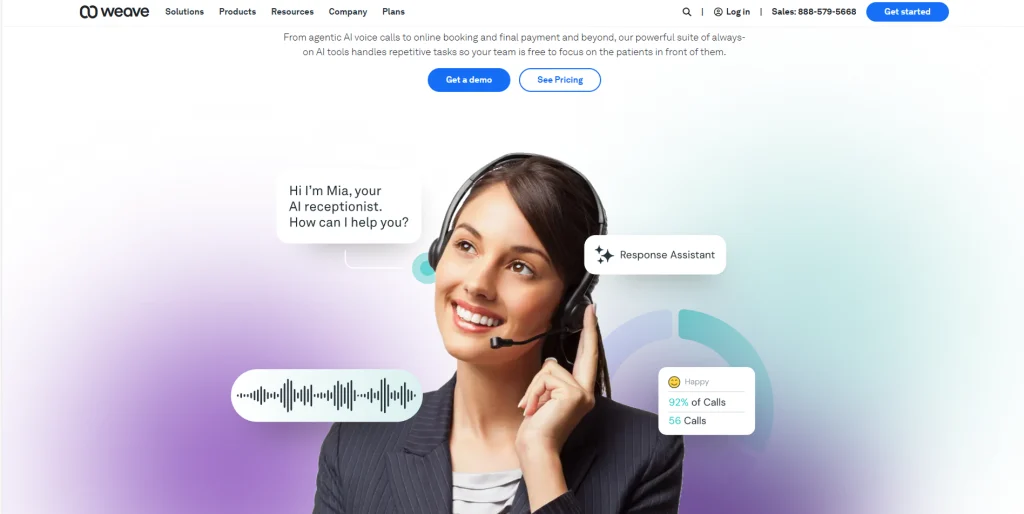
Weave is built for small to mid-size dental, medical, optometry, therapy, and veterinary practices that want a mature, proven communication platform covering phones, texts, reminders, intake forms, and payments in one system.
What Weave Does
Weave has been serving healthcare practices since 2008 and is one of the most widely adopted communication platforms across dental, medical, optometry, therapy, and veterinary settings. According to Weave’s Q1 2026 earnings release, the company reported $65.5 million in Q1 2026 revenue, a 17.4% year-over-year increase, with more than 50% of its customer locations now using its embedded AI tools.
In May 2025, Weave completed the acquisition of TrueLark, an AI-powered receptionist and front-desk automation platform. TrueLark’s agentic AI handles scheduling, rescheduling, and inquiries via SMS and web chat with 24/7 availability. As of Q1 2026, Weave’s CEO Brett White confirmed that the omnichannel AI receptionist supporting both voice and text-based conversations was rolling out in Q2 2026, as stated in Weave’s Q1 2026 earnings release.
The core of what Weave does is unify the communication channels that small practices typically manage across three or four disconnected tools: the phone system, text messaging, appointment reminders, intake forms, and payment processing all live in one platform. When a patient calls, their full profile appears on the screen instantly through a feature called Call Pop: appointment history, medical notes, outstanding balance, everything the person answering needs to have an informed conversation before the patient finishes saying hello.
Beyond that:
- Automated confirmations, reminders, and rescheduling requests go out via two-way text without staff involvement
- Digital intake forms are completed before arrival, reducing check-in time and eliminating the clipboard
- Payment processing and automated billing reminders are built in
- Call Intelligence analyzes call patterns and flags missed opportunities
- Offices using Weave see 9 more on-time patients per week on average, as reported by Weave customers
Watkin Dental in Washington State is a nine-doctor practice seeing 50 to 80 patients daily. After years with Weave, the team switched to a competitor that promised deeper integration with their Dentrix practice management system. Nancy Carr, who has managed the office for nearly 20 years, described what happened: “When we were considering switching to Adit, they made a lot of promises. But as we started onboarding, we discovered that a lot of the things promised were not actually supported.” The practice came back to Weave, as documented in Weave’s published case study.
What Makes Weave Stand Out
Weave’s strength is its maturity, market recognition, and unified communication design. Being ranked #2 on G2’s 2026 Best Healthcare Software Products list based on verified customer reviews is a meaningful third-party endorsement.
The May 2025 acquisition of TrueLark added an AI virtual receptionist layer handling scheduling, rescheduling, and patient inquiries via SMS and web chat. The full omnichannel AI receptionist supporting both voice and text was confirmed as rolling out in Q2 2026.
The Call Pop feature, which surfaces a patient’s full clinical and billing context the moment they call, makes every interaction faster and more informed. For small practices managing phones, texts, reminders, intake, and payments across multiple disconnected tools today, Weave consolidates all of that into one system with a proven implementation track record.
Where Weave Is Less Ideal
Weave performs well as a unified communications platform for small practices, but the pattern in user reviews over time points to two consistent friction areas that practices should factor in before committing.
The first is support responsiveness. GetApp’s analysis of 182 verified Weave reviews summarizes that “some feel Weave suffers from frequent glitches, unreliable phone service, and slow customer support response times.”
This tracks with specific Capterra accounts: a verified marketing director at a medical practice wrote in May 2025: “The support is extremely disappointing. Since signing up over a year ago, I’ve repeatedly reached out, via both email and phone, regarding issues with Weave Help not working, and still nothing has been resolved.
Once we were onboarded and became paying customers, it felt like we were completely forgotten.” A scheduling coordinator at a separate practice noted: “The phones have to be reset at least bi-weekly, customer service is difficult to communicate with, and closes out problems without fixing them.”
On G2, users flag that “the new updates tend to be glitchy.”
The second is the status of full voice AI. Weave’s TrueLark AI handles scheduling, rescheduling, and inquiries via SMS and web chat reliably. The full omnichannel voice and text AI receptionist was confirmed as rolling out in Q2 2026 per the Q1 2026 earnings call. If answering inbound phone calls with AI is your primary requirement right now, confirm exactly where that rollout stands before you sign.
Questions Practice Leaders Often Ask About Weave
Does Weave handle phone calls?
Weave’s TrueLark AI receptionist handles scheduling, rescheduling, and patient inquiries via SMS and web chat with 24/7 availability. The full omnichannel AI receptionist supporting live voice calls was confirmed as rolling out in Q2 2026. Confirm current voice capability status directly with Weave. The platform’s core unified communications suite covers phones, texts, reminders, forms, and payments.
Will Weave show patient profiles when they call?
Yes. Call Pop surfaces the patient’s full profile, appointment history, and outstanding balance the moment they call.
Is Weave HIPAA compliant?
Yes. Weave is HIPAA compliant and offers a BAA.
How long does implementation take?
Implementation is straightforward for small to mid-size practices. Weave is designed to be operational quickly.
Can I try Weave before buying?
Pricing is not publicly listed. Contact sales for current pricing and demo access.
What features are included?
AI receptionist, phones, two-way texting, automated reminders, digital intake forms, payment processing, Call Pop, Call Intelligence, and automated billing reminders.
Does Weave handle after-hours calls?
TrueLark’s AI receptionist provides 24/7 coverage for scheduling, rescheduling, and patient inquiries via SMS and web chat. The full voice AI receptionist for after-hours inbound phone calls is rolling out in Q2 2026, confirming current status directly with Weave.
Will patients still be able to reach a human if needed?
Yes. Staff can handle calls with full patient context immediately visible on screen.
Is pricing transparent?
Pricing is not publicly listed. Contact sales for details.
Are there case studies?
Yes. Weave has published the Watkin Dental case study with a named practice, named staff member, and documented outcome.
9. Mend
Founded: 2014
G2/Capterra rating: No centralized G2 score with high enough review volume to report as a single verified number at time of writing.
Pricing: Not publicly listed.
Best known for: Connecting digital intake, telehealth, and patient communication into one continuous experience for outpatient and hybrid practices.
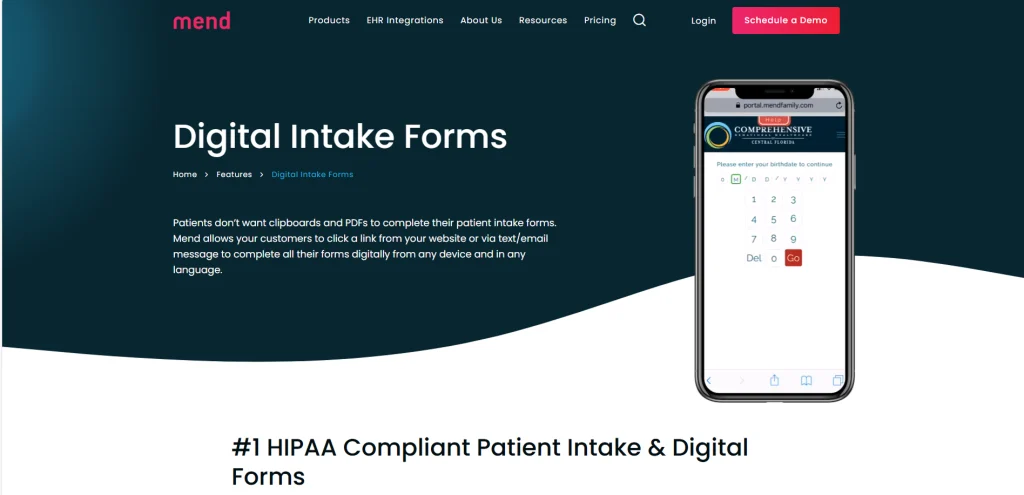
Mend is built for telehealth-first or hybrid outpatient practices that want seamless patient intake and pre-visit preparation built into the same environment used for video consultations.
What Mend Does
Mend started as a telehealth platform and has built its front-desk automation around that foundation, so the product works as a single continuous environment from the moment a patient books to the moment their visit ends.
Here is what that looks like in practice. A patient visits your website and clicks a scheduling link. Mend routes them through a branded self-scheduling experience, matching them to the right provider, appointment type, and time slot based on their inputs.
The moment they book, Mend automatically delivers the intake forms they need for that specific appointment type, not a generic packet, but forms specific to the visit: PHQ-9 screeners for behavioral health, consent documents, insurance and ID collection, clinical assessments.
Mend auto-fills any patient data it already has on file. It scores submitted assessments and flags potential clinical concerns before the provider ever opens the chart. By the time the provider starts the appointment, the chart is already populated.
Between booking and visit, Mend sends automated reminders by email, SMS, and phone call on a schedule you define. When patients self-schedule through Mend, they are 50% less likely to no-show. For practices seeing no-show rates of 30 to 40 percent, the platform’s customers report bringing those rates down to single digits.
For telehealth visits, the patient receives a link that opens directly into Mend’s video environment.
The technology check, camera, microphone, connection speed, happens inside the same system they use for the visit itself.
Mend reports a 99.85% video connection rate and a 98.3% patient engagement rate with its digital check-in forms.
Group video sessions are supported, and the platform integrates with EHR and practice management systems to keep scheduling and patient records in sync. HIPAA compliance, secure messaging, payment processing, and post-visit follow-up are all included in the same environment.
What Makes Mend Stand Out
Mend’s strength is its telehealth continuity. For practices running hybrid or fully virtual care models, it is the only platform on this list where intake, pre-visit preparation, and video consultation happen inside the same patient-facing environment. That continuity reduces the friction that comes from directing patients to one portal for forms, another for payment, and a third for their video link. Practices already using Mend for telehealth will find the front-desk automation a natural extension of an existing system rather than a separate product to evaluate, procure, and integrate.
Where Mend Is Less Ideal
The most fundamental limitation for practices evaluating Mend as a front-desk solution is that it does not handle inbound phone calls. It was built for telehealth continuity and digital intake, not for replacing the calls that come in during the day or pile up overnight. If your biggest front-desk problem is that patients cannot get through by phone, or that after-hours calls go to voicemail, Mend does not address that problem. It solves a different one.
On Capterra, where Mend has 920 verified reviews and a 4.6 rating, two practical friction points come up consistently.
One verified reviewer, a patient in mental health care using the platform for group sessions, noted: “The slightly more noticeable lag in transference of sound, especially in group settings, causes a lot of unnecessary talking-over-each-other.”
A separate reviewer flagged: “It doesn’t connect correctly in Microsoft Edge so I have to connect using Google Chrome.”
A third reviewer, a clinical staff member, noted that patients struggle with getting the software fully functional, specifically “difficulties with microphone/webcam/camera working in multiple visits with clients.”
For practices with older or less digitally confident patient populations, the digital-first intake model requires active patient support to work smoothly, that is a real staffing and training consideration before you commit.
Questions Practice Leaders Often Ask About Mend
Does Mend handle phone calls?
Mend’s core strength is form-based digital intake and telehealth continuity, not live multi-turn phone call handling.
Will Mend work with my telehealth workflow?
Yes. Mend guides patients through intake and video visits inside one continuous environment.
Is Mend HIPAA compliant?
Yes. Mend is HIPAA compliant and offers a BAA.
How long does implementation take?
If you are already using Mend for telehealth, the front-desk automation extends naturally from your existing setup.
Can I try Mend before buying?
Pricing is not publicly listed. Contact sales for a demo and current pricing.
What features are included?
Digital intake forms, insurance and ID collection, consent documents, predictive scheduling, automated reminders, confirmations, follow-ups, and telehealth video integration.
Does Mend handle after-hours calls?
Mend focuses on digital intake and telehealth continuity rather than live after-hours call handling.
Will patients still be able to reach a human if needed?
Yes. Staff can handle calls and complex situations outside of Mend’s automated workflows.
Is pricing transparent?
Pricing is not publicly listed. Contact sales for details.
Are there case studies?
Mend is an established platform founded in 2014. Contact their team for outcome data specific to your practice type.
10. TriageLogic
Founded: 2006
G2/Capterra rating: No centralized review platform score with sufficient verified healthcare reviews at time of writing.
Pricing: Not publicly listed.
Best known for: The only platform on this list purpose-built for clinically safe call triage, combining AI with real nurse oversight for symptom-related calls.
TriageLogic is built for primary care, pediatric, and urgent care practices with high symptom-call volume.
What TriageLogic Does
When a patient calls your practice describing symptoms, the question is not just administrative, it is clinical.
Should this patient go to the ER right now?
Can they wait until tomorrow morning?
Is this something they can manage at home with instructions?
Getting that answer wrong has direct patient safety consequences.
TriageLogic is the only platform on this list built to answer that question correctly, every time.
TriageLogic’s TriageIntelligence platform runs on the Schmitt-Thompson protocols, the gold-standard, physician-developed clinical triage guidelines used across the U.S. healthcare system.
When a patient calls, a registered nurse takes the call and works through a structured symptom evaluation using these protocols, supported by AI that guides the nurse through the right questions, documents each step in real time, and surfaces the appropriate care recommendation.
The AI does not replace the nurse, it supports them, ensuring that every patient is assessed against the same evidence-based standard regardless of which nurse takes the call or what time of day it is.
The call outcome determines the next action: the patient is directed to call 911, go to the emergency room, visit an urgent care center, see their primary care provider within a defined timeframe, or manage the issue at home with specific instructions.
Patient phone interactions are shared directly with the EHR so providers have a complete record of the symptoms discussed and the care recommendation given. The platform’s enhanced 911 assessment capability helps nurses evaluate life-threatening symptoms over the phone and documents each step in the assessment. Structured callback and follow-up routing ensures that patients flagged as urgent do not get lost in an administrative queue after hours.
TriageLogic is URAC-accredited, physician-led, and currently serves more than 22,000 physicians covering over 40 million patient lives nationwide. The platform carries SOC 2 Type II attestation. It is available 24/7 including nights, weekends, and holidays.
What Makes TriageLogic Stand Out
TriageLogic’s strength is its clinical focus. It is the only platform on this list built specifically around clinical triage, combining AI, machine learning, and real nurse oversight. It is available 24/7 for after-hours coverage and includes enhanced 911 assessment capability built directly into the system. For primary care, pediatric, and urgent care practices that receive high volumes of symptom-related calls, this is a meaningfully different tool from a scheduling automation platform. It addresses the call type that carries the most clinical risk, not just the call type that takes the most administrative time.
Where TriageLogic Is Less Ideal
TriageLogic does one thing well: clinical call triage.
It does not do scheduling, digital intake, insurance verification, or payment processing. For practices whose primary challenge is symptom-call volume and clinical routing accuracy, that focus is a strength. For practices that need a broader front-desk solution, it means TriageLogic must run alongside a separate scheduling and intake platform, two vendor relationships, two contracts, two integration dependencies, and two onboarding processes to manage simultaneously.
TriageLogic also does not have a presence on G2 or Capterra with verified user reviews at time of writing, which means there is no independent community feedback on day-to-day support quality, implementation experience, or how the AI performs across different call types in real practice environments.
The January 2025 TriageIntelligence launch is verified and the clinical protocol foundation is credible, but for practices that want peer validation from practices similar to theirs before committing, that feedback loop does not yet exist publicly.
If clinical triage accuracy is genuinely your top operational priority, TriageLogic deserves a serious evaluation. If it is not, the complexity of running a second platform alongside your scheduling tool may not deliver proportionate value.
Questions Practice Leaders Often Ask About TriageLogic
Does TriageLogic handle phone calls?
Yes. TriageLogic routes calls based on symptom descriptions and urgency assessments.
Will TriageLogic handle scheduling?
No. TriageLogic does not handle scheduling, intake forms, or payment processing.
Is TriageLogic HIPAA compliant?
Yes. TriageLogic is HIPAA compliant and offers a BAA.
How long does implementation take?
Implementation focuses on clinical protocol configuration and nurse oversight integration.
Can I try TriageLogic before buying?
Pricing is not publicly listed. Contact sales for a demo and current pricing.
What features are included?
AI plus nurse oversight, 24/7 after-hours coverage, enhanced 911 assessment capability, structured callback and follow-up routing, and an updated Nurse Triage Handbook for clinical staff.
Does TriageLogic handle after-hours calls?
Yes. 24/7 availability for after-hours coverage is a core feature.
Will my patients still be able to reach a human if needed?
Yes. Nurse oversight and structured escalation ensure urgent patients receive timely attention.
Is pricing transparent?
Pricing is not publicly listed. Contact sales for details.
Are there case studies?
The TriageIntelligence platform launched in January 2025 with a verified press release and updated Nurse Triage Handbook. Contact TriageLogic for outcome data specific to your practice type.
How to Choose the Right Platform for Your Practice
Here is a simple four-step process that every successful deployment in this guide essentially followed.
Step 1: Name your actual bottleneck.
Do not start by comparing features. Start by naming the one specific problem you want to solve first.
- Missed calls and after-hours coverage: Luma Health, DoctorConnect ARIA, or DeepCura
- Enterprise-scale patient call automation, fax processing, and referral backlogs: Notable Health or Luma Health
- Symptom-related call triage: TriageLogic
- Digital intake and telehealth continuity: Mend
- Multi-location consistency across sites: Greetmate
- Want a complete AI front desk that works with any EHR, with full migration support if needed: OmniMD AI Front Desk
- Unified communications for a small or mid-size practice: Weave
- Modular AI expansion starting with one role: Sully.ai
Step 2: Verify EHR compatibility before shortlisting anyone.
Ask every vendor before any demo: does this support bidirectional write-back to my specific EHR, is that included in the base price or sold separately, and can I see it working live with my actual system rather than a sandbox environment? More AI receptionist deployments fail over EHR integration gaps than any other reason.
Step 3: Check four things about HIPAA compliance, not just the claim.
Every vendor claims HIPAA compliance. What you need to verify:
- Will they sign a BAA before any patient data touches their system?
- Are call recordings encrypted in transit and at rest?
- Is patient call data used to train their AI models without your authorization?
- Is there a documented breach notification protocol with specific timelines?
Step 4: Set a measurable baseline before you go live.
Pick one number to track. Call abandonment rate. Monthly no-show percentage. Staff hours spent on outbound reminder calls. Appointment slot utilization. Measure it before deployment, then measure it again at 30 and 90 days. The practices in this guide that got the best results all did this. If the platform is working, the number will move. If it does not, you will know quickly and can make decisions accordingly.
Disclaimer
This blog is intended for informational and educational purposes only and was prepared using information collected, reviewed, and cross-referenced from publicly available sources as available at the time of publication. Data referenced throughout this blog, including pricing, product capabilities, ratings, review counts, implementation details, certifications, integrations, published customer outcomes, security claims, and platform comparisons, was compiled from vendor websites, product documentation, third-party software review platforms, published case studies, industry publications, public reports, and independent research sources.
Sources referenced in developing this article include, but are not limited to: Capterra, G2, GetApp, Software Advice, vendor websites and product documentation, public pricing and integration pages, published customer case studies, press releases, earnings materials, security and compliance documentation, industry publications, healthcare technology reports, and other publicly available sources where applicable.
Because pricing models, product capabilities, certifications, implementation requirements, contract terms, roadmap commitments, and market conditions may change without notice, the information presented should not be treated as exhaustive, final, legal, financial, purchasing, compliance, clinical, or implementation advice. Not every source referenced in the research process is individually linked within the article.
Readers are encouraged to independently verify current pricing, features, certifications, contractual terms, integration compatibility, and product suitability directly with vendors and to use their own professional judgment and discretion before making any purchasing or operational decisions.

Kamal Sharma is a distinguished healthcare technology leader and CTO at OmniMD, renowned for driving transformation at the nexus of clinical excellence and digital innovation. Over a career spanning advanced EHR platforms, revenue cycle management, and Digital Health ecosystems including RPM, Telehealth, and Patient Portals, he has consistently architected patient-centric, outcome-oriented systems.