
Patient Check-In Kiosk Software Built Into Your EHR
OmniMD’s Patient Kiosk empowers patients to check themselves in, verify insurance, update records, and sign consent forms, all without front-office intervention. Less waiting. More care.
Everything Patients Need at Their Fingertips
A self-service digital experience that reduces administrative burden and puts patients in control of their own intake journey.
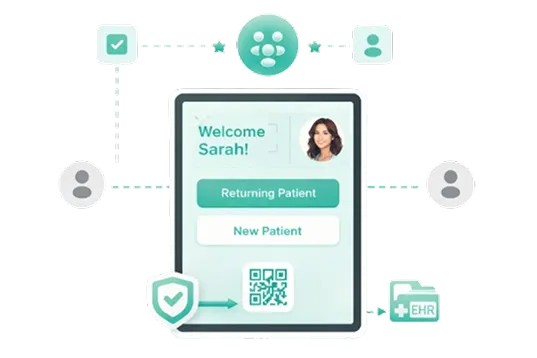
Self-Service Check-In
Patients check in independently via tablet or touchscreen, no front-desk interaction required. New and returning patients are automatically recognized.
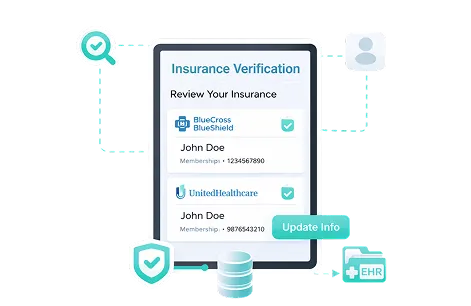
Insurance Verification
Real-time eligibility validation at check-in. Patients can review and update their insurance data, reducing claim denials and administrative rework downstream.
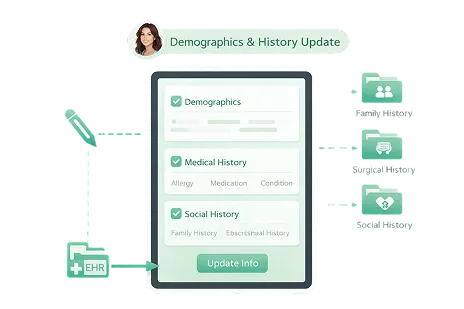
Demographics & History Update
Patients can review and correct demographic details, medical history, family history, surgical history, and social history before the physician encounter.
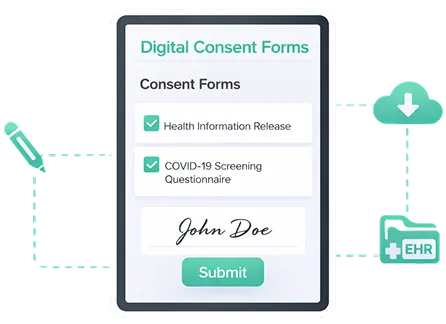
Digital Consent Forms
Paperless consent and pre-appointment questionnaires completed directly on the kiosk, signed, submitted, and synced to the patient record automatically.
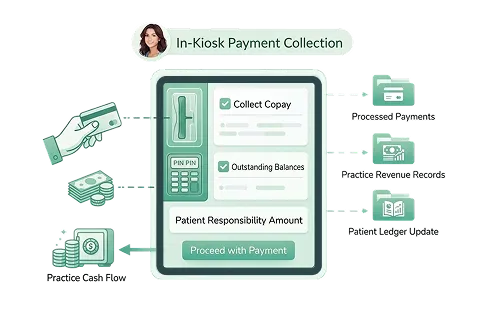
In-Kiosk Payment Collection
Collect copays, outstanding balances, and patient responsibility amounts at arrival, expediting payments and improving practice cash flow effortlessly.
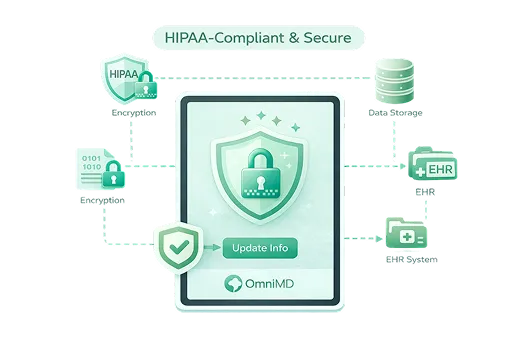
HIPAA-Compliant & Secure
All data collection and transmission meets strict HIPAA compliance standards. Patient information is encrypted, protected, and built directly into OmniMD’s EHR.
Fast, Staff-Free Check-In in Under 3 Minutes
From arrival to the exam room, the kiosk guides patients through every step with clarity and speed.


Built for Patients. Designed for Practices.
The Patient Kiosk delivers measurable value on both sides of the front desk.

Dramatically Reduced Wait Times
Self-service check-in eliminates front-desk bottlenecks. Patients move through intake faster, improving satisfaction scores and appointment throughput.

Higher Data Accuracy
Patients enter and verify their own information directly, reducing transcription errors, outdated records, and costly claim rejections from incorrect demographics.

Freed-Up Clinical Staff
With intake handled by the kiosk, front-office staff can redirect their attention to complex patient needs, provider coordination, and higher value tasks.

Accelerated Revenue Cycle
Collect copays and patient balances at the point of arrival. Real-time insurance eligibility checks prevent claim delays before the visit even begins.

Paperless & Environment Friendly
Replace clipboards, printed forms, and manual filing with a fully digital intake workflow, reducing overhead costs and supporting sustainable practice operations.

More Time for Patient Care
With clinical context already captured before the encounter, clinicians spend less time on paperwork and more time delivering quality, patient-focused care.
Part of a Fully Integrated Healthcare Platform
The Patient Kiosk doesn’t operate in isolation, it’s a connected module within OmniMD’s suite of 18+ clinical, administrative, and financial tools built for 20+ medical specialties.
Data captured at check-in flows directly into the EHR, PMS, and RCM systems, creating one unified patient record with zero duplication.
What Is a Patient Check-In Kiosk?
A patient check-in kiosk is a self-service touchscreen terminal installed at the reception area of a medical practice that allows patients to complete intake without front-desk assistance. Patients verify their demographics, update medical history, sign consent forms, pay outstanding balances, and complete pre-visit questionnaires before seeing their provider.
The key differentiator between a standalone kiosk app and an integrated one is connection depth. OmniMD’s kiosk connects natively to your Electronic Health Records (EHR), practice management software, and patient portal so every entry the patient makes updates the provider’s chart and billing record in real time, with no manual re-entry required.
How Check-In Works Step by Step
- Patient arrives and taps “Check In” on the kiosk screen
- System authenticates via name and date of birth
- Demographics, insurance, and history pre-fill from the live EHR record
- Patient reviews and confirms information, updates anything that has changed
- Digital consent forms display for e-signature
- Copay or open balance displays with on-screen payment collection
- Status updates to “Checked In” in your revenue cycle and scheduling workflow simultaneously
OmniMD’s kiosk also connects to pre-authorization workflows, verifying insurance eligibility at check-in before the patient is seen. For practices that run telehealth visits, the same patient intake data carries over without a second entry step.
Which Medical Specialties Use Patient Check-In Kiosks?
OmniMD’s patient kiosk is deployed across a wide range of clinical settings. Browse all OmniMD-supported specialties or review common kiosk use cases below.
Primary Care
High-volume primary care practices benefit most from kiosk-driven insurance verification and demographic updates. Most primary care practices see 20 to 40 patients daily; kiosk intake reduces front-desk processing time by 3 to 5 minutes per patient.
Dermatology
Dermatology practices use the kiosk to separate cosmetic and medical visit intakes, capture photo consent at check-in, and update insurance information for visits coded differently across the same appointment day.
Orthopedics
Orthopedic intake often includes injury history forms, body diagram pain localization, and functional status questionnaires. Kiosk-based intake captures these before the patient reaches the provider, reducing the clinical intake burden on nursing staff.
Urgent Care
Walk-in volume at urgent care centers demands fast throughput. OmniMD’s kiosk handles simultaneous check-ins, maintains queue order, and displays estimated wait times while capturing copays and insurance data that would otherwise require staff interaction.
Pediatrics
Pediatric practices use the kiosk to collect guardian consent, update vaccination records, and capture growth history inputs at check-in. Consent workflows handle both single-parent and dual-guardian authorization flows.
Mental Health and Behavioral Health
Behavioral health practices use the kiosk to administer PHQ-9, GAD-7, and AUDIT screeners before the session begins. Patients complete standardized screeners privately at the kiosk; scores transmit directly to the provider’s chart alongside the AI medical scribe note from the session.
OmniMD vs. Standalone Patient Kiosk Vendors
Standalone kiosk platforms like Clearwave, Phreesia, and Epion Health connect to EHRs via HL7 or API integration. OmniMD’s kiosk runs inside the same platform as your EHR, billing, and scheduling with no middleware, no sync delay, and no additional integration cost.
| Feature | OmniMD Kiosk | Standalone Vendors |
|---|---|---|
| EHR Integration | Native (same platform) | Via HL7 or API |
| Billing / RCM Connection | Direct, real-time | Requires sync or export |
| AI Scribe Connection | Yes, same OmniMD platform | Not available |
| Pre-Authorization at Check-In | Built in | Separate integration required |
| Typical Check-In Time | Under 3 minutes | 3 to 7 minutes |
| Setup Time | Same-day to 1 week | 2 to 4 weeks |
| Additional License Cost | Bundled with OmniMD | Separate per-location fee |
For practices already on OmniMD, adding the patient kiosk requires no new vendor contract, no integration project, and no additional data privacy review. AI Front Desk coordination is also available to practices that want to extend the kiosk workflow into pre-visit patient communication.
From the Practice Floor: What We Observed Across 600+ OmniMD Clinics
Verified July 2026 | Dr. Giri Rajtosh Purohit, Product Owner, OmniMD
Across the practices we work with directly, the single most consistent finding is that check-in kiosk adoption is faster when the kiosk does not require a separate login from the patient portal. Patients who have already set up a patient portal account can be verified at the kiosk in under 60 seconds. Practices that skip patient portal onboarding report longer kiosk check-in times because each patient authenticates from scratch via name and date of birth.
The second pattern: practices that configure the kiosk to collect copays at check-in, not at checkout, see a measurable increase in same-day payment collection rates. Patients are less likely to leave without paying when the payment prompt appears as part of the intake flow rather than as a separate transaction at discharge.
The third pattern: specialty-specific intake forms matter more than generic demographic updates. In orthopedics and behavioral health, the kiosk earns provider buy-in faster when it captures clinically relevant data including pain scores, screeners, and functional assessments, not just insurance updates. Practices that configure this from day one report higher kiosk utilization and faster exam room readiness times.
These observations are drawn from direct configuration and implementation work with practices across the OmniMD network. Schedule a demo to discuss how kiosk setup is typically structured for your specialty and patient volume.