
Best Patient Scheduling Software in 2026 by Practice Size
Summary:
| Practice Type | Best Fit | Key Features |
|---|---|---|
| Solo/new practitioner (therapy, wellness, counseling) | SimplePractice, Acuity Scheduling | HIPAA-compliant telehealth, client self-booking, intake forms, appointment reminders, BAA included |
| Rehab therapy clinics (PT, OT, SLP, chiropractic, pediatric) | SPRY | Real-time eligibility check, SOAP note auto-fill, AI Scheduling Agent, smart waitlist, signed BAA |
| Solo physician (clinical with billing needs) | Tebra | EHR plus billing plus scheduling, Google profile booking, digital intake, automated reminders, HIPAA-compliant |
| Small group practice (2 to 10 providers) | Jane App, OmniMD | Multi-provider calendars, part-time practitioner pricing, online booking portal, SMS and email reminders, insurance billing add-on |
| Multi-specialty clinic (shared front desk, multiple departments) | OmniMD, eClinicalWorks, NextGen Healthcare | Specialty-specific templates, real-time eligibility, patient self-scheduling, multi-resource calendar view, 20+ specialties supported |
| Urgent care/walk-in (high walk-in volume, unpredictable flow) | WaitWell | Virtual walk-in queue, kiosk and QR and SMS check-in, Waillo AI triage routing, two-way SMS, HIPAA and PIPEDA compliant |
| Large health system (hospital-affiliated, multi-location) | Luma Health, athenahealth athenaOne | AI no-show recovery, referral workflow automation, prior authorization management, reminders in 20+ languages, EHR-native integration |
Ask ten practice managers which scheduling software they use, and you will get ten different answers. Ask why, and most of them will say they tried a tool built for a different kind of practice and it never fit.
A solo therapist booking 45-minute sessions needs software that protects consent-heavy intake, keeps billing simple, and does not require a billing department to run.
A physical therapy clinic tracking rolling plans of care needs a system that checks insurance authorization before confirming a visit, not after. A multi-specialty group sharing one front desk needs scheduling that enforces different rules for cardiology and gastroenterology at the same time.
An urgent care clinic needs software that knows most of its patients did not book ahead.
These are not variations of the same problem. They are different problems, and picking a tool built for the wrong one costs time, money, and patient trust. The reason most universal ‘best scheduling software’ rankings fail practices is that they flatten those differences into a single star rating. This blog does not do that. It separates recommendations by practice type so the comparison you are doing actually reflects the scheduling challenge your practice faces. Let’s begin.
What to Look for Before Comparing Tools
Before looking at any specific platform, knowing which features will actually matter for your practice helps you avoid paying for things you will never use while missing the ones you need most. The things worth checking in every platform are:
#1. HIPAA compliance is required for any tool that handles patient information in the United States. The headline claim on a vendor’s homepage is not enough to verify this. Check:
- Which pricing plan includes the Business Associate Agreement (BAA), since some vendors require their most expensive tier before they will sign one
- Whether the BAA covers the full platform or only certain parts, because a BAA that excludes the intake form or the payment page leaves patient data exposed
- Whether other tools in the same product family, such as contact forms or chat widgets, fall outside the BAA and cannot legally handle patient information
#2. Self-scheduling has become an expectation for most patients in 2026. The key things to check in any self-scheduling implementation are:
- Whether availability is shown in real time or is a request form that a staff member reviews later
- Whether confirmations are sent immediately after booking or require staff approval first
- Whether patients need to create an account or log in before booking, since that step alone reduces how many patients complete the process
#3. Automated reminders by text, email, or voice before appointments recover no-show slots at low cost. The quality of the reminder system matters as much as whether it exists, since reminders sent at a fixed time regardless of the patient’s response history are less effective than ones timed to individual behavior patterns.
#4. EHR and billing integration determines how much manual work follows each booking. A tool that only reads availability and writes back a confirmed time is doing the minimum. A platform that also triggers insurance checks, fills documentation fields, and sends data into billing automatically removes the steps where errors and delays build up.
#5. Waitlist management that contacts the next eligible patient automatically when a slot opens is more useful than a waitlist that requires a staff member to review and call. The difference matters most during busy periods when the front desk has less time to manage it.
#6. Pricing transparency requires checking more than the monthly subscription cost. Before signing, confirm:
- Whether setup, data migration, or implementation fees are charged separately
- What per-claim charges apply beyond the monthly included limit, since these can make a cheap plan expensive at scale
- What add-ons like reminders, insurance verification, or telehealth cost, because these often appear necessary only after onboarding has started
Best for New Practices and Solo Practitioners
A solo or new practice has no administrative team to absorb the setup costs of a complex platform, no IT support to manage integrations, and no budget for a long onboarding process that delays patient bookings. Choosing a platform built for groups of ten and trying to adapt it to a one-person operation creates work rather than removing it. The tools below are built for the actual scale of a solo or new practice, with pricing tiers that grow with the practice rather than charging for capacity it does not yet need.
1. SimplePractice
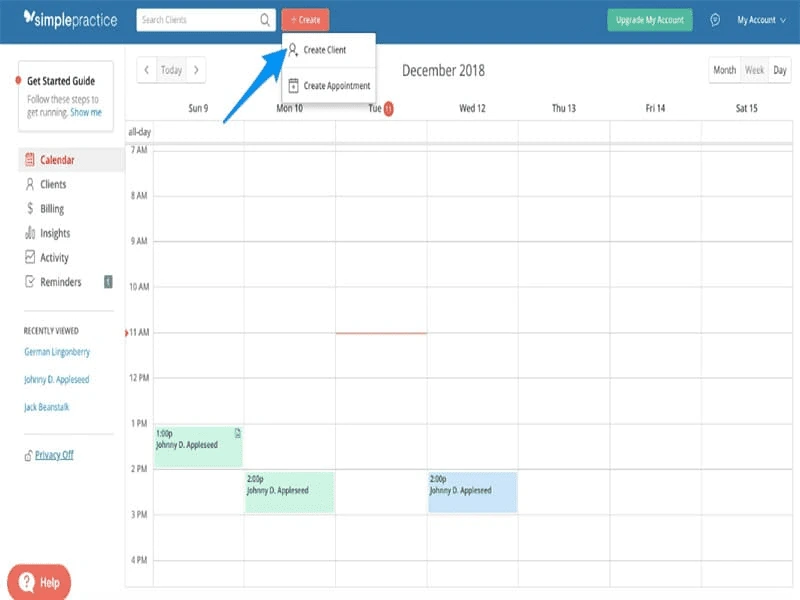
SimplePractice is built for therapists, counselors, dietitians, and other health and wellness professionals running solo or small practices. According to SimplePractice’s plan comparison documentation, it offers three plans with scheduling capabilities that differ in meaningful ways:
- Starter: Starts at $49/month and covers basic scheduling and documentation, but appointment reminders are restricted to telehealth appointments only, so practices needing reminders for in-person visits must upgrade
- Essential: Starts at $79/month and adds full text, email, and voice reminders for all appointment types, basic calendar sync with Apple, Microsoft 365, and Google, and waitlist management
- Plus: Starts at $99/month and adds a bookable appointment widget for an external website, advanced Google calendar sync, color-coded calendar filters, group appointments for up to 15 clients at once, client announcements (read-only broadcast messages to all clients at once), and the ability to add team members
On the Plus plan, additional clinicians are billed at $74/month for practices with 2 to 5 total clinicians, $72/month for 6 to 15, and $69/month for 16 or more. Unlimited non-clinician staff, including schedulers and billers, are included in Plus at no extra cost. The company reports more than 250,000 practitioners use the platform. A 30-day free trial is available with no credit card required.
Key scheduling features include:
- Online appointment requests on all three plans; embeddable website widget on Plus only
- HIPAA-compliant telehealth with no limits on session length or count, on all plans, with waiting rooms, screen-sharing, and interactive whiteboards
- Text, email, and voice appointment reminders on Essential and Plus; telehealth appointments only on Starter
- Waitlist management on Essential and Plus
- Calendar sync: basic on Essential, basic and advanced on Plus
- Group appointments (up to 15 clients) included on Plus, $20/month add-on on Essential, not available on Starter
- Insurance billing on all plans, with per-claim pricing and monthly included claim counts varying by tier
2. Acuity Scheduling
Acuity Scheduling, part of Squarespace, is a booking-focused tool rather than a full practice management system. It works well for acupuncturists, massage therapists, nutritionists, and wellness professionals whose scheduling needs center on service variety, staff calendar coordination, and package or membership management rather than insurance authorizations or multi-visit clinical documentation.
Key scheduling features include:
- 24/7 online self-booking with real-time availability and no patient login required
- Automated email and SMS appointment reminders
- Customizable intake forms for collecting patient information before the appointment
- Calendar sync across staff members and locations to prevent double-booking
- Payment processing via Stripe, Square, or PayPal
- HIPAA compliance on the Premium or Powerhouse plan only, requiring a signed BAA to activate it
One important detail: Acuity is the only Squarespace feature currently built to support HIPAA compliance, as stated in Acuity’s own HIPAA documentation. Standard Squarespace contact forms, feedback forms, and other page tools fall outside the BAA and cannot be used to collect patient health information. Any protected health information collected outside Acuity’s native intake tools must go through a separate compliant service.
A 7-day free trial is available with no credit card required, and for practices managing ongoing treatment plans across multiple visits rather than standalone bookings, the limitation of a booking-only tool becomes apparent when the scheduling system cannot track clinical progress, authorization status, or plan-of-care logic on its own.
Best for Rehab Therapy Clinics (PT, OT, SLP, Chiropractic)
Physical therapy, occupational therapy, speech-language pathology, and chiropractic clinics have a scheduling problem that most general tools are not built to solve. In these settings, each visit sits inside a plan of care with a finite number of authorized visits. Insurance authorization windows expire.
Payers set visit limits that need to be tracked against the schedule. Rescheduling a patient mid-plan is not a neutral calendar change; it affects authorization consumption and treatment continuity. A general booking tool does not understand any of that, which is why platforms built specifically for rehab therapy embed those clinical rules into the scheduling logic rather than leaving staff to manage them manually.
3. SPRY
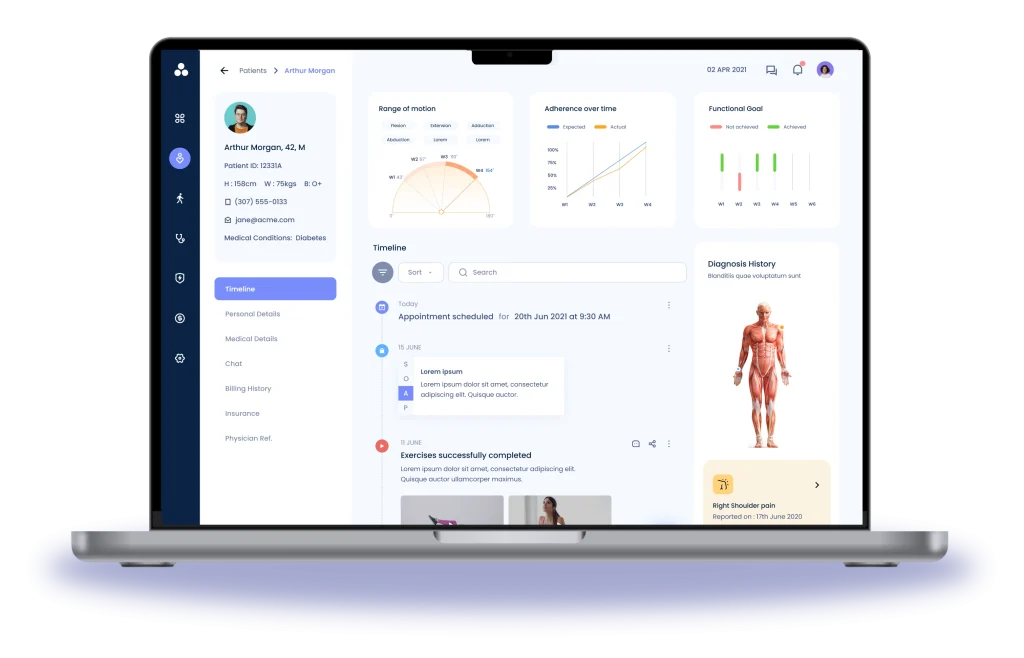
SPRY is an AI-native EMR and billing platform built specifically for rehab therapy clinics, including PT, OT, SLP, chiropractic, pediatric therapy, and behavioral health practices. The scheduling system sits inside the full EMR and RCM workflow rather than operating as a separate booking layer, which means booking actions automatically trigger insurance verification, fill clinical documentation fields, and send data into billing without a staff member manually initiating any of those steps.
Key scheduling features include:
- 24/7 patient self-scheduling through the practice website or patient portal, with availability rules, appointment types, and provider preferences set by the clinic
- Real-time insurance eligibility verification before slot confirmation, blocking appointments that would produce denied claims
- Automated multi-channel reminders (SMS, email, voice) timed to each patient’s individual response behavior
- Smart waitlist that finds suitable patients and fills cancelled slots automatically, without staff involvement
- Unified scheduling that auto-populates SOAP notes, triggers eligibility checks, and syncs with billing so no information is entered more than once
- Telehealth scheduling with integrated video for virtual and in-person visits managed in the same system
- HIPAA-compliant with end-to-end encryption, role-based access controls, audit trails, and a signed BAA provided to all clients
- Digital intake forms and kiosk check-in
- Calendar sync with Google, Outlook, and Apple
SPRY also offers an AI Scheduling Agent for clinics that need autonomous cancellation backfill, intelligent reschedule matching against active authorizations, and around-the-clock appointment offers to waitlisted patients.
SPRY holds a 4.8/5.0 rating on G2 and Capterra.
Best for Small Group Practices (2 to 10 Providers)
When a practice grows from one provider to several, new scheduling problems appear that a solo-practice tool was not built to handle. The system has to manage multiple providers with different hours, different appointment types with different durations, and potentially different billing arrangements, all from the same interface, and it has to do that without requiring a dedicated admin person just to keep the calendar organized. The pricing model also needs to fit actual team size, since tools priced for large enterprises will consistently charge a small group for capacity it does not use.
4. Jane App
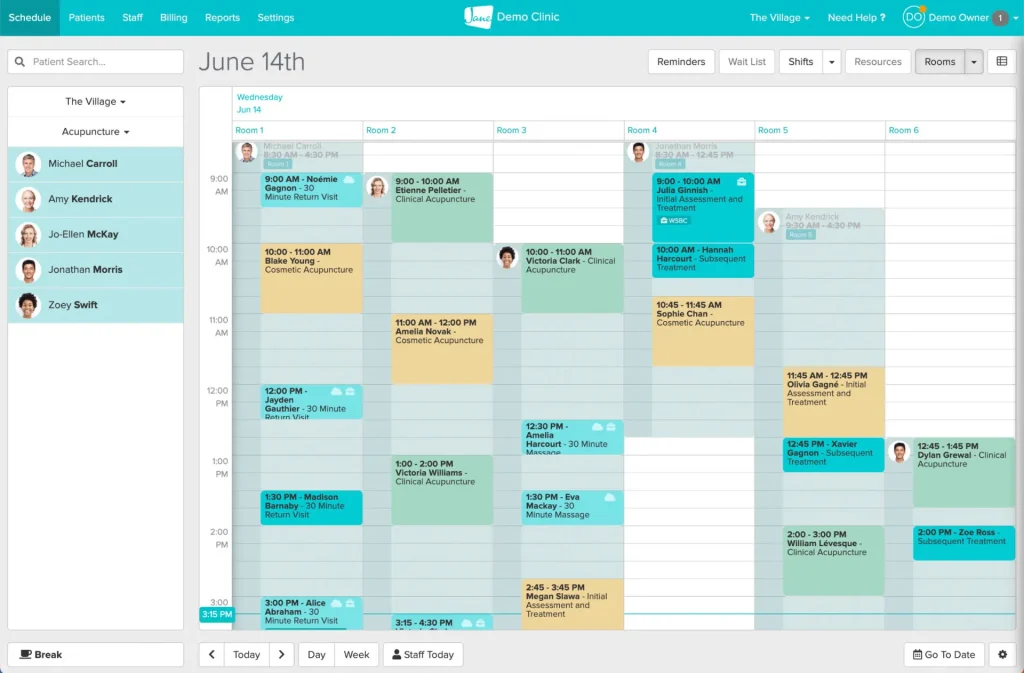
Jane App was designed around multidisciplinary clinics from the start. One of its co-founders ran a multi-practitioner clinic before building the platform, and that background shows up in how Jane handles multiple providers with different hours, different appointment types, and different billing needs under the same account without charging every profile a full-time license rate.
According to Jane’s pricing page, the platform charges per practitioner and only bills for profiles that have appointments booked on the schedule:
- Administrative staff with no bookable hours are added free of charge regardless of how many there are, so front desk staff and practice managers never add to the per-seat cost
- Practitioners working fewer than 24 booked hours per week qualify for a part-time license rate, so a clinician who works two days a week is not billed at the full-time rate
- The Balance plan costs $54/month, is limited to one practitioner and 20 appointments per month, and includes unlimited admin profiles and locations
- Practice costs $79/month and includes one full-time practitioner, unlimited appointments, unlimited staff profiles, SMS reminders, and customizable branding; additional full-time practitioners are billed per the published per-practitioner rate, and part-timers at the lower rate
- Thrive costs $99/month and includes everything in Practice plus automated waitlist management, rooms and equipment scheduling, availability tagging, patient self-check-in, return visit reminders, packages and memberships, and marketing tools
- Insurance billing can be added to Practice or Thrive for $20/month base, plus $5/month per full-time practitioner and $2.50/month per part-time practitioner
Key scheduling features include:
- Online booking portal where patients book, cancel, and reschedule themselves without calling the front desk, available on all plans
- Unlimited email appointment reminders on all plans; unlimited SMS reminders on Practice and Thrive
- Support for one-on-one, back-to-back, group appointments, and classes on all plans; Group Telehealth available as a $15/month add-on
- Practitioner-specific calendars with shift management tools for setting up weekly schedules across multiple staff members
- Customizable intake forms and clinical chart templates, with a library of over 10,000 chart templates from practitioners across specialties
- Automated waitlist management on Thrive only
- Unlimited admin staff profiles at no additional cost on all plans
5. Tebra
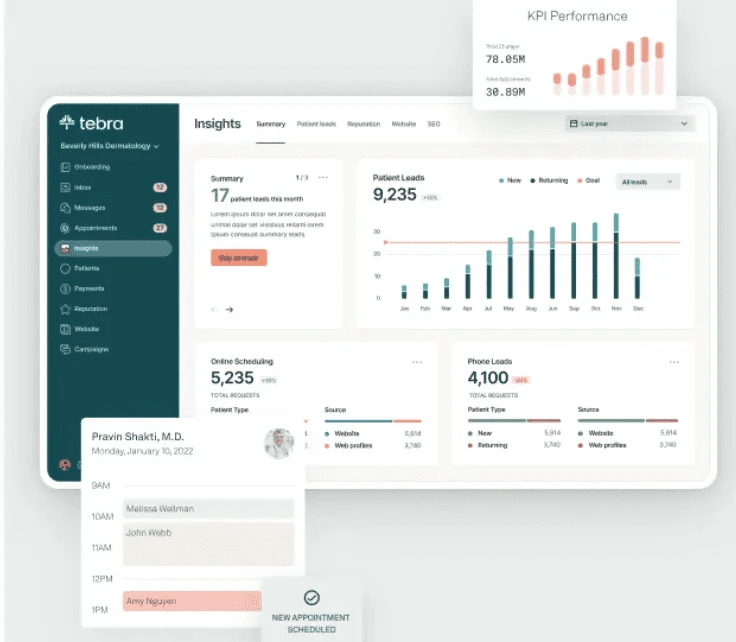
Tebra was formed from the 2021 merger of Kareo and PatientPop. It is an all-in-one platform for independent practices that combines EHR, billing, scheduling, patient engagement, and reputation management in one system. For small group practices, running scheduling in the same platform as billing and clinical documentation matters because each separate tool creates a data gap that staff have to bridge manually, and in a practice with 4 to 6 providers those manual steps eat into time available for patient care.
According to Tebra’s pricing page, the pricing structure is built around independent practice economics:
- Unlimited non-clinical staff, including front desk, billers, medical assistants, and office managers, can access the system at no extra cost
- Pricing is per prescribing provider and adjusts based on actual claim volume rather than a fixed per-seat charge
- Providers submitting 100 claims or fewer per month qualify for lower-tier pricing, which works for part-time clinicians
Tebra’s own 2025 Patient Perspectives Report, cited on Tebra’s scheduling page, found that 51% of patients would consider leaving a practice over long wait times and 42% want easier appointment booking.
Key scheduling features include:
- Online self-scheduling from Google profiles and the practice website via a custom booking URL that can be placed in emails and SMS messages
- Customizable appointment availability and durations by visit reason, so a new patient consultation and a follow-up use appropriately sized time blocks
- HIPAA-compliant scheduling and patient data storage throughout the platform
- Automated appointment reminders via text, email, and voice based on patient communication preferences
- Digital intake forms that replace paper patients would otherwise fill out in the waiting room
- EHR, billing, scheduling, and patient engagement under one vendor, with Capterra Shortlist 2026 and Software Advice Frontrunners 2026 recognitions.
Having all workflows in one platform becomes more important, not less, when a practice adds specialties, because at that point the scheduling system is no longer just coordinating providers but enforcing different rules, documentation needs, and payer relationships across departments that share a front desk but operate as clinically separate environments.
Best for Multi-Specialty Clinics
A multi-specialty clinic puts more demands on a scheduling platform than most tools are designed to meet. When a gastroenterologist, a cardiologist, and a pain management specialist share the same front desk, the scheduling system has to enforce specialty-specific appointment rules, show eligibility and authorization status before a slot is confirmed, give the front desk a clear view across all departments at once, and coordinate sequential appointments for patients seeing more than one provider in the same visit sequence. A general-purpose booking tool handles almost none of that without significant manual workarounds.
6. OmniMD
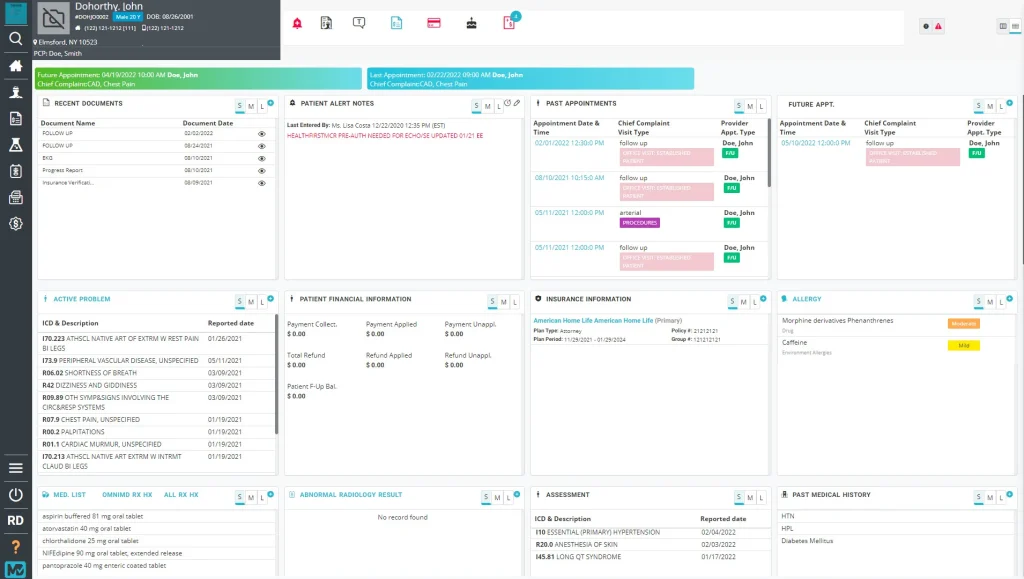
We built our platform specifically so that multi-specialty clinics never have to reconcile data between a scheduling module, an EHR module, and a billing module, because in our system those are not separate modules at all. Our platform is a cloud-based, ONC-certified EHR, practice management, and revenue cycle management solution built on a single-database architecture, meaning every clinical, administrative, and billing action runs through the same system. When your cardiology team books an appointment, modifies it, or cancels it, that change is immediately visible to billing and clinical staff without any sync job or manual update in between. We are trusted by 12,000+ providers across 600+ clinics and carry HIPAA, ONC, and SOC2 certifications.
Our platforms support more than 20 specialties, including cardiology, orthopedics, pain management, gastroenterology, mental health, urgent care, pediatrics, OB-GYN, physiotherapy, chiropractic, occupational therapy, rheumatology, nephrology, dermatology, vascular surgery, pulmonology, podiatry, sleep medicine, geriatric medicine, internal medicine, family medicine, primary care, wound care, and ambulatory surgery centers.
For each specialty, our workflow configurations and documentation templates are built around how that specialty actually documents and bills, not adapted from a generic template.
Our pricing adjusts based on provider count, patient visit volume, and the modules you select. We offer three plan tiers:
- Essentials: ONC-certified EHR, scheduling and charting, patient portal, secure messaging, e-prescribing, optional telehealth, smart templates, and patient communications
- Growth (our most popular plan): includes everything in Essentials plus our AI Medical Scribe, AI Front Desk Automation, RCM-ready workflows, task automation, advanced analytics, lab and imaging integrations, inventory management, and smart patient flow tools
- Enterprise and Multi-Location: includes everything in Growth plus RCM and billing services, a dedicated success manager, 24/7 priority support, deep workflow customization, data migration assistance, and multi-location reporting
Our team gets most practices live in 2 to 6 weeks depending on clinic size. Training, onboarding, and live support are included, and there are no hidden fees.
What you get in our scheduling system:
- Scheduling snapshots that surface provider, location, booking method, and visit reason in real time so your front desk staff always has immediate context
- A scheduling rule engine that prioritizes urgency, enforces provider-specific protocols, and updates in real time as patient needs change throughout the day
- Recurring appointment management with smart conflict detection and resource alignment, whether you are sequencing daily rehab sessions or monthly chronic care follow-ups
- Daily, weekly, and monthly calendar views that align patient demand, provider load, and location availability in real time
- A tracker board with acuity tracking and dynamic dashboards that visualize patient status, severity, and wait-time trends, designed for the volume and pace of a busy multi-specialty front desk
- Predictive waitlist management that analyzes your trends, automates patient backfill, and monitors no-show ratios to recover lost capacity automatically
- Automated eligibility and benefit verification that scans and validates patient insurance before check-in and proactively flags coverage issues before they become billing problems
- One-click copay collection with HIPAA-compliant real-time copay capture online or at the point of care, with automated receipt generation and immediate EHR synchronization
- Scheduling templates and intelligent alerts that enforce consistency across your providers and surface conflicts or high-risk booking behaviors before they cause downstream problems
- Customizable dashboards with role-based views for providers, billing teams, and practice leadership
Further, our AI Front Desk runs 24/7 and handles patient self-scheduling, real-time insurance eligibility checks, automated billing steps, and follow-up communications without requiring staff to be involved at every step. It is included in our Growth and Enterprise plans and also available as a standalone module for clinics that want to start there.
7. eClinicalWorks
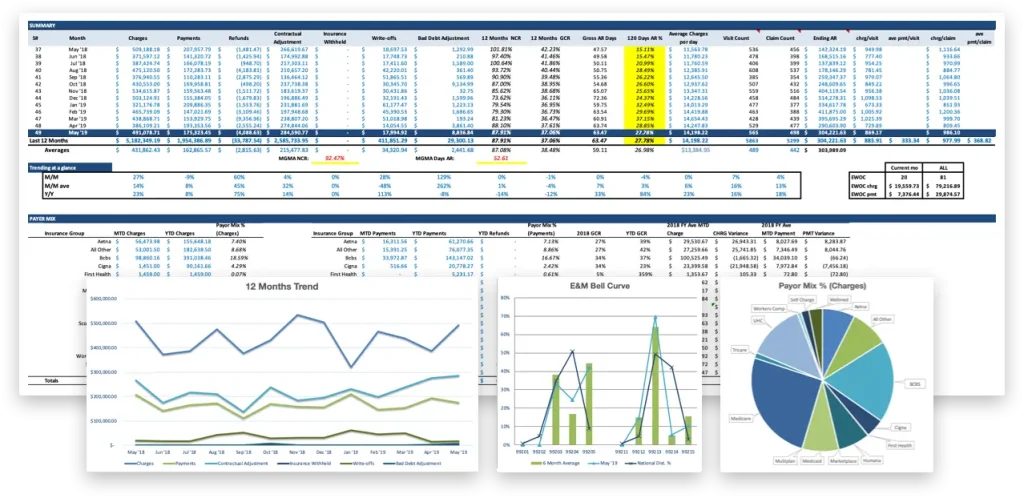
eClinicalWorks calls itself the largest ambulatory cloud EHR and supports dozens of specialties including primary care, orthopedics, gastroenterology, cardiology, neurosurgery, vascular surgery, pain management, urgent care, and ambulatory surgery centers.
The adoption rate of its healow Open Access self-scheduling tool is shown in a press release on eClinicalWorks’ own website, where Creekside Family Practice, a family medicine and primary care clinic in Cypress, Texas, reported that 90% of total monthly appointments were booked through healow Open Access after implementation.
Key scheduling features include:
- Healow Open Access for patient self-scheduling with no phone call or staff involvement, available across all supported specialties
- Telehealth appointment type support within the scheduling workflow
- Specialty-specific workflows and documentation templates for dozens of clinical areas
- Full integration with eClinicalWorks EHR and billing, so scheduling data flows into clinical documentation and the revenue cycle without a separate data entry step
- Automated patient engagement tools including appointment reminders
- For ambulatory surgery centers: patient journey support from pre-visit consultation through post-visit follow-up, scheduling across multiple specialties sharing the same facility, and inventory management to confirm supplies are available at scheduled procedure times
8. NextGen Healthcare
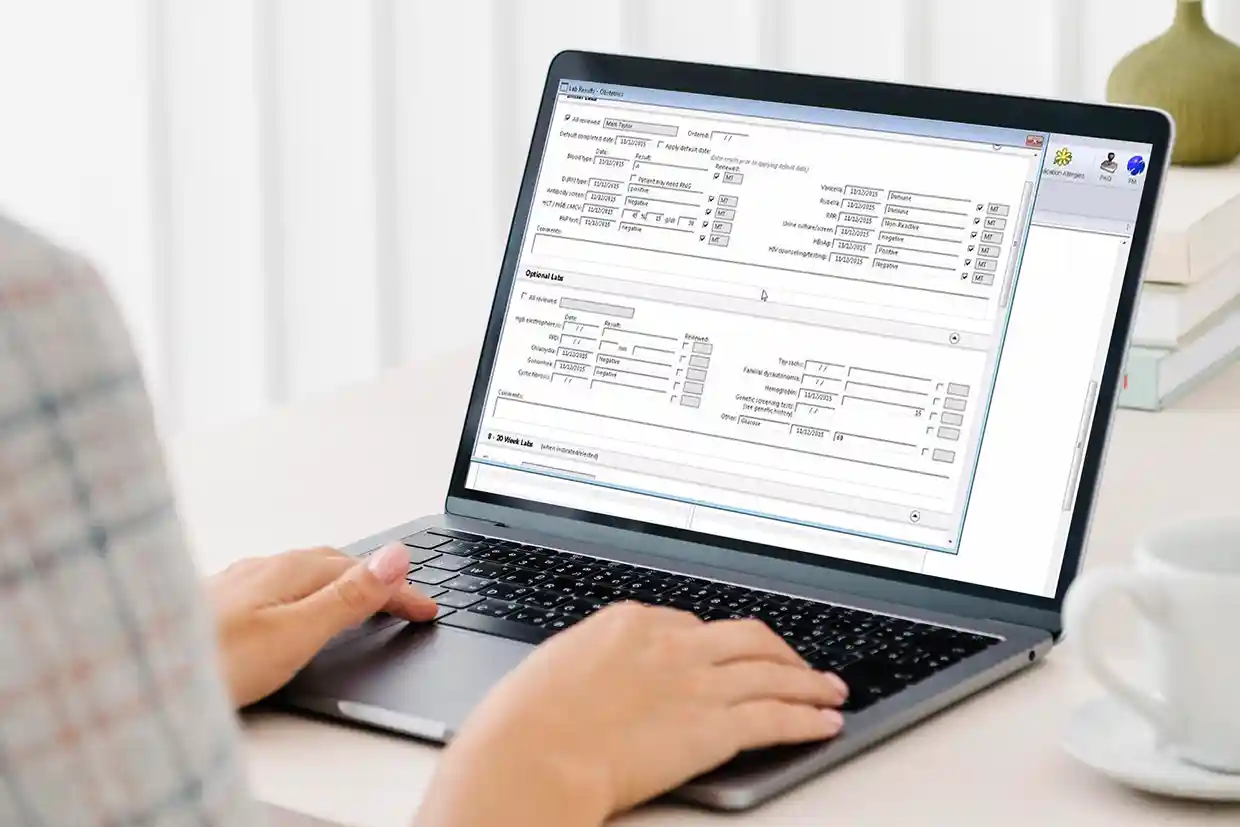
NextGen Healthcare offers practice management and scheduling for mid-sized to larger independent practices and multi-specialty groups that need detailed control over how their appointment books are structured, not just which appointment types exist but how each type interacts with providers, rooms, and other resources throughout the clinical day.
Key scheduling features include:
- Color-coded, customizable scheduling templates with adjustable time increments per appointment type so each specialty uses time blocks that reflect its actual clinical needs
- Multi-resource view showing multiple providers or rooms on one screen, so the front desk sees the full picture without switching between calendars
- Group scheduling for appointments involving multiple patients at the same time
- Real-time waitlisting that updates automatically as cancellations happen throughout the day
- NextGen Self-Scheduling where patients book by web or text with no account or login required, directly integrated with the NextGen Enterprise PM appointment book so patient bookings appear immediately in the staff calendar
- Automatic rescheduling options sent to patients who cancel via a reminder response, without staff needing to identify and follow up on the cancellation
- Referral notifications sent to patients when they are referred, with a direct booking link and real-time confirmation sent back to the referring provider once the appointment is made
- Fully automated eligibility verification through a remote transaction server connected to payer systems in real time, so insurance checks happen within the scheduling workflow rather than as a separate task before each appointment
Automated eligibility verification matters especially in a multi-specialty clinic where different payers apply different authorization requirements to different services in the same building, and front desk staff cannot be expected to memorize those rules across every specialty’s appointment types. That problem of rule complexity is entirely different from the problem a walk-in clinic faces, where the challenge is not knowing which rules apply but not knowing how many patients are coming through the door at all.
Best for Urgent Care and Walk-In Settings
Urgent care clinics and walk-in facilities have a patient flow pattern that most scheduling tools are not designed for. A large share of the patients seen on any given day did not book in advance, and a platform that only manages a pre-booked calendar handles roughly half the day’s volume while leaving the rest to be managed through paper sign-in sheets, whiteboards, and front-desk judgment under high-pressure conditions. When the lobby is full and the calendar only shows six appointments, the tool has already failed for the majority of patients in the building.
9. WaitWell
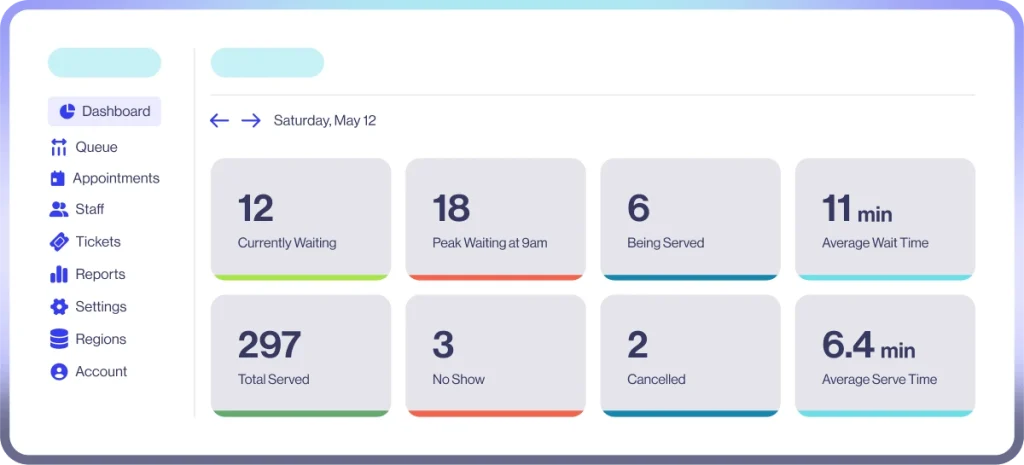
WaitWell is a scheduling and queue management platform built for settings where booked appointments and walk-in patients arrive at the same time and need to be managed in the same staff view. Rather than running a booking calendar and a walk-in queue as two separate systems that staff reconcile manually, WaitWell puts both in one dashboard so staff always see the complete picture and walk-in patients are not invisible to the people managing the day.
Key patient scheduling features include:
- Patients can book ahead online, join a virtual queue from their phone on arrival, or check in at an on-site kiosk, with all three flows appearing in a single staff dashboard
- The platform can reduce in-clinic wait times by up to 95% and lower no-show rates by up to 66%, per WaitWell’s own published platform data
- WaitWell received recognition in G2’s 2026 Best Software Awards
Key scheduling features include:
- Combined appointment booking and walk-in virtual queue management in a single staff dashboard
- QR code, web link, SMS, and kiosk check-in with no app download required for patients, which matters in high-volume settings where extra steps at check-in slow down an already busy front desk
- Digital intake at every entry point, including document uploads, insurance verification, and waiver signing, so clinical and administrative information is collected whether the patient booked ahead or walked in
- Automated SMS reminders and real-time queue status updates so patients can wait off-site rather than in the lobby, reducing crowding
- Two-way messaging so patients can cancel or reschedule by replying to a text without calling the front desk
- Waillo AI where patients describe their symptoms or needs in plain language and are automatically routed to the right provider, service, or queue, reducing manual triage work for every walk-in
- HIPAA-compliant throughout, covering all patient data collected at each entry point
The ability to manage booked and unbooked patient flows in one system is also relevant to health systems running multiple access points across different care settings, where the problem graduates from one clinic’s walk-in volume to coordinating patient flow across several facilities at a scale where manual management at each step consumes more staff time than the organization has available.
Best for Large Health Systems and Hospital-Affiliated Practices
At health system scale, scheduling is not a calendar problem. It is a coordination problem that spans dozens of locations, hundreds of providers, referral pipelines, prior authorization queues, and fax-based workflows that still dominate how clinical information moves between facilities. Staff cannot manually handle every step of that coordination without consuming more time than the health system can staff for, which is why the platforms built for this category are increasingly defined by AI tools that decide which tasks need human attention and which ones can be completed without it.
10. Luma Health
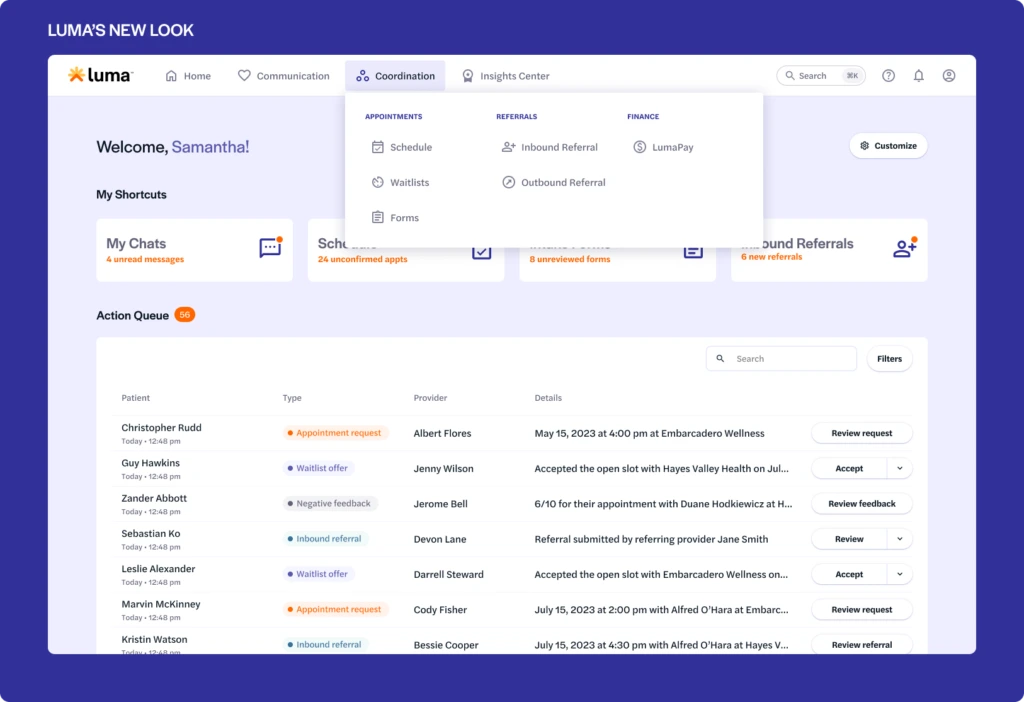
Luma Health calls its platform Operational AI for healthcare. According to Luma’s February 2026 press release, the platform covers four connected areas of patient access rather than treating scheduling as an isolated function:
- Access: new patient acquisition, referral and fax workflows, order coordination, scheduling, rescheduling, and waitlist management
- Engagement: conversational patient access and intelligent messaging across voice, SMS, and portal channels
- Intake: patient and staff readiness, clinic flow, and pre-visit checklists that complete preparation before the patient arrives
- Payment Capture: eligibility verification, prior authorization support, and copay and balance collection built into the access workflow
Key scheduling features include:
- AI-powered self-scheduling across web and SMS with real-time availability and EHR writeback
- Automated waitlist management with real-time slot filling when cancellations occur
- Navigator, Luma’s Conversational AI Agent: handles inbound scheduling, cancellations, and rescheduling by voice and SMS without staff involvement; also handles outbound no-show recovery by placing a call to the patient, guiding them through rescheduling, and booking the new appointment in real time with no staff follow-up needed
- Referral workflow automation that triggers patient outreach automatically after a referral fax is processed, removing the manual step between receiving a referral and contacting the patient
- Prior authorization management from insurance verification through payer outreach to scheduling after approval
- EHR-integrated appointment reminders in more than 20 languages, with natural language processing that reads conversational replies and emoji responses as confirmations
- Pre-built workflow library that Luma’s documentation states is deployable in weeks
The impact of the referral and fax automation is shown in a case study Luma published on Phelps Memorial Health Center, a rural Nebraska health system that reduced fax handling time by 85% using Luma’s Order Management Agent, processing over 400 faxes per month and saving a Health Information Management staff member one hour per day. Across a large health system with multiple facilities, that kind of per-staff saving adds up to a meaningful reduction in the administrative headcount needed to keep patient access running at full capacity.
11. Athenahealth (athenaOne)
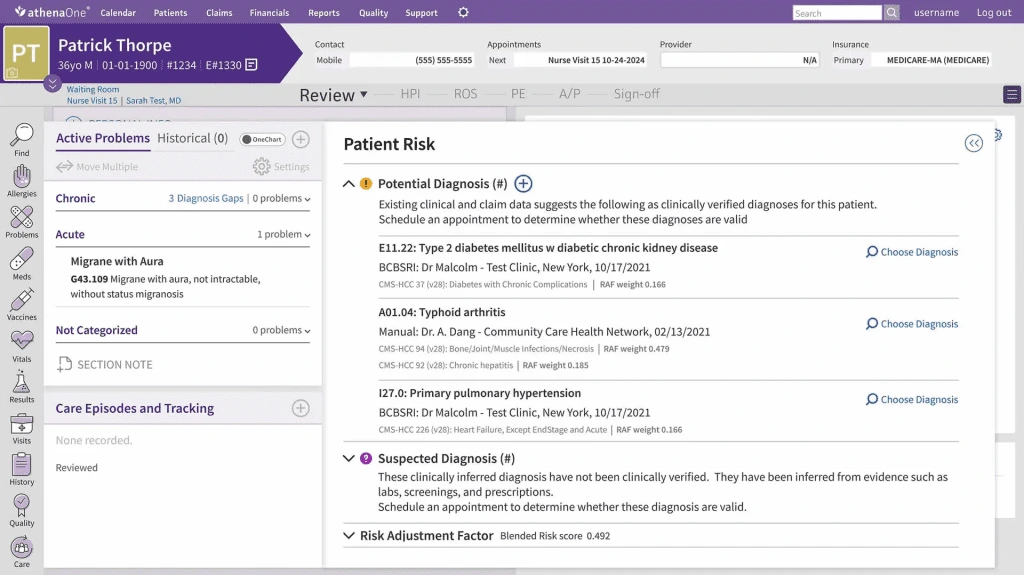
athenahealth’s athenaOne platform earned five Best in KLAS awards for 2026, including number one for Practice Management, 11 to 75 Physicians, Independent, for the fourth consecutive year. KLAS rankings are based on verified customer feedback, and holding the top position for four straight years reflects consistent performance across a large and diverse customer base rather than a strong result in a single evaluation year.
athenaOne’s scheduling works inside an integrated platform covering EHR, billing, and revenue cycle management, so every scheduling action feeds directly into claims accuracy and downstream collections rather than sitting in a separate administrative layer that billing staff later reconcile.
Key features include:
- #1. Rule-based scheduling with templated appointment types: practices define appointment categories and pair each with specific time blocks that optimize clinical resource use, as described in athenahealth’s orthopedic intake blog
- AI-driven Waitlist Scheduling: automatically scans the patient waitlist and contacts patients to fill a cancelled slot with no staff involvement, turning a cancellation into a recovered visit
- Patient self-scheduling through the patient portal and the athenaPatient mobile app, giving patients multiple ways to manage their own appointments
- Pre-visit mobile check-in where patients complete check-in tasks, screeners, and consent forms before arriving, reducing the processing time at the front desk and shortening the gap between arrival and seeing the provider
- Automated and personalized reminders designed to maintain schedule density by prompting patients toward follow-up appointments before care gaps develop
- AI triage tools that put the right information in front of the right staff member at the right point before the patient arrives, reducing the manual sorting that falls on access center staff
Final Thoughts: Key Questions to Ask Before You Sign
Does the vendor sign a BAA, and at which plan tier?
Some platforms describe themselves as HIPAA-compliant while requiring the most expensive subscription before they will sign a Business Associate Agreement. Confirm which tier includes the BAA and whether it covers the full platform or leaves out modules you intend to use, because a BAA that does not cover the intake tool or the payment page leaves patient data outside its legal protection.
How does the platform handle walk-in patients alongside booked appointments?
Any practice that sees unscheduled patients needs a system that manages both types in the same interface. A tool that only manages pre-booked appointments leaves walk-in patients to be handled manually, and in settings with high walk-in volume, that manual workload grows quickly.
What does the total cost look like beyond the monthly subscription?
According to Tebra’s EHR cost guide, EHR systems average $1,200 per user per year, and implementation costs can range from $15,000 to $70,000 per provider depending on complexity. The guide recommends budgeting 20 to 30% above the base software fee to account for:
- Staff training and the productivity loss during the learning period
- Data migration from your current system, which takes longer the more historical data there is
- The temporary drop in throughput during onboarding, which affects revenue regardless of how smoothly the implementation goes
Can patients self-schedule without creating an account or logging in first?
Creating an account before booking reduces how many patients complete the process. The platforms that see the highest self-scheduling adoption rates allow booking, rescheduling, and cancellation through a web link or text message with no login required.
Does the EHR integration work at the depth your workflows actually need?
A tool that reads availability and writes back a confirmed appointment is doing the minimum. A platform whose scheduling actions also trigger eligibility checks, fill documentation fields, and route data into billing removes the steps where errors build up and staff time disappears, and the difference between those two levels of integration is often the difference between a system that actually reduces administrative work and one that shifts it to a different point in the process.
Disclaimer
This guide was compiled independently using publicly available information from each vendor’s official website. Features, pricing, and product details are sourced from first-party documentation and were verified at time of publication. Software platforms update their offerings regularly, so we recommend confirming current pricing and features directly with each vendor before making a purchasing decision. This guide does not constitute legal, compliance, or procurement advice. Inclusion of a platform does not imply endorsement.

Dr. Giriraj Tosh Purohit is an experienced Product Manager and Security officer with a strong background in healthcare technology and management consulting. With expertise spanning clinical workflows, EHR, RCM, Digital Health, and AI-driven products, he has been instrumental in shaping innovative healthcare solutions.