Chiropractic Care Has Its Own Language. Now It Has Its Own EHR.

Subluxation listings. AT modifiers. Manipulation-specific coding. Maintenance care transitions. We built every part of our platform knowing exactly what chiropractic demands, from the first encounter to the final reimbursement.
Get Free Demo Get Pricing

Precision at every point of care

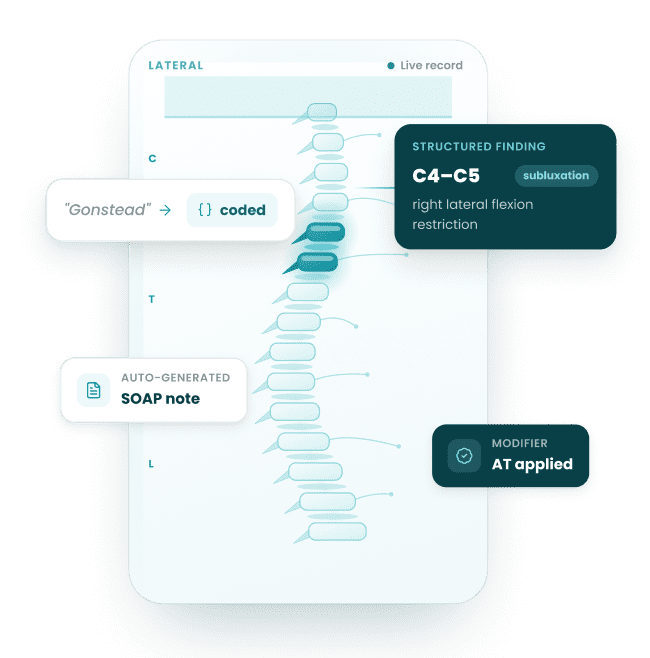
Chiropractic practices run on specificity. A C4-C5 subluxation with right lateral flexion restriction is clinical data. It drives the note, the code, the claim, and the outcome measure. Our ecosystem captures that specificity at the point of care and moves it forward automatically, all the way to reimbursement.

Point of care

C4–C5 subluxation,
right lateral flexion

The note

Structured SOAP,
not blank text

The code

Manipulation code
AT modifier

The claim

Scrubbed &
submitted clean

The outcome

Reimbursed &
measured

The Chiropractic EHR Ecosystem
One system that thinks like a chiropractic practice

Chiropractic EHR

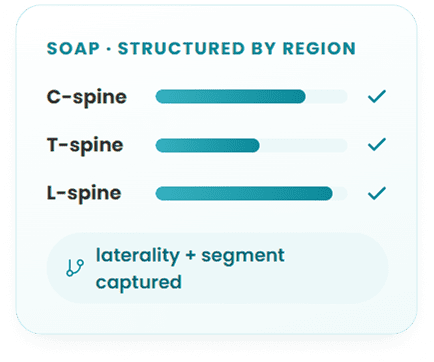
SOAP notes structured around spinal regions, not blank text fields

Subluxation listings captured with laterality, segmental findings, and adjustment technique as structured clinical data

Oswestry Disability Index, Neck Disability Index, and PSFS auto-prompted at clinically appropriate visit intervals

Documentation maps directly to the adjusting room, every visit, every provider
AI Scribe

Trained on chiropractic clinical language, not generic medical dictation

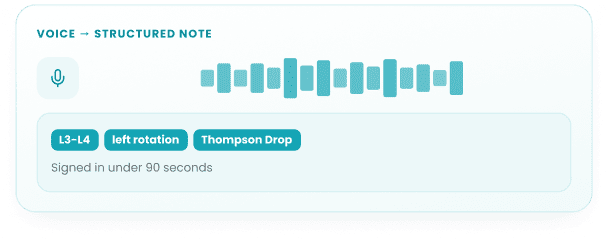
Listens to your encounter and produces a complete chiropractic SOAP note in real time

Captures ‘L3-L4 left rotation, Thompson Drop technique, positive response’ as structured data, not raw text

Review and sign off in under 90 seconds
Practice Management

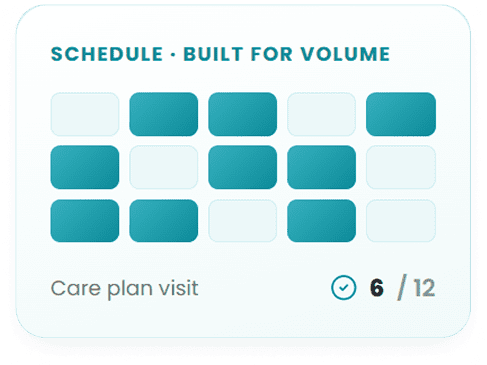
Scheduling built around adjustment volume, 15-minute slots and multi-provider stagger

Care plan visit counters visible at the front desk before the patient walks in

Automated reminders tied to treatment frequency, not generic appointment alerts

Patient standing in their care plan always visible, always current
Revenue Cycle

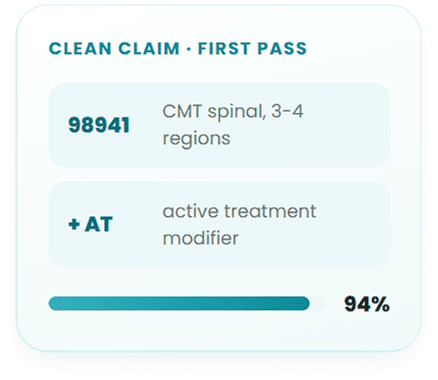
AT and GP modifier logic built into the claims workflow, triggered by documentation

Every claim scrubbed against chiropractic-specific denial triggers before submission

Maintenance care billing distinctions and Medicare chiropractic rules embedded by default

First-pass approval rates reflect what was actually documented, automatically
Remote Monitoring

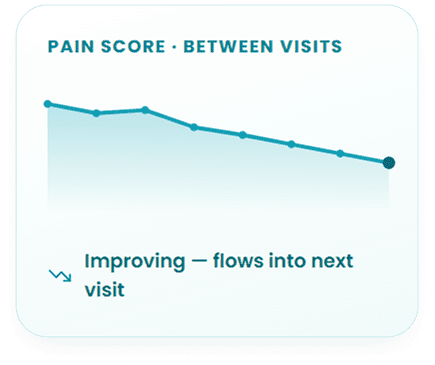
Daily pain scores and functional mobility data collected between visits

Patient data flows directly into the next visit note before the appointment starts

Built for patients managing degenerative disc disease, chronic lower back pain, and post-manipulation recovery

You arrive at the adjusting table knowing the patient’s trajectory, not asking about it
Patient Portal

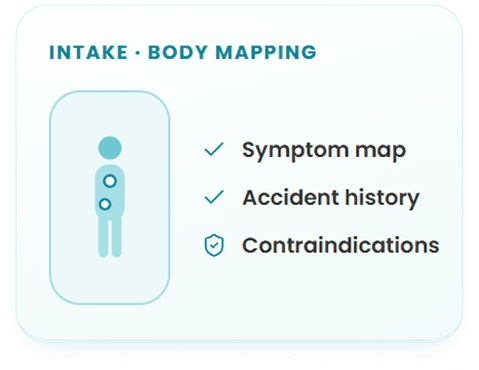
Intake built around chiropractic history, body diagram symptom mapping, accident history, prior surgeries

Contraindication screening fields embedded in the intake flow

Post-visit instructions specific to what was adjusted that day, delivered automatically

Care plan progress visible to patients over time inside the portal
Who We Serve

Solo practice

Solo DC running a high-
volume practice.

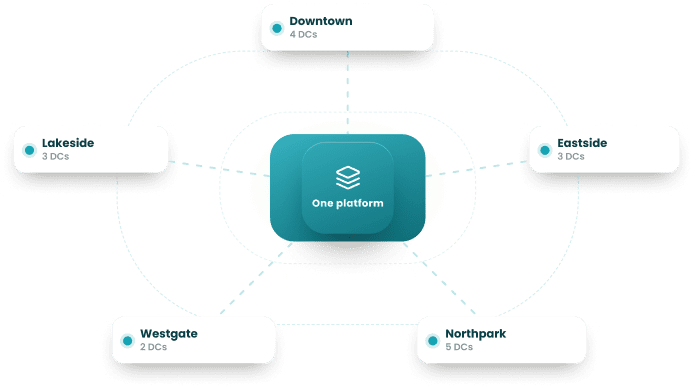
Multi-location

Multi-provider clinic across multiple locations.

Solo practice

Solo DC running a high-
volume practice.

What your practice looks like
when every tool works together

34%

Reduction in per visit documentation time.

You review chiropractic-specific SOAP notes, not write them.

28%

Improvement in first-pass claim approval.

Every claim leaves scrubbed against chiropractic billing rules.

41%

Of prior authorization delays eliminated.

Eligibility checks run at scheduling, not at check-in.

Chiropractic is its own discipline

Its coding rules, compliance requirements, patient journey, and outcome benchmarks belong to it alone. We built our entire platform around that reality, and we stand behind every part of it.

We will walk you through a live demo built entirely around chiropractic workflows. Not a general healthcare platform with a chiropractic slide at the end.

Practices that made the switch
In their own words

Verified review

star image

After comparing many EMRs, I determined that OmniMD was the best software for my new clinic. I run a high volume family practice clinic. OmniMD is used for scheduling, reminder calls, medical records, insurance and patient billing. It is a very good software, but I am also very pleased with the level of service OmniMD provides with their technical support team


Dawn K. Walker

Dawn K. Walker

D.O – Walker Family Medicine, PLC

Verified review

star image

Our practice has been very pleased with the outcomes of your billing and collection services. You have been both informative and patient as we continue to become a more efficient practice. We have recognized that collections have been improved due to your diligence and tenacity. Thank you for your kindness and hard work. Their consistent follow-up has made a real difference in our revenue cycle.


Maureen Lacey

Maureen Lacey

Office Manager – Psychiatry Practice

Why Chiropractic Practices Need a Specialty EHR

General-purpose EHRs were designed for primary care encounter workflows. Chiropractic practice involves three documentation problems they do not solve. First, Medicare requires the AT modifier on every CMT claim (98940-98942) to indicate medically necessary acute care rather than maintenance therapy. Practices using a general EHR must add this modifier manually on every claim, and when they miss it, Medicare denies the entire claim. Second, the spine region count that determines which CMT code to bill (98940 for 1-2 regions, 98941 for 3-4, 98942 for 5) must match the documented regions in the SOAP note precisely or the claim is considered upcoded on audit. Third, ICD-10 code M54.5 (low back pain) was retired in 2022 and split into M54.50, M54.51, and M54.59. EHRs not updated to reflect this still auto-populate the deprecated code, generating claim denials that take weeks to resolve.

OmniMD addresses all three problems at the documentation layer, not in a separate billing review step. The AT modifier applies automatically for Medicare payers. The CPT code populates from the spine region count documented in the encounter template. And the ICD-10 code library reflects the current active code set, flagging deprecated codes the moment a clinician selects them. See the EHR software hub for how OmniMD handles specialty-specific documentation requirements across practice types.

Chiropractic SOAP Notes: Audit-Proof Documentation for Every Visit

Medicare chiropractic documentation rules require that every SOAP note establishing medical necessity contain three specific elements: (1) pain or tenderness at the site of treatment, (2) asymmetry or misalignment of the vertebral segment, and (3) range of motion abnormality. If any one of these three elements is missing from the documentation, the claim is rejected on audit regardless of whether the service was actually provided. OmniMD chiropractic SOAP templates prompt for all three elements before the note can be signed, preventing the documentation gaps that cause Medicare recoupments.

Beyond the three-element Medicare rule, OmniMD templates support segment-level specificity in adjustment documentation. Clinicians select the vertebral level (C5-C6, T4, L5-S1), the thrust direction, and whether cavitation was noted. For subluxation codes (M99.01-M99.05), the template links the documented vertebral region to the correct M99 code automatically: M99.01 for cervical, M99.02 for thoracic, M99.03 for lumbar, M99.04 for sacral, M99.05 for pelvic. This linkage prevents the common error of documenting a lumbar adjustment while the billing code references a cervical subluxation. See the AI medical scribe page for how OmniMD captures verbal SOAP dictation during the encounter.

The objective section of the SOAP note includes structured fields for orthopedic and neurological test findings: Spurling test, Straight Leg Raise, Kemp test, Valsalva, and cervical compression. Outcome measures (Oswestry Disability Index, Neck Disability Index, Visual Analog Scale) appear as discrete scored fields tied to the treatment plan, providing the longitudinal outcomes data that payers now request during utilization reviews.

From Dr. Giri, MD, Chief Medical Officer: “The documentation gap that generates the most chiropractic audit exposure is not missing the treatment itself in the note — it is missing one of Medicare three required subluxation elements. A note that documents adjustment at L4-L5 but omits the ROM abnormality fails the audit even if the chiropractor clearly observed it. OmniMD closes that gap at the template level, before the encounter closes.”

Chiropractic CPT Codes 98940-98943 and the AT Modifier in OmniMD

Chiropractic Manipulative Treatment (CMT) codes are determined by the number of spinal regions treated in a single encounter. The five definable spinal regions are cervical, thoracic, lumbar, sacral, and pelvic. The count of treated regions controls which CPT code applies. OmniMD region selector in the encounter template populates the correct CMT code automatically and flags discrepancies between the documented regions and the selected code before the claim is submitted. See the AI medical coder page for how OmniMD handles code suggestion across all specialties.

CPT CodeServiceSpine RegionsKey Billing Note
98940Chiropractic Manipulative Treatment (CMT)1-2 spinal regionsMost commonly under-billed when 3-4 regions are treated. OmniMD region-count selector prevents systematic down-coding by prompting for each treated segment.
98941CMT, moderate complexity3-4 spinal regionsRequires documentation of each treated region. Full-spine adjustments involving cervical + thoracic + lumbar = 3 regions minimum; most qualify for 98941 at minimum.
98942CMT, high complexity5 spinal regionsAll five regions (cervical, thoracic, lumbar, sacral, pelvic) must be documented individually. OmniMD template prompts for each region before 98942 auto-populates.
98943CMT, extraspinalExtremities, ribs, craniumShoulder, knee, wrist, rib, and cranial adjustments. Billed separately from spinal CMT on the same date. OmniMD handles same-date CMT + extraspinal billing splits.
97014Electrical stimulation (unattended)Therapeutic modalityCommon add-on. OmniMD alerts when payer LCD bundles this with CMT, preventing billing of codes that will be automatically denied for that payer.
97110Therapeutic exercises (constant attendance)Therapeutic modalityBilled per 15-minute unit. Requires constant DC presence. Distinct from 97530 (therapeutic activities), which allows supervised setup rather than constant attendance.
97140Manual therapyTherapeutic modalitySoft tissue mobilization or joint mobilization below CMT threshold. Billable same day as CMT if performed on a different body region and documented separately in the SOAP note.
AT Modifier (Medicare only): Append modifier -AT to CPT 98940-98943 for every Medicare CMT claim. The AT modifier signals “acute treatment” (medically necessary care) rather than maintenance therapy. Without it, Medicare automatically denies all CMT claims. OmniMD applies the AT modifier automatically when the payer on file is Medicare, eliminating the per-claim manual step. See the CMS Chiropractic Billing Article A56273 for the full Medicare coverage rules.

ICD-10 Codes for Common Chiropractic Conditions

Chiropractic billing requires ICD-10 code specificity at the region and laterality level. OmniMD chiropractic templates surface the correct diagnosis codes within the encounter workflow, flagging deprecated codes and prompting for the current specificity when the selected code has been retired. The most common example is M54.5 (low back pain), which was retired and split into three active codes in 2022. Practices still using M54.5 generate denials on every low back pain claim. See the medical billing software page for how OmniMD handles ICD-10 code library updates across all payers.

ICD-10DescriptionChiropractic Documentation Note
M54.50Low back pain, unspecified (replaces retired M54.5)Use M54.50 for general LBP. M54.51 for vertebrogenic origin (facet/disc-related), M54.59 for other specified. OmniMD flags M54.5 as deprecated and auto-suggests M54.50 at selection.
M54.2Cervicalgia (neck pain)Most common cervical diagnosis. Pair with M99.01 (cervical subluxation) for CMT medical necessity. OmniMD template links subluxation code to the CMT CPT automatically.
M99.01Segmental dysfunction, cervical region (subluxation)Primary subluxation code for cervical CMT. M99.02 = thoracic, M99.03 = lumbar, M99.04 = sacral, M99.05 = pelvic. Selected region must match the CMT region documented in the SOAP note.
M47.816Lumbar spondylosis without myelopathy or radiculopathyM47.817 = lumbosacral, M47.812 = cervical. Region distinction matters for claim specificity. OmniMD superbill pre-loads region-specific code from the documented treatment area.
M50.121Cervical disc derangement with radiculopathy, mid-cervical regionDisc codes require disc level and laterality documentation. OmniMD cervical template captures disc level and radicular symptom pattern to support these higher-specificity codes.
S13.4XXASprain of ligaments of cervical spine, initial encounterPrimary diagnosis for whiplash and MVA PI cases. The 7th character advances from A (initial) to D (subsequent) to S (sequela) as treatment progresses. OmniMD auto-advances encounter characters by visit number in the PI case record.
G44.209Post-traumatic headache, unspecified, not intractableCommon secondary diagnosis in MVA and cervicogenic headache cases. Supports CMT medical necessity for upper cervical adjustments when headache is a documented complaint.
M79.3Panniculitis (myofascial)Soft tissue inflammation. Supports 97140 (manual therapy) billing for myofascial release and soft tissue work separate from the spinal CMT code on the same encounter.

Personal Injury and Workers Comp Documentation for Chiropractic Practices

Personal injury cases represent the highest-revenue segment of many chiropractic practices and require documentation that serves two purposes simultaneously: supporting clinical care and building a case record that satisfies attorney and insurance company standards for lien acceptance. OmniMD includes PI-specific documentation templates built for this dual requirement, covering the full case lifecycle from initial MVA encounter through final narrative report.

  • MVA intake templates: Structured fields for accident mechanism, force direction, point of impact, seat position, airbag deployment, and symptom onset timing. This information establishes causation linkage between the accident and the treated injuries, which lien-accepting attorneys require before taking a case.
  • Narrative report generation: OmniMD generates attorney-ready narrative reports from structured encounter data without manual re-typing. Reports include injury description, treatment history, diagnosis codes, functional impairment documentation, and prognosis. Format meets lien documentation standards for standard PI settlement negotiations.
  • Lien tracking: Lien-based cases require tracking outstanding balances against anticipated settlement proceeds. OmniMD PI case module tracks the lien balance, treatment charges, and estimated settlement timeframe per case, giving front-desk staff visibility into the outstanding PI receivables.
  • 7th character advancement (S13.4XXA to S13.4XXD): PI trauma codes use a 7th character that changes from A (initial encounter) to D (subsequent encounter) to S (sequela). OmniMD advances the 7th character automatically based on visit count in the PI case, eliminating the coding error of billing A-character codes throughout a treatment course.
  • Attorney communication templates: Status update letters, demand package support documentation, and release of records workflows built into the case management interface. See the AI front desk page for automated patient and third-party communication workflows.

The AI revenue cycle management module tracks PI case aging separately from standard insurance billing, with configurable alerts when a case exceeds expected settlement timelines. Workers comp cases follow a parallel structure with employer and insurer communication templates replacing the attorney communication workflow.

X-Ray Integration: PACS/DICOM with Cobb Angle and Posture Measurement

Chiropractic assessment depends on imaging in a way that general EHRs do not account for. Spinal X-rays inform both diagnosis and treatment planning, and the measurements derived from them (Cobb angle for scoliosis, George line for upper cervical alignment, lumbar lordosis angle) need to be attached to the SOAP note where the clinical decision was made, not stored separately in a PACS system that the treating chiropractor must navigate away from the chart to access.

OmniMD imports DICOM images directly from PACS systems into the patient encounter. Within the integrated viewer, chiropractors can draw Cobb angle measurement lines, mark George line alignment, annotate vertebral segments with subluxation findings, and capture posture photographs with bilateral comparison overlays. These annotated images attach to the SOAP note for the encounter, becoming part of the clinical record that documents medical necessity and treatment response over time.

  • Cobb angle measurement: Standardized scoliosis measurement with automatic degree calculation. Images with Cobb angle documentation are required for scoliosis care authorization with most commercial payers.
  • George line assessment: Upper cervical alignment tool for C1-C2 subluxation documentation. Frequently required in PI cases involving whiplash where upper cervical instability is claimed.
  • Posture photo comparison: Side-by-side before/after posture photographs with measurement overlays. Supports patient report of findings presentations and outcomes documentation for care plan renewals.
  • Report of Findings (ROF) generation: Patient-friendly imaging reports that display annotated X-rays alongside plain-language explanations, generated from encounter data without retyping.

Outcome Measures: Oswestry, NDI, and VAS for Payer Authorization

Outcome measures in chiropractic documentation are no longer optional. UnitedHealthcare and Cigna now require periodic functional outcome scores to authorize continued chiropractic care beyond the initial care plan period. The Oswestry Disability Index (ODI) for lumbar cases and the Neck Disability Index (NDI) for cervical cases are the primary instruments these payers accept. Practices that do not document baseline and follow-up scores face denials when requesting extended care authorization, regardless of the clinical necessity of continued treatment.

OmniMD administers ODI and NDI as structured questionnaires within the patient-facing intake portal. The scores populate automatically into the encounter note and are stored as discrete values, meaning they can be trended across the care plan without manually searching through individual SOAP notes. When a score plateau or insufficient improvement threshold is reached, OmniMD generates a care plan reassessment alert prompting the clinician to document the clinical rationale for continued care before the next authorization request is submitted.

  • Oswestry Disability Index (ODI): 10-item questionnaire scored 0-100% disability. Baseline at initial visit, re-administered at visits 10-12 and at care plan renewal. Score improvement of 10+ points supports continued care authorization for most payers.
  • Neck Disability Index (NDI): 10-item questionnaire scored 0-50. Comparable structure to ODI for cervical cases. Administered at intake and at intervals determined by the payer utilization management criteria.
  • Visual Analog Scale (VAS): 0-10 pain scale documented at every visit as a discrete field. VAS trend over the care plan is the most commonly requested single datapoint in commercial payer utilization reviews.
  • Roland-Morris Disability Questionnaire: 24-item questionnaire for lumbar cases where Oswestry is not specified. OmniMD supports all three lumbar outcome instruments and presents the appropriate one based on the configured payer protocol.

For practices in value-based care arrangements, outcome measure trends feed directly into the quality reporting dashboard. See value-based care documentation for how OmniMD connects functional outcomes to quality measure performance.

Revenue Cycle Management for Chiropractic: Modality Codes and Bundling Rules

The CMT code covers the adjustment itself. Modality services billed alongside the adjustment (electrical stimulation, ultrasound, mechanical traction, hot/cold packs, therapeutic exercise) represent 30-50% of per-visit revenue for practices that document and bill them correctly. The challenge is that bundling rules vary by payer, and a modality that is separately billable for one commercial insurer is automatically bundled (and therefore denied) for another. OmniMD maintains payer-specific LCD rules for the most common chiropractic modality codes and alerts at claim submission when a selected code will be denied based on the patient payer. See AI revenue cycle management for complete billing automation details.

  • 97010 (Hot/cold packs): Most commonly bundled code. Medicare bundles 97010 with CMT. Most commercial payers allow separate billing. OmniMD applies the correct rule based on the payer on file before the claim is generated.
  • 97012 (Mechanical traction): Requires documented time in 15-minute increments. OmniMD modality timer captures billable time at the traction station and populates unit count on the claim automatically.
  • 97014 (Electrical stimulation, unattended): Widely covered for chiropractic. Must document body area and duration. OmniMD SOAP template includes structured e-stim documentation fields.
  • 97035 (Ultrasound therapy): Requires documentation of frequency, intensity, and treatment area. OmniMD ultrasound template captures these parameters as discrete fields, not free text, ensuring claims pass payer documentation reviews.
  • 97110 vs 97530: Therapeutic exercises (97110) requires constant DC attendance throughout; therapeutic activities (97530) allows supervised setup. Billing 97530 when 97110 criteria apply is a common audit finding. OmniMD documentation flow captures the attendance level to support the correct code selection.

The prior authorization module checks coverage and authorization requirements for high-cost modalities before the service is rendered, preventing authorization denials that are discovered only after the appointment is complete.

Who Should Use OmniMD Chiropractic EHR

OmniMD chiropractic EHR fits different practice types for different reasons. The feature depth varies in value depending on payer mix, case volume, and whether the practice handles PI or workers comp cases.

  • Solo DC practices: Benefit most from documentation speed: SOAP macros for adjustment techniques (HVLA, flexion-distraction, instrument-assisted, drop table), carry-forward from previous visit data, and one-page encounter completion. The AI medical scribe is the highest-value feature for solo DCs who also handle charting.
  • Multi-provider chiropractic groups: Benefit from provider-level billing performance dashboards, payer-specific LCD rule management that applies across all providers in the group, and shared care plan templates that maintain consistency across the clinical team.
  • PI and workers comp focused practices: The full PI documentation module (lien tracking, narrative report generation, 7th character auto-advancement, attorney communication templates) is the primary reason to choose OmniMD over a general chiropractic EHR.
  • Medicare-heavy practices: AT modifier automation, Medicare subluxation documentation enforcement, and the three-element SOAP note prompt are directly relevant. Practices where Medicare is more than 20% of payer mix typically recover the software cost in denied claim prevention within the first quarter.
  • Cash or membership-based practices: The patient portal, recall automation, and wellness plan tracking features support patient retention workflows. Digital intake forms, online scheduling, and automated recall reminders are managed through the same platform without a separate patient engagement tool.

For practices considering a switch from a general EHR or a chiropractic-only platform, the EHR software comparison page covers how OmniMD specialty depth compares to general-purpose alternatives across documentation, billing, and compliance dimensions.

Frequently Asked Questions

Yes, attorney-ready reports are created in our templates with all required documents.

Absolutely. You just have to select from drop-downs or use macros for HVLA, flexion-distraction, instrument-assisted, etc.

There are right defaults for billing, documentation, and follow-up for case type basis making it easy to handle cash & insurance patients.

The AT modifier signals to Medicare that the chiropractic adjustment (CPT 98940-98943) represents medically necessary acute care rather than maintenance therapy. Without the AT modifier, Medicare automatically denies all CMT claims. OmniMD applies the AT modifier automatically to chiropractic CPT codes when the payer on file is Medicare, eliminating the per-claim manual step that causes denials when overlooked. Practices using OmniMD do not need to add the AT modifier manually or audit claims for missing modifiers after the encounter closes.

The difference is the number of spinal regions treated in the encounter. CPT 98940 covers 1-2 spinal regions, 98941 covers 3-4 regions, and 98942 covers all 5 regions (cervical, thoracic, lumbar, sacral, pelvic). OmniMD chiropractic encounter template includes a region selector where the clinician documents each treated spinal area. The system counts the selected regions and auto-populates the corresponding CMT code. If the clinician selects a CPT code that does not match the region count in the SOAP note, OmniMD flags the discrepancy before the claim is submitted, preventing the documentation-to-billing mismatch that triggers audits.

Yes. ICD-10 code M54.5 (low back pain) was retired in 2022 and replaced by three more specific codes: M54.50 (low back pain, unspecified), M54.51 (vertebrogenic low back pain), and M54.59 (other low back pain). Claims submitted with M54.5 generate automatic denials because it is no longer a valid active code. OmniMD ICD-10 library reflects the current active code set. When a clinician selects or types M54.5, OmniMD displays a deprecation alert and presents M54.50, M54.51, and M54.59 as the replacement options. The clinician selects the appropriate specificity before the code is saved to the claim.

OmniMD includes PI-specific documentation templates covering the full case lifecycle. At intake, structured fields capture the MVA mechanism, force direction, point of impact, seat position, and symptom onset timing to establish causation linkage. Throughout treatment, ICD-10 trauma codes (S13.4XXA for cervical sprain) advance their 7th character automatically from A (initial encounter) to D (subsequent) as visit count progresses. At case closure, OmniMD generates attorney-ready narrative reports from structured encounter data without manual re-entry. Lien tracking shows outstanding PI receivables by case against anticipated settlement timelines. Workers comp cases follow a parallel structure with employer and insurer communication templates.

Yes. UnitedHealthcare and Cigna require periodic functional outcome scores to authorize continued chiropractic care beyond the initial care plan period. The Oswestry Disability Index (ODI) is required for lumbar cases and the Neck Disability Index (NDI) for cervical cases. Practices that do not document baseline and follow-up scores face authorization denials when requesting extended care, regardless of clinical necessity. OmniMD administers ODI and NDI as structured questionnaires in the patient portal. Scores are stored as discrete values and trended across the care plan, so the improvement trajectory is visible without searching through individual SOAP notes. When a score plateau triggers a reassessment alert, OmniMD prompts the clinician to document the clinical rationale for continued care before submitting the next authorization request.

Most solo and small group practices are fully live within two to four weeks. Multi-location clinics with existing data migration needs typically go live within six weeks. Onboarding includes chiropractic-specific template configuration, biller training on the RCM workflow, and provider training on the AI Scribe. You are not handed a manual and left to figure it out.

Yes. Our migration team handles data transfer from most major EHR platforms. Patient demographics, visit history, care plans, and outstanding claims can all be moved over. Before migration begins, you get a clear timeline and a dedicated point of contact who stays with you through go-live.

It is trained across the most widely used chiropractic techniques including Diversified, Gonstead, Thompson Drop, Cox Flexion-Distraction, Activator, and SOT. If your practice uses a less common technique, it can be added to your template configuration during onboarding.

Brands That Trust Us

kimball
putnam hospital center
shiloh family medicine
renewed
northwell
Essential allergy
montt
vascular
nym
walker