
 Written by Dr. Girirajtosh Purohit
Top 5 Medical Transcription Software of 2026
Legacy medical transcription software converted dictated audio into text, usually as an assistive tool for human transcriptionists or physicians doing manual dictation. Today’s clinical transcription software layer adds:
- Ambient listening during the visit (not just post-visit dictation)
- Medical speech-to-text engines tuned to clinical terminology and medication names.
- Automatic structuring into SOAP/progress notes, orders, and billing-relevant details.
In practice, modern medical transcriber software behaves less like a simple ‘voice recorder’ and more like an AI medical Scribe. It listens, filters small talk, preserves medically relevant signals, and outputs EHR-ready content that clinicians can quickly review and sign.
How clinics use medical transcription today and why adoption is accelerating
Today, clinics typically deploy clinical transcription software in three patterns:
- In‑room ambient scribing: a mobile app, desktop app, or EHR plugin runs during encounters, listening in real time and generating structured notes by the end of the visit.
- Hybrid dictation: clinicians dictate summaries after the visit, and medical speech‑to‑text software converts them into structured notes with smart templates.
- As‑needed ‘catch‑up mode’: for backlog reduction, clinicians push recordings from phone calls, telehealth sessions, or after‑hours dictations and receive drafts for batch review.
Adoption is accelerating because:
- Documentation time: providers commonly report saving 1 to 4 hours per day on charting, depending on volume.
- Burnout and job satisfaction: less pajama‑time charting means more cognitive bandwidth for complex patients and fewer late‑night notes.
- Revenue and risk: better capture of HPI, ROS, MDM, and orders improves coding accuracy and reduces audit risk, while HIPAA transcription software helps maintain compliance.
- Patient experience: eye contact and conversational flow improve when clinicians are not typing continuously.
For a clinic evaluating best medical transcription tools, the practical question is which platform fits your EHR stack, specialties, risk tolerance, and budget, without creating new clicks or training overhead. In this blog, we have covered the top 5 to help you find the one that best meets your needs.
| Dimension | OmniMD | Sunoh.ai | Freed AI | DeepScribe | Heidi AI |
| Core role | EHR‑centric AI medical scribe and clinical transcription software tightly integrated with OmniMD EHR; also a standalone/integrated option for other EHRs. | Ambient medical AI scribe that listens to visits, generates dialogue flows and SOAP notes, and assists with orders. | Structured, specialty‑aware AI documentation engine; medical transcriber software that learns from clinician edits and templates. | AI‑powered medical scribe that creates comprehensive notes from patient–doctor conversations, with real‑time transcription and EHR integration. | AI scribe/assistant focused on templated notes and ‘Pro Actions,’ positioned as a premium but flexible AI medical transcription and documentation platform. |
| Transcription / speech‑to‑text | Real‑time medical speech‑to‑text tuned for clinical context; captures complex terminology and maps to structured fields in OmniMD and other EHRs. | Ambient listening plus medical voice recognition software; turns conversations into transcripts and structured, categorized notes. | Uses a fine‑tuned Whisper‑based engine optimized for clinical language; hundreds of downstream AI tasks structure, clean, and standardize notes. | Trained on millions of clinical records; optimized for radiology and general clinical speech‑to‑text with high accuracy and reduced errors. | Real‑time note generation and AI actions from prompts; medical transcription is part of a broader AI note and workflow layer. |
| Note output | EHR‑ready SOAP/progress notes, diagnoses, meds, and orders populated directly into OmniMD EHR or exported from standalone scribe. | Dialogue flow plus structured SOAP sections (HPI, ROS, assessment, plan) and pre‑filled labs, imaging, procedures, medications, and follow‑up. | Highly customizable note structure per clinician; automatically filters chit‑chat and aligns with user‑specific templates. | Real‑time notes clinicians can edit during the visit; strong support for discrete fields and EHR upload. | Generates notes from templates or prompts with multi‑language support; strong on template customization and sharing. |
| HIPAA / compliance | Designed to meet healthcare data‑security norms and EHR‑integration security standards; details aligned with enterprise EHR deployments. | Explicit HIPAA compliance with BAAs, administrative/physical/technical safeguards, and industry‑standard encryption; no data sharing outside the app. | HIPAA and related healthcare standards; encrypted audio with automatic deletion; SOC2‑aligned controls. | Marketed as fully HIPAA‑compliant medical transcription software for protected health information. | HIPAA‑appropriate safeguards as a clinical AI tool (positioned in the same price/compliance band as other AI scribes). |
| Platforms (devices) | Deep integration with OmniMD EHR (web), plus standalone scribe option compatible with any EHR; cloud‑based. | Desktop via EHR, plus iOS and Android apps and iPad, ‘anytime, anywhere, any device.’ | Cloud‑based app; browser‑first experience; used across small and mid‑sized practices. | Available as mobile (including iOS app) and web‑integrated solution. | SaaS platform with web interface; oriented to individual clinicians, groups, and enterprises. |
| Specialties focus | Broad multi‑specialty support through OmniMD: primary care, therapy, and specialty practices; voice recognition used in domains like occupational therapy. | Broad multi‑specialty coverage from primary care to urgent care and behavioral health; tightly integrated with eClinicalWorks but not limited to it. | Strong focus on outpatient clinicians; ‘specialty‑aware’ engine tuned via clinician feedback. | Multi‑specialty with particular emphasis on radiology and general outpatient; optimized medical terminology support. | Generalist multi‑specialty AI scribe with emphasis on high‑volume primary and specialty care users. |
| Pricing position (approx.) | Bundled/negotiated pricing with OmniMD EHR or as an add‑on; positioned as part of a broader EHR solution, not a low‑cost standalone dictation tool. | Transparent, ‘cost‑effective’ AI scribe; marketed as cheaper than human scribes and some speech‑to‑text solutions; specifics typically via sales. | Transparent SaaS pricing: around 90 USD per clinician monthly for individuals, team tiers, and custom enterprise pricing; includes 7‑day free trial and discounts for trainees. | Typically in the standard AI‑scribe band (often around other premium scribes), with pricing details shared via sales or current offers. | Free tier (unlimited basic notes, capped Pro actions) and Pro tier at about 99 USD per clinician monthly, with cheaper effective rates on annual plans. |
| Best fit | Clinics already on OmniMD EHR or willing to adopt it and wanting native, deeply embedded AI medical transcription software. | Practices on eClinicalWorks or mixed‑EHR environments that want ambient AI scribing with strong privacy posture. | Small and mid‑sized practices wanting highly adaptable notes, clear pricing, and an engine that learns from their edits. | Clinics wanting proven real‑time transcription and EHR integration, especially radiology‑heavy or imaging‑centric groups. | Clinicians seeking robust templates, multi‑language support, and a free‑to‑paid ramp to validate ROI before scaling. |
1. OmniMD: EHR‑centric AI medical transcription and scribe
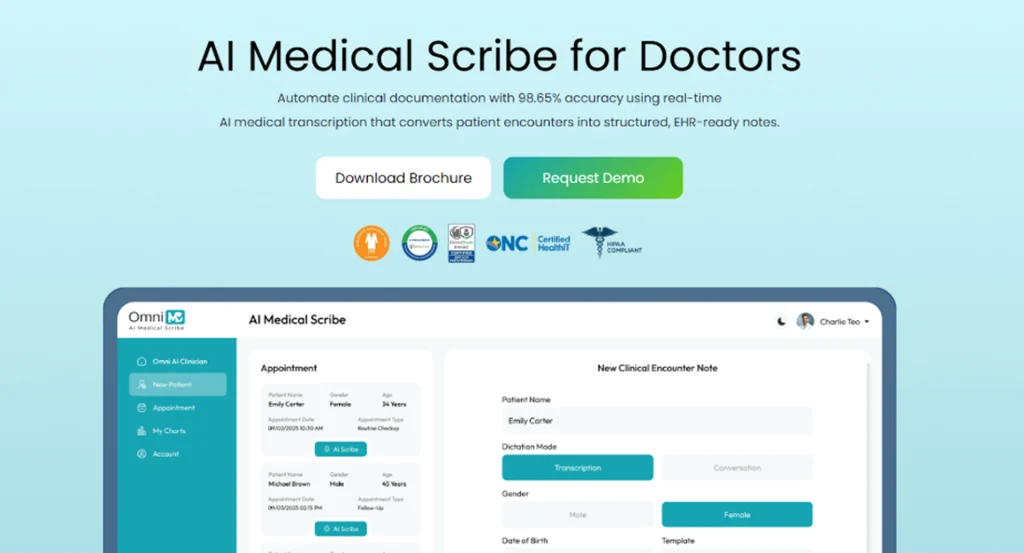
OmniMD positions its AI medical scribe as both medical transcription software and a deep EHR workflow engine, which matters if your clinic wants minimal integration overhead. It offers two core deployment modes: a native, EHR‑integrated scribe for organizations already on OmniMD and a standalone AI scribe for clinics that use other EHRs but want modern medical speech‑to‑text software.
Features and strengths
- Ambient and dictated capture: OmniMD uses AI medical voice recognition software to listen during visits or transcribe dictations, mapping the content directly into structured chart fields.
- Structured outputs: the system recognizes diagnoses, medications, symptoms, and care plans and places them into appropriate EHR sections: notes, problem list, orders, etc.
- EHR automation: in the integrated mode, it can pull history, vitals, and previous notes while updating charts and orders in real time.
- Specialty support: OmniMD already supports a range of specialties (e.g., occupational therapy) and uses AI transcription power across those workflows.
From a practical standpoint, OmniMD behaves as clinical transcription software that understands the downstream impact of documentation on orders, coding, and care plans.
Security and HIPAA posture
OmniMD emphasizes security as a differentiator:
- Data is stored in a private cloud environment and not shared outside the application or used for external training.
- It implements BAAs, and all administrative, physical, and technical safeguards required under HIPAA, with industry‑standard encryption.
- Two‑factor authentication and patient‑identity verification ensure encounters are associated with the correct record.
For clinics prioritizing HIPAA transcription software with strong privacy marketing, this is significant.
Pros
- Tight EHR integration: fewer interfaces, fewer logins, less duplication.
- Designed for structured output rather than raw text, which benefits coding and analytics.
- Supports both ambient capture and classic dictation patterns, making adoption flexible across clinicians.
Cons
- If you are not on OmniMD EHR, you either adopt the standalone scribe or consider an EHR migration, which may be a barrier for large systems.
- Pricing is typically bundled or negotiated, which can make best medical transcription cost comparisons less transparent than flat‑fee offerings.
Costs and licensing
Pricing is customized by practice size, modules, and deployment model.
When OmniMD is a strong choice
- You want one vendor accountable for your EHR, clinical transcription software, and AI scribe stack.
- You care as much about structured data and interoperability as about simple audio‑to‑text conversion.
2. Sunoh.ai: Ambient AI medical scribe with strong privacy positioning
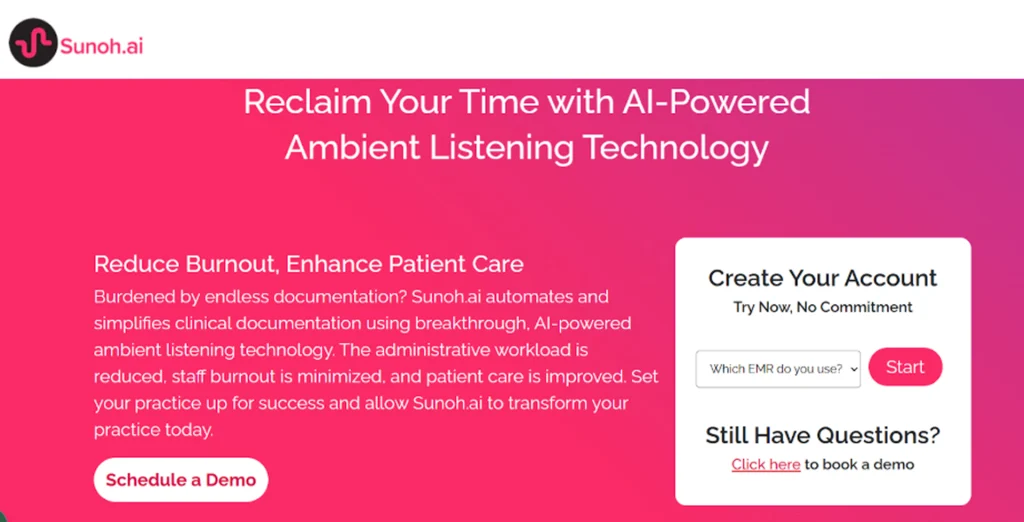
Sunoh.ai brands itself explicitly as an AI medical scribe rather than generic dictation. It listens to patient–provider conversations, generates a dialogue flow, and then creates structured clinical documents categorized into progress note sections.
Core features
- Ambient listening and transcription: Sunoh listens during the visit, converts speech to text, and uses NLP to produce a transcript and summarized clinical note.
- Structured SOAP and orders: it automatically generates SOAP notes and surfaces labs, imaging, procedures, medication orders, and follow‑up visit details in a review‑friendly interface.
- Multi‑device access: Sunoh is available on desktop (within the EHR), as well as iOS and Android apps and iPad, so clinicians can capture notes in‑clinic or on the go.
- EHR integration: Sunoh is fully integrated with eClinicalWorks, letting providers import SOAP content, labs, and future appointments directly into Progress Notes within the EHR.
This aligns Sunoh closely with medical speech‑to‑text software that is tightly optimized for EHR workflows and minimal clinician clicks.
Pros
- Strong ambient scribing experience that minimizes manual dictation and typing.
- Clear emphasis on privacy and HIPAA compliance, including a ‘no share’ policy for patient data.
- Multi‑device deployment, including smartphones, makes it easy to fit into different clinical workflows.
- Demonstrated time savings: providers report saving one to four hours per day on documentation.
Cons
- Deepest integration is with eClinicalWorks; clinics on other EHRs should validate integration paths and effort.
- Pricing details tend to be shared via sales call.
Costs and ROI
Sunoh is marketed as more cost‑effective than human scribes and some legacy speech‑to‑text solutions, emphasizing ROI via time savings and lower per‑encounter cost. Practices should factor in: reduction in after‑hours charting, potential coding improvements from more detailed documentation, and savings on human scribe or transcription services.
When Sunoh.ai is a strong choice
- You use eClinicalWorks or can integrate Sunoh cleanly with your current EHR.
- You want ambient AI with a strong medical transcription and summarization layer and explicit HIPAA safeguards.
- You value multi‑device support (desktop, phone, tablet) and a mature privacy narrative for patient reassurance.
3. Freed AI: Structured, specialty‑aware AI documentation engine
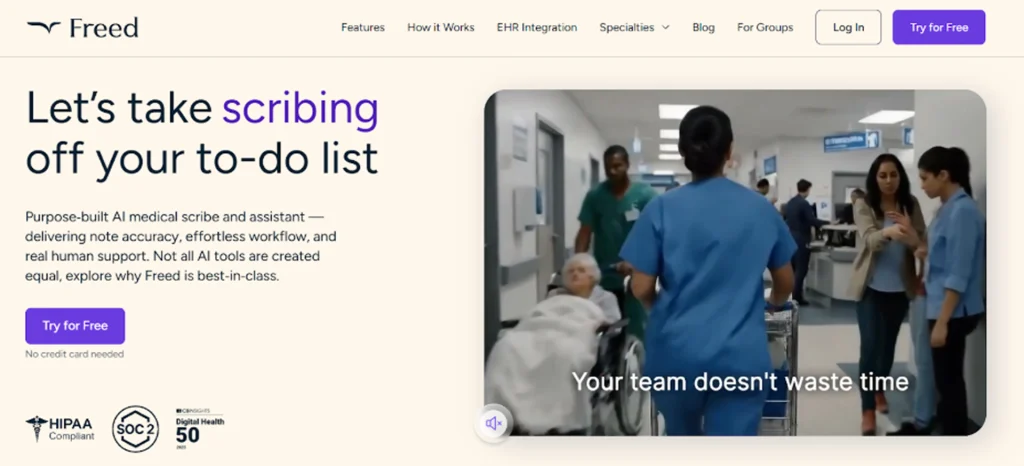
Freed AI is designed explicitly to remove documentation burden from clinicians by combining high‑quality medical voice recognition software with a structured note engine that learns from user edits. Rather than just transcribing, Freed uses a modular AI pipeline to transform raw speech into specialty‑aware clinical notes.
How it works
- Transcription: Freed uses a fine‑tuned Whisper‑derived speech‑to‑text engine optimized for clinical language, medication names, and abbreviations.
- Post‑processing pipeline: hundreds of AI tasks filter out social conversation, normalize terms to medical standards, and impose template‑driven structure.
- Learning from edits: clinician modifications feed back into the system, gradually turning Freed into a personalized medical transcriber software.
This is a distinctly different approach from simple medical transcription software, because the value lies in continuous optimization of notes for each clinician and specialty.
Adoption and usage
- Freed serves tens of thousands of clinicians and supports nearly three million patient visits monthly.
- Typical users report saving 2 to 3 hours per day on documentation.
- It generates EHR‑ready notes, with formatting and content aligned to SOAP or other clinical standards.
Security and compliance
Freed operates in the HIPAA transcription software category:
- It adheres to HIPAA and relevant health‑tech security regulations, with encrypted audio recordings that are automatically deleted after transcription.
- Clinicians maintain control over notes, and the platform supports SOC2‑aligned practices.
Pricing and tiers
Freed uses a transparent, subscription‑based model:
- Around 90 USD per clinician monthly for individuals, plus discounted team and enterprise tiers.
- Seven‑day free trial and a 50% discount for students, residents, and trainees.
Pros
- Strong focus on structured, specialty‑aware notes rather than generic transcripts.
- Learning from edits can substantially reduce rework over time.
- Clear pricing and a free trial lower the barrier to small‑practice adoption.
- HIPAA‑aligned security posture with encrypted, temporary audio storage.
Cons
- Requires workflow reinforcement so clinicians consistently review and correct notes during adoption; the learning benefits are strongest over weeks, not days.
- EHR integration may require more configuration compared with native‑EHR solutions like OmniMD’s scribe; clinics should validate using trial periods.
When Freed AI is a strong choice
You need a solution that can grow with your practice and support multiple specialties without re‑implementing templates repeatedly.
You want a modern medical transcriber software that adapts to individual clinicians and specialties.
You are price‑sensitive but still want a premium AI scribe experience with clear, predictable subscriptions.
4. DeepScribe: Real‑time AI scribing with strong EHR interoperability
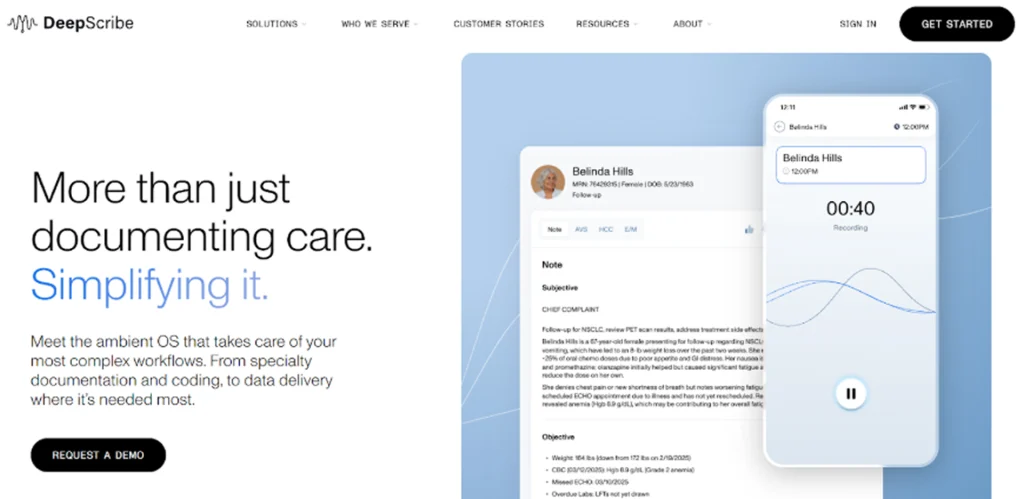
DeepScribe positions itself as an AI‑powered medical transcription and documentation tool that listens to natural patient conversations and generates comprehensive notes. It emphasizes real‑time note creation, EHR integration, and clinical term recognition.
Core capabilities
- Real‑time transcription: DeepScribe listens in the exam room and generates notes as the visit progresses, letting clinicians review key elements during the encounter.
- Customizable notes: clinicians can add, delete, or edit auto‑generated content, and DeepScribe learns from those edits over time.
- EHR integration: the system integrates with most major EHRs, enabling straightforward upload of finalized notes.
- Medical term recognition: DeepScribe is designed to recognize hundreds of common medical terms, which decreases transcription errors and accelerates documentation.
For radiology, DeepInfinity’s DeepScribe engine focuses particularly on radiology‑specific language, suggesting that some DeepScribe technology is used in imaging‑heavy workflows as medical speech‑to‑text software.
Security and HIPAA status
- DeepScribe is presented as fully HIPAA‑compliant, ensuring protection of PHI in line with regulatory expectations.
- As HIPAA transcription software, it typically uses secure, cloud‑based infrastructure with appropriate access controls.
Pros
- Real‑time transcription supports intra‑visit review, which can reduce post‑visit editing time.
- Strong EHR integration across multiple vendors improves interoperability scenarios.
- Customizable notes and learning from edits improve usability over time.
Cons
- Like any ambient system, performance depends on the acoustic environment and mic discipline; noisy rooms or multi‑speaker scenarios may require extra validation.
- Pricing is not always fully public; clinics may have to request quotes, making direct best medical transcription cost comparisons more involved.
Costs and positioning
DeepScribe is often placed in the same price band as other premium AI scribes, with per‑clinician subscription models and enterprise options. When budgeting, include potential integration services and change‑management time.
When DeepScribe is a strong choice
Your clinicians are comfortable with AI assistance but still want high‑touch control of final documentation.
You need reliable, real‑time medical voice recognition software across multiple EHRs or in radiology‑heavy workflows.
You want strong term recognition and the ability to adjust notes interactively.
5. Heidi AI (Heidi Health): Template‑driven AI scribe with free and pro tiers
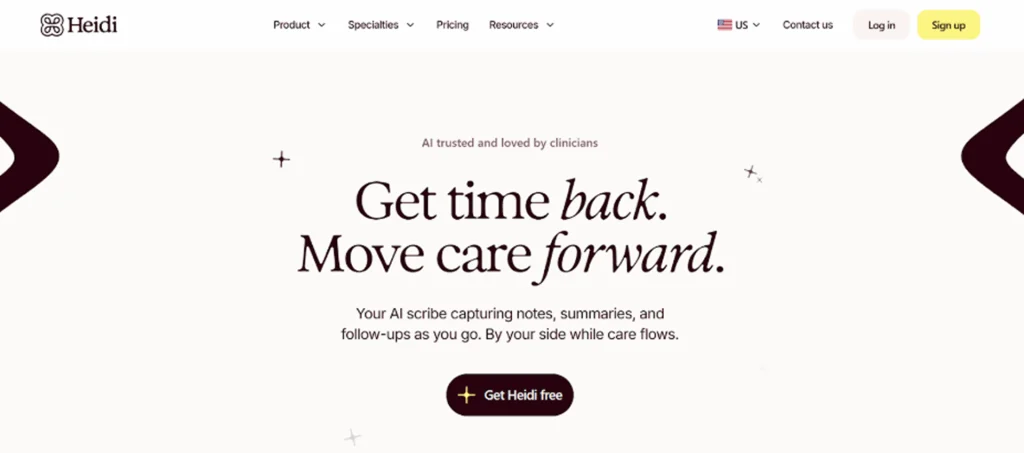
Heidi AI (often called Heidi Health) is an AI medical scribe and documentation assistant that blends medical transcription software with advanced templating and ‘Pro Actions.’ It is aimed at clinicians who want to experiment with AI scribing at low cost, then scale to a premium plan if ROI is clear.
Key features
- Note generation from prompts: clinicians can use natural‑language prompts or visit summaries to generate notes.
- Real‑time note generation: Heidi supports live documentation during patient visits, similar to other AI scribes.
- Custom templates and sharing: users can design and refine clinical templates, share them with colleagues, and reuse them across encounters.
- Multi‑language support: enables documentation in multiple languages, useful in international or multilingual practices.
Even though Heidi’s brand often emphasizes document automation, it functions as clinical transcription software when paired with dictation or ambient workflows, depending on configuration.
Pricing model
Heidi’s pricing is explicit and tiered:
- Free tier: unlimited basic notes but capped advanced “Pro Actions” per month; good for testing AI scribing with minimal commitment.
- Pro plan: approximately 99 USD per clinician monthly, with annual discounts lowering the effective monthly rate.
- Together / enterprise plans: similar per‑user pricing with enterprise‑grade options like SSO and custom integrations.
Security and compliance
Heidi operates as a healthcare‑grade SaaS platform; industry analyses position it among HIPAA‑appropriate AI scribes, with security and privacy controls consistent with clinical use. Practices should nevertheless confirm BAAs and data‑handling specifics when onboarding any HIPAA transcription software vendor.
Pros
- Free tier allows genuine, low‑risk experimentation with AI documentation.
- Strong customization around templates and note structures suits specialists or complex workflows.
- Multi‑language support and sharing of templates are valuable in larger or international groups.
Cons
- Pro plan pricing (~99 USD per clinician monthly) is relatively premium; ROI must be justified via time savings and reduced documentation burden.
- Some competitors may offer deeper native EHR integration out of the box, depending on your systems.
When Heidi AI is a strong choice
- You want to trial AI medical transcriber software without immediate spend, using the Free tier.
- Your workflows depend heavily on custom templates and structured documentation formats.
- You operate in a multilingual environment or anticipate international expansion.
Let’s Make the Most of The Medical Transcription Software in Your Clinic
To ensure any of these platforms delivers real value, clinics should approach implementation as a clinical change initiative, and not a pure tech deployment:
- Start with pilot champions: choose 3 to 5 clinicians across specialties who are open to AI and willing to iterate their workflows for a month.
- Define clear metrics: baseline after‑hours charting time, average note lag, and clinician satisfaction before and after the pilot.
- Calibrate templates early: invest the first 2–3 weeks in aligning templates, note structures, and phrase preferences so the AI’s output matches your documentation standards.
- Establish QA and compliance review: for the first months, have periodic documentation audits focusing on completeness, billing compliance, and PHI handling.
- Plan for staging and roll‑out: move from a pilot to phased roll‑out (by specialty or location), capturing lessons learned and adjusting guidance for new users.
Done well, medical transcription software in the form of modern AI scribes can convert documentation from a nightly burden into a background process that reinforces clinical quality, revenue integrity, and patient experience.
Disclaimer
This blog is for informational purposes only and reflects general observations about medical transcription and AI scribe software. Product features, pricing, integrations, and compliance capabilities may change over time and can vary by practice, specialty, and EHR environment. Clinics should conduct their own evaluation, including security, HIPAA compliance, and workflow fit, before selecting any medical transcription software or AI medical scribe solution. Inclusion in this list does not constitute an endorsement or guarantee of outcomes.

Choosing a Medical Transcription Tool?
Compare AI medical scribes based on accuracy, EHR integration, security, and long-term clinic fit.