

Best Chiropractic Electronic Medical Record (EMR) Software for 2027 Compared
Choosing chiropractic EMR software for 2027 means looking beyond features to how well a system supports documentation, billing, and reimbursement. According to a CMS payment report, 30.4% of Medicare payments for chiropractic services were classified as improper, totaling $144 million. In 89.5% of those cases, the documentation did not provide enough detail to support the claims.
To help you evaluate your options, we compared six systems: ClinicMind, ChiroFusion, OmniMD, ChiroHD, ChiroTouch, and Jane, focusing on how each may fit different practice needs, workflows, and billing requirements.
The shortlist at a glance
| Chiropractic EMR software | Best for | Key differentiator | Main limitation to check |
| 1. ClinicMind | Practices that want EHR, billing, and patient marketing under one contract | Full-service billing, AI note-taking, credentialing, and patient reactivation tools | Additional provider, claim, or collection-based fees may increase costs |
| 2. ChiroFusion | Solo and small practices looking for predictable pricing | Plans with built-in insurance billing, electronic claims, and ERA auto-posting | Limited data migration and no listed AI scribe |
| 3. OmniMD | Practices with significant Medicare, insurance, or personal injury billing | Structured chiropractic documentation, coding checks, AI scribing, and configurable billing workflows | Custom pricing |
| 4. ChiroHD | Multi-provider practices focused on patient retention | Bundled texting, recall campaigns, reactivation automation, and multi-location management | Setup and migration fees; no listed AI scribe for clinical notes |
| 5. ChiroTouch | Chiropractic practices looking to expand AI and patient engagement capabilities | Three AI-focused plans with advanced charting and optional billing tools | Insurance billing requires a separate Billing Suite and clearinghouse plan |
| 6. Jane | Cash-based practices focused on scheduling and patient experience | Affordable published plans, online booking, charting, packages, and patient communication | Insurance billing and AI scribing cost extra; chiropractic-specific Medicare checks need verification |
How We Ranked These Chiropractic Electronic Health Record (EHR) Systems
Note detail that holds up with Medicare is one of five things we compared across these EHR systems. We gave the most weight to what users say, because a demo can’t show you what daily use feels like.
- What users say: We checked ratings and review counts on Capterra and G2. Reviews from chiropractic offices counted more than reviews from other kinds of clinics.
- Chiropractic experience: We checked how many DCs use each product and how long they’ve used it.
- Notes and claims: We checked whether the software links your spinal regions, subluxation levels and billing modifiers to the claim, or leaves a biller to do that by hand.
- Billing: We checked whether insurance billing comes built in, costs extra, or needs a separate clearinghouse.
- Clear pricing: We read every vendor’s pricing page and added up setup fees, data move fees and fees for each extra provider.
1. ClinicMind Bundles Your Chiropractic EHR and Billing Into One Contract

ClinicMind’s single contract covers software, billing, insurance enrollment and patient marketing, all under one login. Inside that login, you get these tools.
- Note-writing scribe: An artificial intelligence (AI) scribe called AI Notes writes your notes while you talk. You can also build macros to speed up charting.
- Self-Service billing: Your staff bills with ClinicMind’s claim tools. These include automatic claim sending, claim scrubbing and automatic posting of electronic remittance advice (ERA), which is the payment report insurers send back.
- Full-Service billing: ClinicMind’s billing team handles claim follow-up, appeals and documentation support. Your office still oversees some claim steps.
- PatientHub: Tools to bring back patients who stopped coming and to get more referrals.
- CredEdge: Help getting enrolled with more insurance companies.
- Virtual front desk: A service that answers calls and books visits.
- Patient tools: A patient portal app, self check-in, online intake for your website, and ClinicMindPay for collecting payments at the visit.
- Audit focus: ClinicMind pitches its chiropractic setup as protection against Medicare’s Targeted Probe and Educate (TPE) audits.
- Personal injury version: A separate setup for auto-accident cases.
- Training and support: Free training for every staff member, online support 24/7 and phone support during East Coast business hours.
- Certification: The software is certified by the Office of the National Coordinator for Health Information Technology (ONC).
Full-Service billing is where ClinicMind’s pricing gets more complex. Capterra lists three chiropractic plans.
- Cash Plan: $177 a month with 2 provider logins and unlimited visits. Extra provider logins cost $25 each.
- Self-Service Plan: Starts at $327 a month.
- Full-Service Plan: Starts at $327 a month.
On top of the plan price, ClinicMind can add provider fees, per-claim fees or fees based on what you collect. It also says there’s no long-term contract and you can cancel any time.
Without a long-term contract, ClinicMind has to keep users happy, and its ratings show it does. It has 4.9 stars from 64 Capterra reviews and 4.6 stars from 213 G2 reviews. G2 also ranks it first for ease of use among chiropractic software. Its reviews still flag a few problems.
- Reports are hard to find.
- The care plan tool isn’t flexible enough.
- You can’t hide the days you’re closed on the schedule.
- The system feels like a lot to learn at first.
A learning curve is easier to accept when ClinicMind’s team runs your billing. That makes it a good fit for practices without a biller that don’t mind fees rising as collections grow. Practices that want one flat monthly price with billing built in should look at ChiroFusion.
2. ChiroFusion Keeps Chiropractic Software Affordable

A flat monthly price with billing built in is what ChiroFusion sells. Its rates are the lowest on this list for a plan that includes insurance billing, and each plan comes yearly or month to month.
| Plan | Pay yearly (billed monthly) | Pay month to month |
| Essentials | $129 a month | $149 a month |
| Complete | $299 a month | $329 a month |
Both plans cover the core of a chiropractic office.
- Scheduling, patient self check-in and a practice dashboard
- Notes and care plans
- Insurance billing with unlimited electronic claims and ERA auto-posting
- Digital patient statements, online bill pay and built-in card payments
- Reports and analytics
- A web browser setup that runs on Windows computers, Macs and tablets
Complete adds four extras that would cost $196 a month as Essentials add-ons.
- Priority phone support ($59 a month on its own)
- Text reminders ($79 a month)
- Online intake forms ($29 a month)
- Online booking for patients ($29 a month)
Claims from either plan go through Office Ally for free, unless you bill an insurer outside Office Ally’s network. In any month you do, Office Ally charges $44.95 for each pair of tax identification number and National Provider Identifier (NPI).
Office Ally’s fee is one of several costs beyond the monthly rate.
- Setup costs $299 on every plan.
- Each extra provider costs $49 a month.
- Staff logins are free.
- Yearly plans renew on their own unless you cancel within 30 days of renewal.
Every account also gets 5 hours of live one-on-one training and unlimited email support.
Training and support show up in ChiroFusion’s ratings, with 4.7 for customer service and 4.7 overall from 590 Capterra reviews. Several reviewers say they switched to it from ChiroTouch.
Switching to ChiroFusion comes with a few catches.
- Old records stay behind: ChiroFusion moves only your patients’ basic details. Old notes and money records stay in your old system. ChiroFusion suggests exporting them to a cloud folder that meets Health Insurance Portability and Accountability Act (HIPAA) rules.
- No AI scribe: Neither plan lists one.
- Rejected claims: One reviewer wanted clearer help with rejected claims.
Rejected claims hurt most when insurance and Medicare pay most of your bills. That makes ChiroFusion a better fit for new or solo practices with modest insurance billing. Practices that want their coding checked before a claim is ever rejected can look at our own platform, OmniMD.
3. OmniMD Checks Your Chiropractic Coding Inside the Note

Checking coding before a claim is ever rejected is the idea behind OmniMD. Our platform serves more than 20 specialties, and we built its chiropractic version to capture what a Medicare reviewer looks for during the visit. Spinal regions, subluxation levels and outcome scores save as set fields that billing reads straight from the note.
Set fields drive four coding checks.
- Region-to-code matching: You tick off each spinal region you treated. The system counts them and suggests 98940 for 1 to 2 regions, 98941 for 3 to 4, or 98942 for all 5. A code that doesn’t match your count gets flagged before the claim goes out.
- AT (active treatment) modifier logic: We tie this Medicare modifier to what you documented and keep maintenance visits separate.
- Retired code alerts: If you enter M54.5, a low back pain code that’s no longer valid, the system offers M54.50, M54.51 and M54.59 instead.
- Claim scrubbing: Every claim is checked for common chiropractic denial triggers before it’s sent.
Each check depends on a complete note, so the notes are built around chiropractic care.
- Structured notes: Your SOAP (subjective, objective, assessment and plan) notes follow spinal regions. Subluxation listings save with side, segment findings and the technique used.
- Many techniques: Drop-downs and macros cover high-velocity, low-amplitude (HVLA) adjustments, flexion-distraction, instrument-assisted adjusting and more.
- Outcome tracking: Patients get the Oswestry Disability Index (ODI), Neck Disability Index (NDI) and Patient-Specific Functional Scale (PSFS) through the portal at set points in care. Scores trend across the whole care plan.
- AI scribe: It listens to your visit and writes a chiropractic SOAP note. It supports Diversified, Gonstead, Thompson Drop, Cox Flexion-Distraction, Activator and Sacro-Occipital Technique. We add less common techniques during setup, and you can try the scribe free.
Personal injury cases need even more detail, so they get their own workflow.
- Intake asks about the direction of force, point of impact, seat position and when symptoms started.
- Injury codes update on their own as visits go on.
- Closing a case produces an attorney-ready report from your notes.
- Lien tracking shows what each case still owes you.
- Workers’ comp cases get templates for talking with employers and insurers.
The same structured data reaches your front desk and your patients.
- Scheduling runs in 15-minute slots across several providers.
- The front desk sees how many visits are left in each care plan.
- Intake includes a body diagram, accident history and safety screening questions.
- Patients get after-visit instructions based on what you adjusted that day.
- Remote monitoring collects daily pain scores between visits.
Front desk work isn’t the only thing you can hand off. Our team can also run your billing, with AI checking each claim and human billers making the final decisions.
Billers and providers both get training when you switch. We move your patient details, visit history, care plans and open claims, and one contact person guides you to go-live. We quote each practice based on provider count, visit volume and the features you pick.
Our prices aren’t posted, but our reviews are. OmniMD has 4.5 stars from 52 Capterra reviews, with 4.7 for customer service.
Reviewers also told us where we can do better.
- Some reports needed extra setup to fit their practice.
- The system can slow down during busy hours.
We’re working on both. During the demo, we recommend you to test your own documentation techniques and intake forms to confirm that the system fits your workflows.
The demo shows the most value to practices that bill a lot of insurance, Medicare or personal injury. However, practices whose bigger problem is patients who stop coming back should look at ChiroHD.
4. ChiroHD Brings Back Patients Who Stop Coming
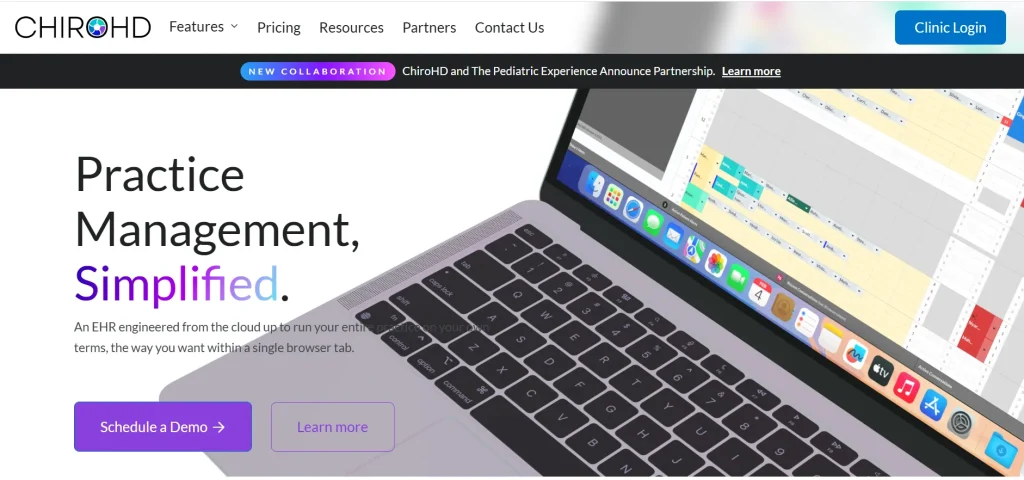
Patients who stop coming back are the problem ChiroHD targets. It pairs its EHR with SKED, an app for texting, reminders and reactivation, and every bundle lists its price and text allowance.
| Bundle | Monthly price (yearly plan) | What it adds | Text credits a month |
| Entry | $339 | Full EHR, support for several offices, claims tracking, payments, 2-way texting | None, texts cost 3 cents each |
| Scale | $549 | Patient mobile app, mass texts and push alerts, Google review booster | 8,500 |
| Performance | $649 | Recall and reactivation sequences, drip campaigns, intake forms, extra integrations | 12,500 |
| Autopilot | $819 | SPARK AI reactivation, website chatbot, managed services, concierge support | 15,000 |
Beyond the bundle features, every plan includes the same base.
- Unlimited providers and users at no extra charge
- Custom calendars, appointment types and SOAP macros
- One dashboard for all your locations
- Backups that run all the time across several United States data centers
- Short training videos
- Special pricing for new graduates
On top of the bundle price, ChiroHD charges a one-time $799 setup fee and $499 to move your data. Registering your texting number with phone carriers is optional and costs $45.
Users who pay those fees still rate ChiroHD 4.8 stars across 132 Capterra reviews.
Strong ratings don’t cover every need.
- Support: Help comes only by email and in-app chat, Monday to Friday, 9 to 5 Eastern.
- AI focus: The AI in these bundles targets marketing and reactivation, and no plan lists an AI scribe for notes.
- Hardware: ChiroHD recommends Google Chrome on a computer with 16 gigabytes of memory.
AI note help is where ChiroHD falls short. That makes it a better fit for offices with several DCs whose main gap is keeping patients coming back. Practices that want AI charting from the best-known chiropractic brand should look at ChiroTouch.
5. ChiroTouch Sells Chiropractic Software in Three AI Plans

As the best-known chiropractic brand, ChiroTouch says over 12,500 practices use it. Its AI charting comes in three plans, and each adds more than the last.
- Start: Core EHR, scheduling, patient ledger, reports, basic AI charting with the Rheo assistant, payments, appointment reminders, a patient portal and digital intake with AI summaries.
- Grow: Adds AI Scribe and advanced Rheo charting, plus automatic recall, appointment confirmations, 2-way texting, campaigns, a waitlist, review requests, reputation tools, office chat and support for more than one location.
- Scale: Adds AI replies to reviews, an AI translator, AI-made campaigns, lead tracking and SmartFit home exercise programs. Grow users can buy SmartFit as an add-on.
All three plans include a dedicated onboarding specialist, unlimited support by email, phone and chat, and data backups.
Missing from all three plans is insurance billing. To bill insurance, you add ChiroTouch’s Billing Suite. It gives you accounts receivable views, bulk statements and AI checks of your notes and billing. Then you pick a clearinghouse plan, priced either by claim volume or unlimited. ChiroTouch’s own payment service supports tap-to-pay and autopay.
Neither the Billing Suite nor the plans have posted prices. ChiroTouch quotes after a demo, and new practices can ask about its launch program.
Quotes vary, and so do user opinions. ChiroTouch has 4.1 stars from about 1,133 Capterra reviews and 3.7 for value for money. Several reviews are strongly negative, and customer service is a common complaint.
Value for money depends on your quote covering everything.
- Several offices: Multi-location support starts at Grow.
- Optional features: The plan chart marks reminders, confirmations, texting and recall as optional, so ask whether they cost extra.
- Full quote: Insurance practices need the plan, Billing Suite and clearinghouse priced together.
Pricing everything together makes ChiroTouch a fit for chiropractic-only practices planning to grow into AI and marketing tools. Clinics that run mostly on cash and packages will find simpler pricing at Jane.
6. Jane Keeps Chiropractic Scheduling Simple
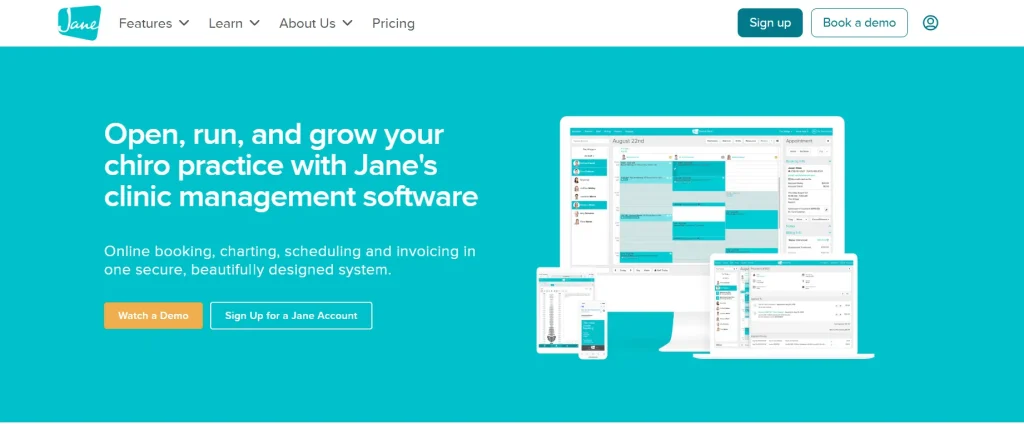
Simple, posted pricing is part of Jane’s appeal for cash and package-based clinics. It serves many kinds of health clinics, chiropractic included, and its three plans differ mostly in providers and visits.
| Plan | Monthly price | What you get |
| Balance | $59 | One provider, up to 20 visits a month, no insurance billing |
| Practice | $79 | One full-time provider included, unlimited visits, free text reminders |
| Thrive | $99 | Everything in Practice, plus rooms and equipment, an automatic waitlist, return-visit reminders, packages, memberships and reviews |
All three plans share the same core.
- A branded online booking site
- Unlimited admin staff and locations
- Intake forms, outcome surveys, treatment plans and over 10,000 chart templates
- Superbills and CMS-1500 claim forms
- One-on-one telehealth and secure messaging
- Free data import, plus chat, email and phone support
Claim forms are included, but sending insurance claims electronically costs extra, as do a few other features.
- AI Scribe: $15 a month per provider. Without it, you get 5 free AI notes a month.
- Insurance billing: $20 a month, plus $5 for each extra full-time provider or $2.50 for each part-time one. It includes eligibility checks, claims, ERAs and a link to the Claim.MD clearinghouse. Your Claim.MD account is billed separately, and Balance can’t add it.
- Group telehealth: $15 a month per provider.
Card payments carry their own fees, 2.85% plus 25 cents online and 2.6% plus 10 cents in person. Payment and patient data are protected by a SOC 2 (System and Organization Controls 2) audit, HIPAA rules and 2-step login, and Jane reports 99.9% uptime.
Jane’s users back up that reliability with 4.8 stars from about 538 Capterra reviews and 4.7 for value for money, a full point above ChiroTouch.
Value for money looks different if you bill Medicare. Jane’s website doesn’t mention chiropractic Medicare checks like region-to-code matching or AT modifier help, so test a Medicare claim in your demo. There’s no free trial, only a demo account, and extra providers are priced by the hours they book each week.
Practices that sell packages and bill little Medicare get the most from Jane. Practices that bill insurance will see the add-on and clearinghouse fees change their first-year cost.
What a Chiropractic EMR Costs in Your First Year
First-year cost for a solo DC who bills insurance runs about $1,400 to $7,900 among the vendors with posted prices, counting setup fees and add-ons. We priced one provider on a yearly plan.
| Setup for one DC who bills insurance | Monthly | One-time | First-year total |
| Jane Practice + insurance billing + AI Scribe | $114 | $0 | $1,368 plus Claim.MD fees |
| ChiroFusion Essentials | $129 | $299 | $1,847 |
| ChiroFusion Complete | $299 | $299 | $3,887 |
| ClinicMind Self-Service | $327 | Not listed | $3,924 plus any provider or per-claim fees |
| ChiroHD Entry | $339 | $1,298 | $5,366 plus 3 cents per text |
| ChiroHD Scale | $549 | $1,298 | $7,886 |
Posted prices leave out two vendors, ChiroTouch and us at OmniMD, because both of us quote each practice. Ask every vendor, us included, to fill in these same four columns.
Four columns cover what you’ll pay, but they leave out what a weak note can cost you. Medicare can ask for money back after a review, sometimes long after the visit. A cheaper plan that lets a documentation gap slip through can end up costing more than it saves.
How to Test Each Chiropractic EMR Against Medicare Rules
Medicare requires chiropractic records to show why treatment is medically necessary and whether it meets coverage rules. According to CMS guidance, your documentation should address six key areas:
- Proof of subluxation: Show it through imaging, such as an X-ray, CT or MRI, or through a physical examination documenting at least two P.A.R.T. findings: pain or tenderness, asymmetry, range-of-motion abnormalities, and tissue changes. At least one finding must be asymmetry or a range-of-motion abnormality.
- Exact spinal level: Identify the specific vertebrae involved, such as C5 and C6.
- Symptoms linked to the diagnosis: Document the location of the patient’s symptoms and connect them to the spinal level identified.
- X-ray timing: When imaging is used to establish subluxation, verify that it meets Medicare’s timing requirements.
- Treatment plan: Record the treatment frequency and duration, measurable goals, objective findings, and the date treatment began.
- Follow-up documentation: Record changes in the patient’s condition, examination findings, and response to treatment at subsequent visits.
Use these six areas to evaluate each vendor during a demo. Ask the vendor to take one Medicare patient from intake through documentation and claim submission. At each step, check whether the software identifies missing information while you are writing the note or only flags issues after the claim has been prepared.
| Vendor | Documentation checks | Claim-related features | What to verify during the demo |
| ClinicMind | Specific automated note-level checks are not publicly documented | Claim scrubbing and documentation support with Full-Service billing | Does the software flag missing clinical details, or does the billing team identify them later? |
| ChiroFusion | Specific Medicare documentation checks are not publicly documented | Electronic claims through Office Ally | Which Medicare documentation requirements do its templates help you capture? |
| OmniMD | Structured subluxation levels, region-to-code matching, and AT modifier logic tied to documentation | Claim scrubbing for common chiropractic denial triggers | How does it handle P.A.R.T. findings, imaging dates, treatment plans, and follow-up notes? |
| ChiroHD | Specific automated note-level checks are not publicly documented | Claims tracking | Does it validate spinal region counts, diagnosis codes, and modifiers before submission? |
| ChiroTouch | AI-assisted note checks are available through its Billing Suite | Claim scrubbing through the Billing Suite | Which documentation and claim checks are included, and which require the add-on? |
| Jane | Specific automated chiropractic Medicare checks are not publicly documented | Electronic claims through the Claim.MD integration, with insurance billing as an add-on | Can it identify missing Medicare documentation or coding issues before submission? |
Why note-level checks matter: A claim scrubber can flag billing errors, but it cannot reliably fill in clinical details missing from a completed note. Since documentation deficiencies accounted for most of the improper payments cited in the CMS report, ask vendors to demonstrate how they help prevent those gaps.
Only two vendors publicly describe checks inside the note. ChiroTouch offers these through its Billing Suite add-on. Our chiropractic notes at OmniMD include structured subluxation levels, region-to-code matching, and AT modifier logic tied to documentation. These features cover three of the six areas discussed above: the exact spinal level, objective measures, and active treatment. We do not publicly document checks for examination findings or X-ray dates, so test these areas during our demo, just as you would with other vendors.
Finally, no EMR can guarantee Medicare reimbursement or replace your clinical judgment. Prioritize the checks that matter most to your practice, especially if Medicare and insurance account for a large share of your revenue.
How to Narrow Down Your Chiropractic EMR Shortlist
Your income mix is the fastest way to shrink six options to two or three.
- When Medicare and Insurance Pay Most of Your Bills
Mostly Medicare and insurance income puts note-level checks at the top of your list. It also changes what a billing team can do for you, and two vendors here offer one.
- ClinicMind’s billing team works the claims after your notes are written.
- Our billing team at OmniMD works from notes that were already checked while you charted.
Either team still depends on what goes into the note, which matters far less when cash pays the bills.
- When Cash, Packages or Wellness Visits Pay Most of Your Bills
Cash-heavy practices face little documentation risk, so first-year cost and patient tools carry more weight.
- Bringing patients back. ChiroHD lists the most recall and reactivation tools. Its Scale and Performance bundles cost $210 to $310 more a month than Entry, so they pay off only if they bring back enough visits to cover the difference.
- Booking and packages. Jane’s posted plans start lower than anyone else’s.
Even in a cash practice, a growing share of Medicare or insurance patients makes note-level checks matter more each year.
- The Test That Settles It
A growing share of insurance patients is a good reason to run the demo test now. Run the same Medicare patient through every demo on your shortlist. Count how many of the six rules each system catches while you chart, and compare quotes in the same four columns.
That includes us. If our checks don’t catch what we say they catch, the demo will show it. Demos also raise practical questions about switching, leaving and Medicare billing.
FAQs
How long does it take to switch chiropractic software?
Switching takes anywhere from 2 to about 6 weeks.
- ChiroFusion says most practices are running in about 2 weeks.
- ClinicMind aims for 30 days.
- At OmniMD, most solo and small practices go live in 2 to 4 weeks, and practices with several locations take about 6.
- Jane books data imports about 10 days ahead.
What happens to my records if I leave?
Get the exit rules in writing before you sign.
- ChiroFusion has a built-in export.
- ClinicMind says you own your data and it will hand it over.
- Jane lets you drop to the $59 Balance plan so you can still open old charts.
What do I bill when a Medicare patient moves to maintenance care?
Stop using the AT modifier once care becomes maintenance, because Medicare doesn’t allow it on maintenance visits.
- The patient signed an Advance Beneficiary Notice (ABN) first. Add modifier GA. You can then bill the patient after Medicare denies the claim.
- There’s no signed ABN. Use modifier GZ instead. The claim is denied, and the patient usually can’t be billed.
You can’t use AT and GA on the same line. Your EMR should keep track of signed ABNs along with the care plan.
Does Medicare require a certain outcome questionnaire?
No. CMS asks for objective measures in your treatment plan but doesn’t name one tool. The ODI and NDI are common ways to show progress from visit to visit.

Kamal Sharma is a distinguished healthcare technology leader and CTO at OmniMD, renowned for driving transformation at the nexus of clinical excellence and digital innovation. Over a career spanning advanced EHR platforms, revenue cycle management, and Digital Health ecosystems including RPM, Telehealth, and Patient Portals, he has consistently architected patient-centric, outcome-oriented systems.