
Best EMR for Small Pediatric Practices in 2027: 6 Vendors Compared
You would agree with me that choosing an electronic medical record (EMR) system for a small pediatric practice isn’t just about finding software that stores patient records. You also need to consider how easily your team can complete well-child visits, manage vaccines, document developmental screenings, communicate with families, and handle billing.
The challenge is that vendors approach these needs differently. Some focus exclusively on pediatrics. Others offer broader primary care or ambulatory platforms with pediatric features. Some also include AI tools or revenue cycle services.
So, which one should you choose?
In this guide, we compare six vendors: PCC, Office Practicum, OmniMD, Develo, Elation Health, and athenahealth. We’ll look at their current product offerings, pricing transparency, strengths, limitations, and the questions you should ask before signing a contract.
Best EMR for Small Pediatric Practices: Side-by-Side Comparison (2026)
The best pediatric EMR depends on more than the number of features it offers. A solo pediatrician may prioritize well-child documentation and vaccine workflows, while a growing practice may care more about billing, family communication, AI-assisted documentation, and the cost of adding providers. The comparison below highlights the practical differences to evaluate before scheduling a demo.
| Comparison factor | 1. PCC | 2. Office Practicum | 3. OmniMD | 4. Develo | 5. Elation Health | 6. athenahealth |
| Best suited for | Independent pediatric practices seeking a pediatric-focused system | Pediatric practices needing specialized clinical and vaccine workflows | Practices seeking an integrated EHR and practice-management platform with optional AI capabilities | Independent pediatric practices interested in an AI-enabled, family-centered platform | Primary care practices that need an EHR with pediatric workflows | Practices prioritizing integrated clinical, administrative, and revenue-cycle services |
| Pediatric specialization | Pediatric-specific EHR and practice-management offering | Pediatric-focused EHR and practice-management platform | Offers a dedicated pediatric EHR; confirm the depth of specialty workflows in a live demo | Built specifically around pediatric practice workflows, according to the vendor | Primarily a primary care EHR with pediatric-specific functionality | Broad ambulatory platform rather than a pediatric-only EHR |
| Well-child visits and pediatric documentation | Pediatric-focused clinical documentation; test the templates against your visit types | Pediatric documentation workflows; confirm how templates fit your existing protocols | Vendor describes well-child, acute sick, newborn, ADHD follow-up, adolescent, and sports-physical templates | Vendor describes pediatric clinical documentation and AI-supported workflows | Vendor describes well-child templates and pediatric documentation tools | Confirm pediatric template depth and the effort needed to configure your preferred workflows |
| Growth charts and developmental screening | Assess the growth-chart, screening, and results-review workflows during the demo | Verify the specific growth-chart references, screening tools, and scoring workflows included in your configuration | Vendor describes growth charts and screening tools including M-CHAT, ASQ, Vanderbilt, CRAFFT, SCARED, and PHQ-A; verify versions, scoring, and licensing | Verify which screening instruments, scoring functions, and growth-chart workflows are available | Vendor describes growth charts and questionnaires, including SWYC and ASQ; verify configuration and licensing | Confirm which pediatric screening tools and growth-chart workflows are native, integrated, or require configuration |
| Vaccine management | Assess vaccine documentation, forecasting, inventory, and administration workflows | A key area to evaluate: VacLogic+ is designed for vaccine forecasting, inventory, lot tracking, and related workflows | Vendor describes vaccine schedules and immunization-management functionality; verify inventory and forecasting capabilities separately | Confirm whether vaccine inventory, forecasting, and administration workflows meet your requirements | Vendor describes vaccine-management functionality; verify inventory and forecasting details | Confirm vaccine inventory, forecasting, and administration capabilities rather than assuming they are included |
| Immunization registry connectivity | Confirm your state IIS connection, data exchange direction, and supported transactions | Vendor reports IIS connectivity across 47 states and additional regions; confirm coverage and bidirectional exchange for your location | Vendor claims connectivity with all 50 state IIS systems; verify your state’s live connection and supported transactions | Confirm supported state registries, interfaces, and bidirectional exchange | Vendor describes bidirectional registry integrations; confirm your state and supported transactions | Confirm available registry interfaces, implementation requirements, and any additional costs |
| AI-assisted documentation | Confirm available AI tools, included functionality, and pricing | Opie AI is listed among the vendor’s additional offerings; confirm availability and fees | Vendor describes AI scribe functionality in its plan offerings; confirm pediatric-specific performance, inclusions, and usage limits | AI is a central part of the vendor’s product positioning; validate note quality and clinician review requirements | Current pricing information advertises native AI solutions; confirm which functions are included in your quote | Vendor offers AI-related capabilities within its broader platform; confirm the specific tools available to your practice |
| Practice management and scheduling | Pediatric EHR and practice-management functionality are offered together | Core EHR and practice-management functionality | Integrated EHR and practice-management capabilities; confirm which modules your plan includes | Vendor describes clinical and administrative workflows within its pediatric platform | EHR and practice-management capabilities; verify the specific modules needed | Integrated EHR, practice-management, and patient-engagement platform |
| Billing and revenue cycle | Billing is included in the vendor’s bundled offering; confirm service scope and payer-specific workflows | Core platform includes billing functionality; optional revenue-cycle services are available | Billing functionality and additional RCM services depend on the selected offering; confirm the scope in writing | Vendor describes billing and charge-capture workflows; optional billing services may be priced as a percentage of insurance collections | Confirm native billing functionality, clearinghouse arrangements, and any external services needed | Revenue-cycle management is a core part of the platform; understand the percentage-based fee structure and division of responsibilities |
| Family and patient engagement | Patient portal and family-facing tools are included in the offering; assess usability for parents and caregivers | Patient-engagement solutions are available; confirm what is included in the core subscription | Confirm portal, communication, and family-access functionality included in your selected plan | Family engagement is a central part of the vendor’s positioning; test guardian access and adolescent confidentiality workflows | Vendor describes a family portal and related patient-engagement tools | Patient-engagement capabilities are part of the broader platform; confirm the specific tools and fees |
| Pricing model | Published pricing describes a bundled monthly fee; request a quote for your practice | Customized quote; no universal public price established by the reviewed pricing page | Customized pricing based on practice size, providers, and selected modules | Vendor describes bundled per-practitioner monthly pricing; optional billing services may add a collection-based fee | Tailored quote; do not rely on older third-party price figures without confirmation | Percentage-of-collections model; obtain the full fee schedule and contract terms |
| Implementation and training | Data conversion and support are included in the published offering; clarify timing, scope, and responsibilities | Implementation and training are described as included, with the setup tailored to the practice | Vendor describes implementation timelines that vary with clinic size and configuration; confirm your project plan | Vendor describes data migration, configuration, training, and customer-success support; confirm service commitments | Confirm data migration, training, configuration, and go-live support in the proposal | Confirm implementation scope, data migration, training, and ongoing support in the proposal |
| Contract considerations | Published standard contract term is three years; an early-termination fee may apply | Review contract duration, renewal, implementation obligations, andoptional-service terms | Confirm minimum term, renewal, cancellation, and module-removal terms | Confirm contract term, data export, renewal, and cancellation terms | Confirm minimum commitment, renewal, cancellation, and pricing changes | Review the full agreement, including fees tied to collections, termination, and transition support |
| Main advantage to investigate | Depth of pediatric specialization and an established pediatric-focused offering | Dedicated pediatric workflows, particularly vaccine management | Breadth of integrated functionality and potential AI-supported workflows | Pediatric-specific, AI-enabled approach and family-centered design | Primary care usability alongside pediatric tools and native AI offerings | Broad integration of clinical operations and revenue-cycle management |
| Potential trade-off to investigate | Long contract commitment and whether the bundled package fits a small practice’s budget | Total cost after adding optional AI, RCM, credentialing, or engagement services | Whether the pediatric-specific features and AI capabilities meet your needs at the quoted price | Verify product maturity, integrations, workflow depth, and implementation commitments against your requirements | Determine whether its pediatric capabilities are deep enough for a pediatric-only practice | Assess whether the platform’s breadth and pricing model suit a small, independent pediatric practice |
| Ask for this proof during the demo | A complete well-child visit, vaccine workflow, screening workflow, and written contract breakdown | A live vaccine workflow covering forecasting, VFC/private inventory, lot tracking, and registry reporting | A pediatric visit from documentation through orders, screening, billing, and AI-assisted note review | A complete pediatric visit, family-access scenario, AI-generated note review, and data-export demonstration | A well-child visit, screening workflow, vaccine documentation, and written list of included AI features | A pediatric visit through claim submission, plus a transparent breakdown of fees and billing responsibilities |
| Overall fit | Strong starting point for practices that want a dedicated pediatric platform | Strong candidate when vaccine operations and pediatric-specific workflows are major priorities | Worth evaluating when integrated functionality and AI-supported workflows are important | Worth evaluating for practices interested in a newer, AI-enabled pediatric platform | Worth evaluating for primary care practices that also treat children | Worth evaluating when integrated operations and revenue-cycle support outweigh the need for a pediatric-only system |
What should a small pediatric practice look for in an EMR?
Before comparing individual vendors, identify the problems you want the new system to solve.
For example, if clinicians spend too much time completing notes, AI-assisted documentation may be worth investigating. If staff struggle with vaccine inventory and follow-up, vaccine management should receive more weight in your decision.
Use this checklist to establish your priorities.
| Requirement | What to verify |
| Pediatric documentation | Well-child templates, growth charts, and age-specific workflows |
| Immunizations | Forecasting, inventory, VFC tracking, and state registry connections |
| Screening | Supported screening tools, results documentation, and billing workflows |
| Family access | Guardian permissions, sibling records, and adolescent confidentiality |
| Billing | Charge capture, claims, denials, and payer-specific workflows |
| AI tools | Accuracy, clinician review, privacy, and additional costs |
| Implementation | Migration, configuration, training, and go-live support |
| Data portability | Record exports, contract terms, and transition assistance |
Don’t assume that a feature listed on a vendor’s website will work exactly as your practice needs it to. Ask for a live demonstration using the workflows your staff performs every day.
1. PCC: Best for pediatric-only practices seeking specialty depth
Best suited for: Independent pediatric practices that want a system focused on pediatric care and practice management.
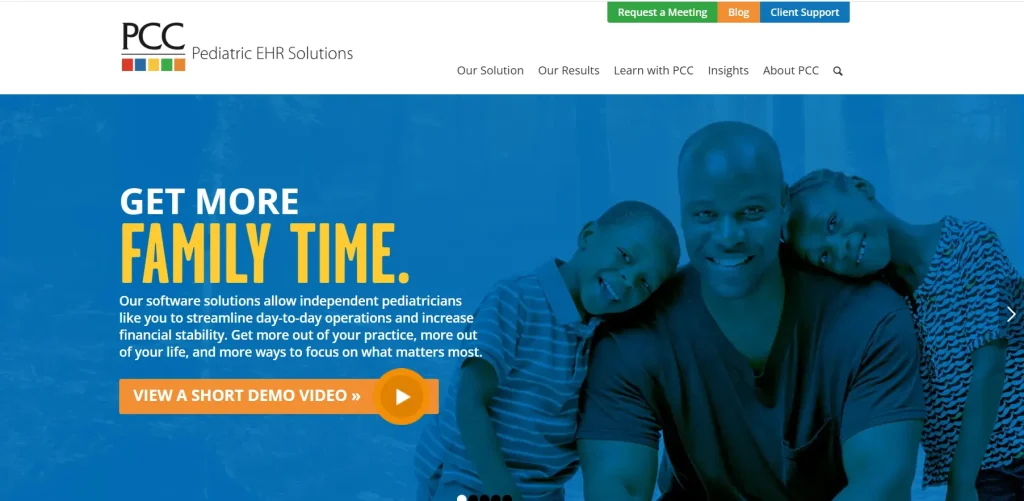
PCC has served pediatric practices for more than 40 years, according to its official website. Its product offering includes pediatric EHR software, billing, a patient portal, practice dashboards, and support services.
One important point in PCC’s favor is its independent recognition. KLAS named PCC Pediatric EHR & PM the 2026 Best in KLAS winner in the Ambulatory Pediatric Solutions category, with an overall score of 94.8.
What makes PCC worth considering?
- Pediatric-specific software: Its focus is on pediatric practices rather than adapting a general-purpose EHR for children.
- Bundled services: PCC says its monthly fee includes its EHR, billing software, patient portal, data conversion, training, and support.
- Practice reporting: Its offering includes dashboards for clinical and financial information.
- Support: PCC advertises 24/7/365 emergency technical support. Confirm the scope of support and any applicable conditions in your agreement.
These are useful advantages for practices that prefer a more comprehensive package rather than purchasing multiple separate services.
What should you check before signing?
PCC’s current pricing page confirms that its standard contract term is three years and that an early termination fee applies. It also identifies a one-time fee associated with enrollment in electronic prescribing of controlled substances.
The bundled model can simplify budgeting, but you should understand the contractual commitment.
Ask PCC to clarify:
- How the monthly fee is calculated for your practice.
- Which services and integrations are included.
- Whether any external connectivity or infrastructure costs may apply.
- How the early termination fee is calculated.
- How records can be exported if you switch systems.
Our recommendation: Put PCC on your shortlist if your practice is pediatric-only and you want a specialized platform with independent recognition in its category. Test the workflows your clinicians use most and compare the full contract with those offered by other vendors.
2. Office Practicum: Best for practices with demanding vaccine workflows
Best suited for: Pediatric practices where vaccine forecasting, inventory management, and immunization reporting are major operational priorities.
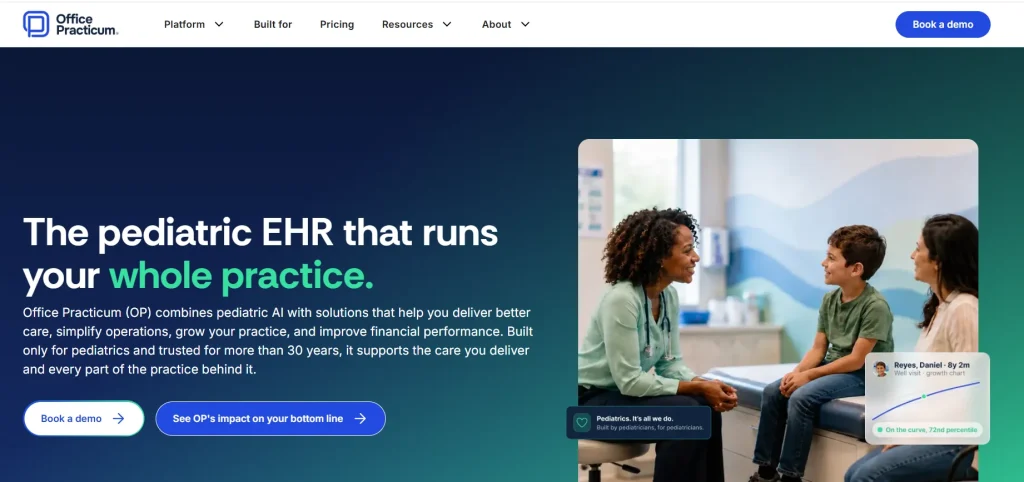
Office Practicum (OP) offers a pediatric EHR, practice management, and billing platform. Its vaccine-management product, VacLogic+, is designed to support immunization forecasting, inventory management, VFC tracking, and registry reporting.
This makes OP particularly relevant to practices that administer many vaccines and need to keep clinical records, stock information, and reporting workflows aligned.
What should you evaluate?
- Vaccine forecasting: Ask how the system determines which vaccines may be due based on a child’s immunization history.
- Inventory tracking: Check how it handles lot numbers, expiration dates, doses, and separate VFC and privately purchased stock.
- Registry exchange: OP says it supports immunization information systems in 47 states and additional regions, with bidirectional exchange where available. Confirm the current connection and functionality available in your state.
- Billing workflows: Ask how vaccine documentation connects with charge capture and claims.
- Follow-up: Test how staff can identify children who may be overdue for vaccines.
What about pricing?
OP does not publish one universal price on its current pricing page. Instead, pricing depends on the practice’s provider count, structure, and selected services.
The company says its core offering includes the pediatric EHR, practice management, and billing platform. Additional services can include Opie AI, pediatric revenue cycle management, credentialing, and patient-engagement solutions. Implementation and training are tailored to the practice.
Ask for a quote that separates the core platform from any additional services you need.
Our recommendation: Consider Office Practicum if vaccine management is a significant part of your daily operations. During the demo, have the vendor demonstrate a complete vaccine workflow, including inventory and registry reporting, rather than relying on a feature checklist.
3. OmniMD: Best for practices evaluating integrated workflows and AI tools
Best suited for: Small pediatric practices looking to connect clinical and administrative workflows while evaluating AI-enabled tools to support everyday operations.
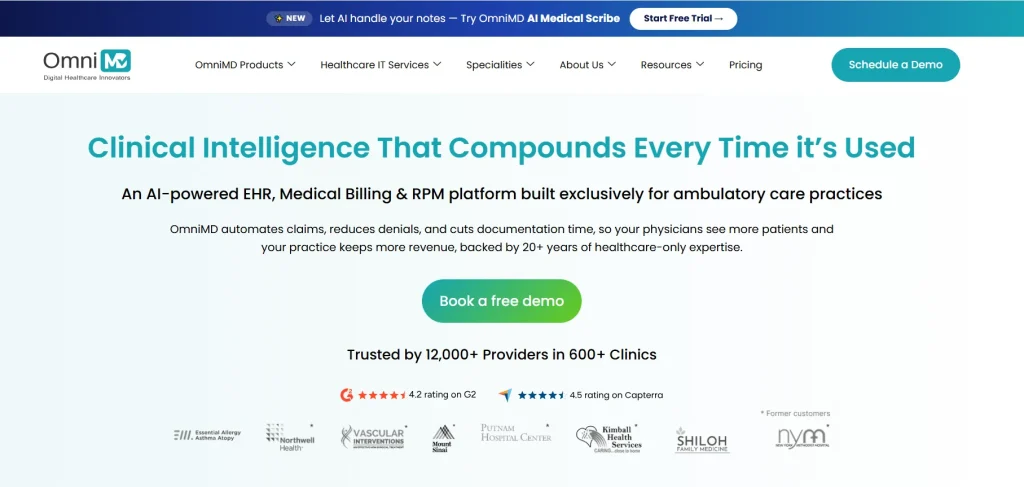
OmniMD offers EHR and practice-management software across multiple specialties, including pediatrics. Our pediatric EHR solution is designed to support pediatric documentation, growth charts, immunization tracking, screening, e-prescribing, laboratory and imaging orders, referrals, scheduling, billing, telehealth, and AI-assisted documentation. The capabilities available to your practice may depend on the selected configuration, so we recommend reviewing your specific requirements with our team.
The advantage of bringing these workflows together is that clinical and administrative tasks can be managed within a connected platform. The practical value, however, depends on how well the system fits your existing processes and how effectively your team uses it.
What should you evaluate?
1. Pediatric documentation
Your documentation workflows should reflect the visits your clinicians handle every day. We recommend evaluating OmniMD against three common scenarios: a well-child visit, an acute sick visit, and an adolescent visit.
During your demo, assess whether our pediatric templates support your preferred documentation practices, growth-chart workflows, screening records, and follow-up tasks without creating unnecessary manual work. This will help you determine whether the system fits your clinical processes.
2. Immunization management
Our pediatric EHR offering describes vaccine tracking and state immunization registry connectivity. Because registry capabilities can vary by state and interface, we recommend confirming the specific functionality your practice needs before implementation.
Ask our team to clarify:
- Whether your state’s immunization information system (IIS) is supported.
- Whether the connection supports one-way or bidirectional data exchange.
- Which immunization records and transactions can be exchanged.
- How failed submissions, rejected messages, and duplicate records are handled.
- Whether vaccine inventory workflows support separate Vaccines for Children (VFC) and privately purchased stock.
These checks help establish whether the available functionality matches your practice’s reporting, inventory, and documentation requirements.
3. Screening and billing
Our pediatric EHR offering describes support for screening tools such as M-CHAT, ASQ, Vanderbilt, CRAFFT, PHQ-A, and SCARED, alongside scoring and billing-related workflows.
We recommend identifying the screening instruments your clinicians use most often and asking our team to demonstrate them in the proposed configuration. Confirm the available versions, scoring capabilities, licensing requirements, documentation process, and applicable billing workflows. This gives you a clearer picture of how the system will support your clinical and administrative requirements.
4. AI-assisted documentation
OmniMD offers AI-assisted capabilities, including AI scribe functionality in applicable plans. Our broader platform also describes AI front-desk capabilities. The specific tools available depend on the selected offering, so we recommend confirming inclusions with our team.
When evaluating AI documentation, test it using representative encounters from your practice. Assess:
- How accurately the generated note reflects the encounter.
- How much editing and verification the clinician must perform.
- Whether the note fits your preferred documentation structure.
- How recordings and generated notes are handled, including access controls and applicable safeguards.
- Which AI features are included in your proposed plan and whether usage limits apply.
For AI front-desk workflows, test routine scheduling requests and administrative messages, as well as scenarios that should be escalated to staff. The goal is to understand where AI can assist your team while keeping appropriate human oversight in place.
How much does OmniMD cost in 2026?
We offer customized pricing based on factors such as provider count, patient volume, and selected modules. Our offerings are structured for different practice needs, from smaller practices to growing clinics and larger or multi-location organizations.
Because pricing depends on the configuration, we recommend requesting a tailored quote rather than relying on older prices published on third-party websites.
| Cost item | What to clarify with our team |
| Core EHR | Which charting, scheduling, and patient communication features are included? |
| AI tools | Are AI scribe and front-desk capabilities included or priced separately? |
| Billing | Does the proposal cover billing software alone or include revenue-cycle management services? |
| Integrations | Are immunization registry, laboratory, and other required interfaces included? |
| Implementation | What data migration, setup, configuration, and training services are covered? |
| Support | Which support options are available, and what response commitments apply? |
| Contract | What are the renewal, cancellation, and data-export terms? |
Comparing these items in writing will help you understand the total cost of ownership rather than evaluating the subscription fee alone.
What should you know before choosing OmniMD?
OmniMD’s multi-specialty platform gives pediatric practices an option to evaluate when they want connected clinical and administrative workflows alongside AI-enabled tools. The important question is how well the proposed configuration supports the specific needs of your practice.
We encourage practices to validate workflow capabilities through live demonstrations, confirm the current status of required integrations, and review the exact features and services included in their proposal. Any claims about time savings, automation, or billing performance should be assessed against clearly defined measures and evidence relevant to the practice.
Our recommendation: Consider OmniMD if you want to evaluate an integrated EHR and practice-management platform with pediatric-specific workflows and AI-enabled capabilities. As the third option in this comparison, OmniMD is worth shortlisting, but the final decision should come down to demonstrated pediatric functionality, the features included in your quote, implementation requirements, and fit with your practice’s day-to-day operations.
4. Develo: Best for family-centered, AI-enabled pediatric workflows
Best suited for: Independent pediatric practices interested in bringing charting, practice management, billing, and family engagement together.
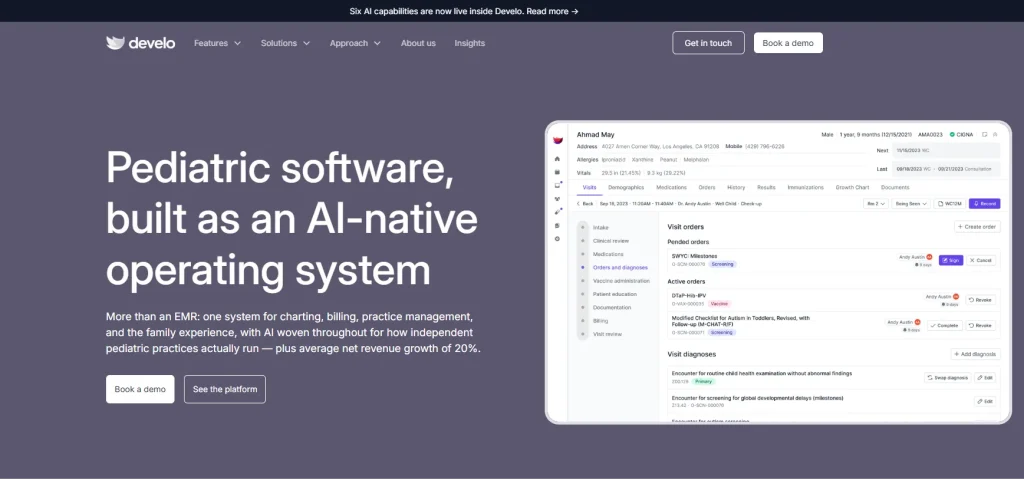
Develo describes itself as an AI-enabled platform built specifically for independent pediatric practices. Its current website highlights clinical documentation, scheduling, billing, digital intake, family payments, and family-oriented portal functionality.
Its approach may appeal to practices that want to reduce the number of disconnected tools used to manage patients and families.
What should you evaluate?
- Family records: How does the system link siblings while keeping each child’s medical record separate?
- Guardian permissions: Can it support your approach to custody arrangements and adolescent confidentiality?
- AI documentation: How are generated notes reviewed, corrected, and approved?
- Charge capture: How does information from the clinical encounter flow into the billing process?
- Digital intake: Can forms and patient information be collected before appointments and transferred into the right records?
Develo also states that its EHR is ONC-certified. Its certification page identifies Develo EHR v3 and a certification date of February 10, 2025. This supports the specific certification claim for that product version; it should not be interpreted as a general endorsement by the government.
What should you verify?
Develo’s website describes bundled implementation and support, along with a per-practitioner monthly pricing model. It also says optional billing services are priced as a percentage of insurance collections. Confirm the details in a current proposal.
Because marketing statements alone do not establish customer outcomes, ask for references from practices with similar provider counts and patient volumes.
You should also confirm which integrations are available, how data migration works, and how support is handled after implementation.
Our recommendation: Consider Develo if family-centered workflows and an AI-enabled pediatric platform fit your needs. Put particular emphasis on customer references, integrations, and the practical details of moving your existing records.
5. Elation Health: Best for primary care practices that also treat children
Best suited for: Small primary care practices that treat both children and adults and want one clinical platform for their patient population.
Elation offers a primary care-focused EHR with pediatric capabilities. Its current pediatric EHR page describes well-child templates, growth charts, weight-based dosing calculations, vaccine management, pediatric questionnaires, family portal functionality, and AI-assisted documentation.
Elation also received 2026 Best in KLAS recognition in the Small Practice Ambulatory EHR/PM category for independent practices with one to ten physicians, with a reported score of 81.7. This is relevant to small practices, but it is not a pediatric-specific award.
Where Elation may fit
- Mixed patient populations: It may suit practices that provide both adult and pediatric primary care.
- Pediatric tools: Its published offering includes age-specific documentation and growth-chart functionality.
- Immunization workflows: The vendor describes vaccine management and bidirectional registry integrations. Confirm support for your specific state.
- AI documentation: Elation describes AI-assisted note generation and related documentation tools.
What should you check?
A primary care platform may be sufficient for a clinic that sees children occasionally, but a pediatric-only practice may need more specialized workflows.
During the demo, ask the vendor to complete the same well-child and immunization scenarios you use to evaluate other vendors.
Also ask how the platform handles your screening requirements, family access, and billing workflows.
What does Elation cost?
Elation’s current pricing page directs practices to request a tailored quote and describes native AI solutions as included in its current offering. The page does not provide a universal price for every practice.
Request written confirmation of what is included in your particular proposal, along with any additional charges for services, integrations, implementation, or support.
Our recommendation: Consider Elation if your practice treats both children and adults. If you are running a pediatric-only clinic, compare its demonstrated specialty workflows with those of PCC and Office Practicum before making a decision.
6. athenahealth: Best for practices considering integrated revenue cycle services
Best suited for: Practices that want to evaluate an EHR alongside practice management and revenue cycle services.
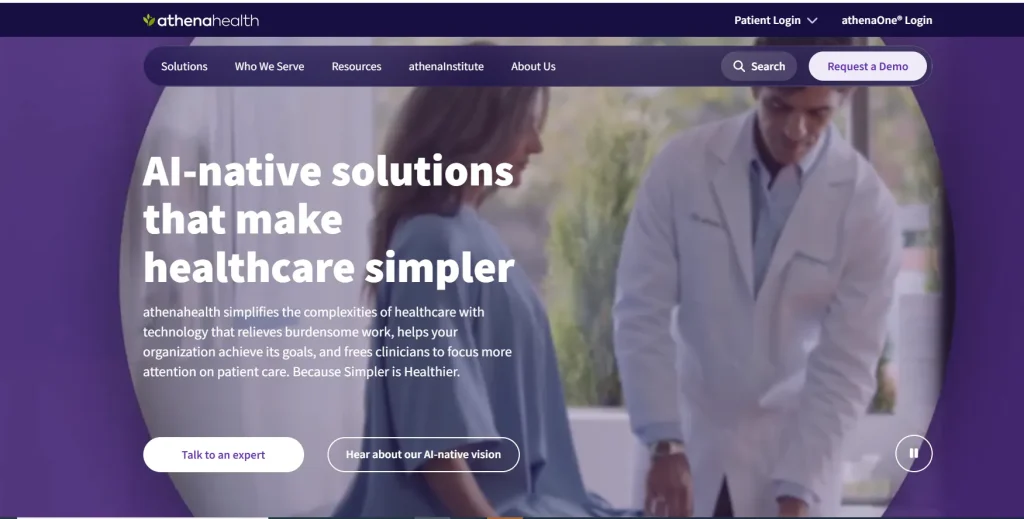
athenahealth’s athenaOne combines EHR, medical billing, practice management, and patient engagement. Its current athenaOne page also describes AI-enabled capabilities and a pricing model based on a percentage of collections.
athenahealth received 2026 Best in KLAS recognition for Ambulatory EHR in the independent 11–75 physician category, with a reported score of 85.4. It also received recognition for practice management in that size category. These results are useful context, but they do not establish that athenaOne is the best pediatric EMR for a small clinic.
What may make athenahealth worth considering?
- Revenue cycle services: Evaluate eligibility checks, claims processing, denial follow-up, and payment posting.
- Connected operations: Ask how clinical documentation, scheduling, and billing information move through the system.
- AI-enabled workflows: Confirm which tools are included and how staff can review or correct automated outputs.
- Growth: Consider whether its broader service model fits your plans for additional providers or locations.
What should you investigate?
The percentage-of-collections model requires careful financial analysis.
For illustration, a hypothetical 5% fee on $200,000 in monthly collections would equal $10,000 per month. This is a mathematical example, not athenahealth’s actual rate.
The real question is whether the total fee is justified by the services provided and the operational work your practice still needs to do.
Ask the vendor:
- What percentage or other fees would apply to our practice?
- Which services are included in the agreement?
- Are there additional charges for integrations or other modules?
- Who controls claim edits and coding changes?
- How are billing performance and denials reported?
- What support is available when a claim or payment issue needs attention?
- What happens to our records if we leave?
Our recommendation: Evaluate athenahealth if integrated revenue cycle services are a priority. For a small practice with straightforward billing, compare the complete cost and level of control with the other vendors before signing.
A practical demo checklist: Test the same workflows with every vendor
A product demo should help you see how the software performs, not just what the vendor says it can do.
Use these five scenarios with every shortlisted vendor.
1. Complete a well-child visit
Ask the vendor to demonstrate patient history, growth measurements, screening, immunization review, documentation, and follow-up.
Check: How many screens does the clinician need? How much information must be entered twice? Are any required steps missing?
2. Manage an immunization visit
Use a de-identified scenario involving a child with an incomplete immunization history.
Check: Can the team review previous doses, identify potentially due vaccines, record the administered vaccine, manage inventory, and submit information to the required registry?
3. Record a developmental screening
Choose a screening tool your practice actually uses.
Check: How are results recorded and reviewed? Does the system support the required scoring and documentation? How does the information flow into the billing process?
4. Test AI documentation, if offered
Have the vendor use a representative encounter to generate a draft note.
Check: Does the note contain unsupported information? How much correction is needed? How long does the clinician spend reviewing it? What happens to recordings and generated content?
5. Follow a claim from documentation to billing
Ask the vendor to show how encounter information moves into charge capture and the claim workflow.
Check: Which steps are automatic? Which require staff intervention? Who handles errors, denials, and claim corrections?
Record your observations after each demo. Using the same scenarios makes it easier to compare vendors fairly.
How to make the final decision
Once you’ve narrowed the list to two or three vendors, use a simple scorecard.
| Criterion | Suggested weight |
| Pediatric clinical workflows | 25% |
| Immunization management and registry connectivity | 20% |
| Billing and revenue cycle | 15% |
| Ease of use and staff efficiency | 15% |
| Total cost | 10% |
| Implementation and support | 10% |
| Data portability and contract flexibility | 5% |
| Total | 100% |
- Score each vendor from 1 to 5, based on what you saw in the demo and what the vendor confirmed in writing.
- Calculate each weighted contribution by dividing the score by five and multiplying it by the criterion’s weight.
- For example, a score of 4 out of 5 on a criterion weighted at 20% contributes 16 points.
- Use the final score to guide your discussion, not to make the decision automatically. A vendor that fails a mandatory requirement should not win simply because it scores well in other areas.
- Before signing, also speak with current customers who have similar workflows and provider counts. Ask about implementation, support, reporting, and any difficulties they encountered after going live.

Dr. Giriraj Tosh Purohit is an experienced Product Manager and Security officer with a strong background in healthcare technology and management consulting. With expertise spanning clinical workflows, EHR, RCM, Digital Health, and AI-driven products, he has been instrumental in shaping innovative healthcare solutions.