
Compare & Decide
| Platform | Built for | Best fit size | Devices | What it bills | EHR connection | Starting price | Rating |
| HealthArc | Multiple care programs at once | Solo to multi-specialty | Bluetooth devices | RPM, CCM, PCM, TCM, MTM, telehealth | Basic to moderate, varies by EHR | Around $12/user/month | 4.8/5 |
| Health Recovery Solutions | Hospitals and health systems | Multi-specialty to hospital scale | Bluetooth and Android | RPM plus broad chronic care | Deep for most EMRs, gap with Epic | Contact vendor | 4.3/5 |
| Lightbeam Health Solutions | ACOs, payers, large groups | Hospital and ACO scale only | None, phone based | Deviceless RPM, 30+ programs | Part of a bigger population health suite | Contact vendor | Most recent Best in KLAS score, 93.6 |
| OmniMD | RPM built into your EHR | Solo to multi-specialty | Bluetooth, EHR integrated | RPM plus full EHR billing | Native, since it’s one system | Around $299/user/month | 4.5/5 |
| HumHealth | Small practices, billing only | Solo and small group only | Bluetooth devices | RPM, CCM | Modest, billing focused | Around $95 to $100/month | 4.8/5 |
| 100Plus | No upfront device cost | Solo and small group only | Free devices | RPM | Standalone, limited depth | Free devices, contact for pricing | 3.5/5 |
Okay, so here’s a number that should make you stop scrolling. Medicare has paid out over half a billion dollars for remote patient monitoring, and that jump was steep enough that the government’s own watchdog, the OIG, is now watching billing closely. It’s flagging things like patients with no real relationship to the practice billing them, multiple devices billed for one patient in a single month, and a big chunk of enrollees not getting all three required parts of the service.
CMS is responding to that. There’s a new proposed rule on the table right now that would require RPM staff to be direct employees of the billing practice instead of an outside contractor, require a real patient visit before RPM can even start, and possibly merge a bunch of existing billing codes down into just a handful of new ones. None of this is locked in yet. Public comments are still open. But here’s the thing, if a vendor supplies your monitoring staff instead of giving you software to run yourself, you really want to ask them about this before you sign anything.
Insurers are doing their own thing too. UnitedHealthcare tried to cut RPM coverage down to just two conditions, then backed off hard after a lot of pushback, so normal coverage still stands for now. Aetna, on the other hand, went through with something similar. It now limits coverage to three conditions, heart failure, hypertension, and diabetes. There’s a grace period for patients already enrolled, but that grace period is winding down, and once it’s gone, the narrower rules apply to everyone.
Here’s the good news though, this guide works no matter what you run.
- A solo practice
- A multi-specialty group
- A hospital or health system
- An ACO or a large provider group
All of that risk hits every one of you the same way, since anyone billing RPM through Medicare or a private payer is playing by the same rules. What’s different is which parts of it matter most to you, and which platform fits.
| You are | What matters most to you |
| Solo practice | Low price, simple setup, no new hires |
| Multi-specialty group | One system that works across departments |
| Hospital or health system | Deep EHR ties, enterprise support |
| ACO or large provider group | Reaching many patients at once |
Keep your row in mind as you read. Each platform section below tells you who it genuinely fits, not just who the vendor’s marketing says it fits.
What people really want to know before they buy
Honestly, if you read through provider forums and healthcare subreddits, nobody’s asking which app looks the prettiest. The real questions sound more like this, whether you’re asking on behalf of one provider or fifty.
- Will my billing reports hold up if Medicare looks closely?
- What happens to my patients if an insurer stops covering their condition?
- Do I need to hire someone just to track time and paperwork, or can the software do that on its own?
- How many patients stick with their device long enough for me to bill for it?
- If the vendor sends the device and the reading turns out wrong, whose fault is that?
- Does this thing talk to the EHR I already use, or am I typing data twice every day?
- What does support look like when something breaks on a weekend?
- Is my patient’s data safe, or is it sitting somewhere I can’t see?
- If my RPM vendor uses its own outside staff to do the monitoring, does that put me at risk if the rules change?
- Can this platform handle several hundred or several thousand patients across multiple departments, not just a few dozen?
- Does the same platform work across different specialties, or will each department need its own separate system?
Every one of these questions is really about risk, not features, and the last two matter more the bigger you are. Each company section below answers all of them, so you’re not left guessing after a sales call.
Why patients dropping out changes your billing
There’s a recent scoping review that looked specifically at RPM for hypertension and Type 2 diabetes, and it found something worth sitting with. The biggest barrier isn’t the technology itself. It’s people drifting away from consistent use, both patients and clinicians. The review also found that a real chunk of patients, something like fifteen percent, struggle with the basic tech setup, which makes ongoing device use harder than most vendors will admit.
That matters a lot for billing, because of how the old rules used to work. If a patient stopped using their device even one day early, before hitting the required window, the practice couldn’t bill anything for supplying that device. All that setup work, wasted.
Medicare’s newest fee schedule fixes part of this.
- CPT 99445 lets you bill for device supply after just a short window of data, not the old full month
- CPT 99470 lets you bill for a shorter chunk of monthly treatment time, as long as there’s at least one real interactive check in with the patient
Before these two codes existed, anything short of the old thresholds earned you nothing. Now it does. So the software you pick needs to already support these shorter windows, not just promise to add support “soon.” And since there’s already talk of consolidating these codes again down the road, ask any vendor how fast they update when the rules shift.
With patient dropout and clinical time both easier to bill for now, let’s get into each platform, one at a time, before comparing them side by side.
HealthArc
HealthArc is a cloud platform that bundles remote monitoring with several other Medicare care management programs, all in one login. It’s built for physician practices, health systems, accountable care organizations, federally qualified health centers, and specialty clinics that want to run more than one billable program without juggling separate systems.
| Highlights | |
| Best for | Practices running multiple care programs at once |
| Best fit size | Solo practices up through multi-specialty groups |
| Starting price | Around $12 per user per month |
| Rating | 4.8 out of 5 on Capterra |
| Devices | Bluetooth blood pressure cuffs, glucose meters, scales, oxygen monitors |
| Programs it bills | RPM, chronic care management, principal care management, transitional care management, medication therapy management, telehealth |
Why practices pick it
- One login covers several billable programs, so your staff isn’t jumping between systems to document the same patient
- Billing is mostly automatic. It tracks device supply, data transmission, and treatment time on its own, so nobody has to reconstruct minutes after the fact
- Readings outside a normal range trigger an alert to the care team right away
- Patients get reminders and secure messaging, plus multilingual support if your patient base needs it
- Reviewers consistently say the support team responds fast and cares about the product working
What to watch out for
- A few reviewers said pricing runs higher than some other options on this list
- Some reporting features are described as still being built out
- In some setups, the EHR connection only covers basic data exchange, not a full two way sync. Worth confirming exactly how deep that connection goes with your specific EHR before you sign anything
- Patient facing engagement tools are a bit lighter than platforms built purely around consumer engagement
What real reviewers said
- “The value and ease of use are the best parts. We were able to begin using the system within a couple of weeks.”
- “Its platform is senior friendly, very compliant, easy interactive communication and smooth transition from traditional to remote monitoring.”
- “Some features still need to be built out a little more.”
- “Slightly expensive.”
Alright, that’s HealthArc. Next up is the one with the longest track record in this whole list.
Health Recovery Solutions (HRS)
HRS is one of the more established names in remote monitoring. It’s built for hospitals, health systems, home health agencies, hospice programs, and physician practices tracking patients through a wide range of chronic conditions.
| Highlights | |
| Best for | Hospitals and health systems managing complex, multi-condition patients |
| Best fit size | Multi-specialty groups and hospital or health system scale |
| Starting price | Contact vendor |
| Rating | 4.3 out of 5 on Capterra |
| Devices | Bluetooth and Android based devices |
| Programs it bills | RPM plus broad chronic condition tracking |
Why practices pick it
- Supports biometric monitoring across more than 90 conditions, plus virtual visits, symptom screening, and medication management
- Runs support around the clock
- Documentation and clinical workflows are built with billing in mind, since that’s a big part of why hospitals trust it
What to watch out for
- Reviewers describe setup as a real challenge in some environments
- Specifically flagged as lacking integration with Epic
- Initial staff training has been described as overwhelming at first
- Occasional device reliability issues reported, along with video calls failing without a support call
- Likely more platform than a solo or two person practice needs
What real reviewers said
- “The Client relations and customer service is top notch.”
- “What I like least about this software is that it was a challenge to implement in our environment.”
- “Sometimes the video calls don’t work without a call to support.”
- One reviewer specifically noted a “lack of integration with Epic.”
Now here’s a totally different approach to the same problem.
Lightbeam Health Solutions
Lightbeam works with accountable care organizations, payers, and large provider groups managing population health at scale, not a single physician’s office. Its remote monitoring product, called CareSignal, skips physical devices completely and reaches patients by phone and text instead.
| Highlights | |
| Best for | Accountable care organizations and large provider groups |
| Best fit size | Hospital, health system, and ACO scale only |
| Starting price | Contact vendor |
| Rating | No current KLAS ranking exists |
| Devices | None, works through SMS, phone calls, and automated conversation |
| Programs it bills | Deviceless RPM across more than 30 condition-specific programs |
Why organizations pick it
- No devices to ship, charge, lose, or replace
- Reaches patients through something almost everyone already carries, a phone
- Covers a wide range of condition specific programs, including heart failure, COPD, diabetes, hypertension, maternal health, behavioral health, and social factors affecting health
What to watch out for
- Because it’s a deviceless model, billing works differently than traditional codes that assume an actual connected device. Confirm with your billing team exactly which codes apply here before you count on this for a specific reimbursement
- A text message answer isn’t the same as an actual blood pressure cuff reading, so accuracy is lower than a device based platform where exact numbers matter
- Sells mostly to health systems, not individual practices, so there’s almost no public review data from small or mid-size organizations to check against
- If the rules change to require RPM staff to be direct employees of the billing practice, confirm whether Lightbeam’s model would still qualify for your practice’s specific billing arrangement
What real reviewers said
Not much is publicly available here, since Lightbeam mostly works with large health systems rather than individual practices. That gap is worth noting on its own, and worth asking Lightbeam to fill with references from an organization your size before you sign.
On the flip side of “no devices at all,” here’s a company that folds RPM straight into your existing EHR.
OmniMD
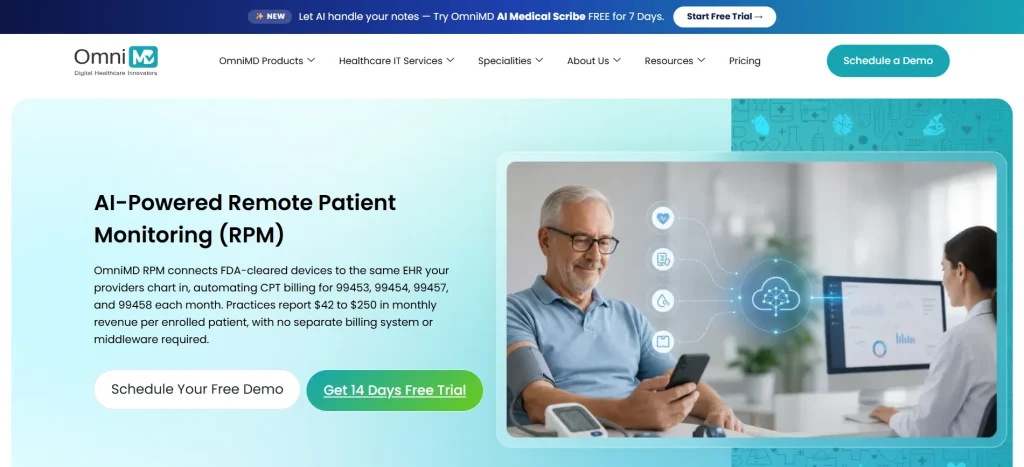
OmniMD is a long running electronic health records and practice management company that folds remote monitoring into the same system your practice already uses for charting, scheduling, and billing.
| Highlights | |
| Best for | Practices that want RPM built directly into their EHR |
| Best fit size | Solo practices up through multi-specialty groups |
| Starting price | Around $299 per user per month for the base tier |
| Rating | 4.5 out of 5 on Capterra |
| Devices | Bluetooth device integration built into the EHR |
| Programs it bills | Customised to your needs (however, the most popular option is RPM plus full EHR, practice management, and billing). |
Why practices pick it
- RPM data, clinical notes, and billing all live inside one database. No exporting from one system and importing into another, and nothing extra for your biller to double check later
- Used across more than 20 specialties, from cardiology to pediatrics to psychiatry
- Multiple pricing tiers, so you can start smaller and grow into more advanced features
- Reviewers consistently praise the support team’s responsiveness and dedication
- Connects to a small number of outside platforms for claims, payments, cloud infrastructure, and lab work
What to watch out for
- The platform’s breadth can feel like a lot to learn in the first few weeks
- No dedicated weekend support desk, though individual staff have reportedly still helped customers outside normal hours anyway
What real reviewers said
- “Contemporary, customizable EMR with a truly dedicated support team who are committed to making a great product.”
- “Overall, OmniMD has been a very reliable and efficient platform for front office operations.”
- “While there are reports built into the system, the reports are not yet optimized for our practice.”
- “Because the platform is so feature rich, it can initially feel overwhelming to new users.”
Next up, a vendor that hands you actual people, not just software.
HumHealth
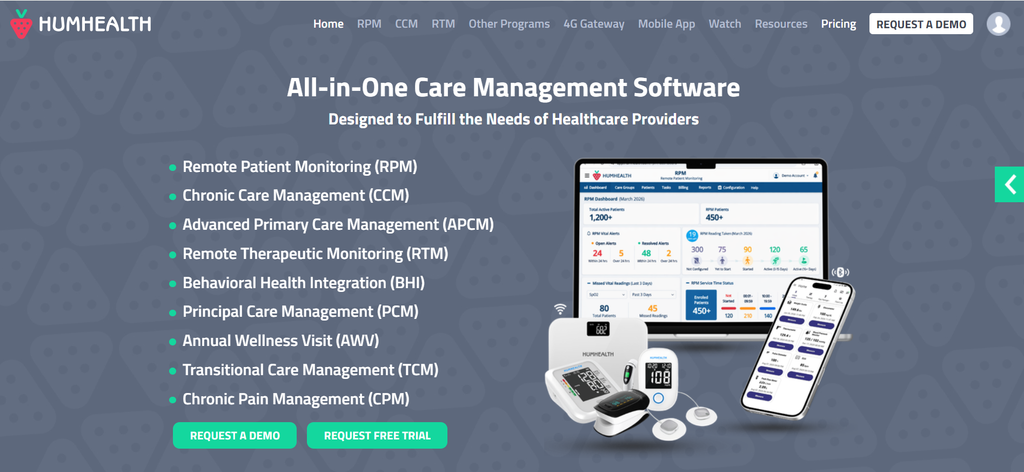
HumHealth keeps things simple on purpose. It’s not trying to be a full telehealth suite or a population health platform. It’s built specifically around the two billing codes small practices use most, RPM and chronic care management.
| Highlights | |
| Best for | A single doctor or small group focused purely on RPM and CCM billing |
| Best fit size | Solo practices and small groups only |
| Starting price | Around $95 to $100 a month, flat rate |
| Rating | 4.8 out of 5 on Capterra |
| Devices | Bluetooth devices |
| Programs it bills | RPM, chronic care management |
Why practices pick it
- Built specifically for Medicare billing, at a price that fits a single doctor or a small group
- Real time monitoring with automated alerts, for example flagging a blood pressure reading that’s out of range
- One of the highest customer service scores of any platform in this list
- No extra telehealth or population health features to pay for and never use
What to watch out for
- Some reviewers mention the system freezing and losing unsaved work
- Occasional trouble pairing Bluetooth devices
- Small, repetitive entry boxes that make fixing an old timer entry more annoying than it should be
- A narrower feature set overall, good for simplicity but a limit if you later want broader telehealth tools
What real reviewers said
- “I can’t think of something that I like the least about Humhealth.”
- “The product is easy to use, and with the alerts it gives you when a patient blood pressure is out of range, it makes it so easy to see what patient vitals are out of range.”
- “It freezes up at times then deletes work.”
- “Devices are sometimes hard to navigate with connective issues.”
Last one on the list, and it’s the one you’ll want to look at hardest before signing anything.
100Plus
100Plus gives you the devices for free and bills Medicare directly for the ongoing monitoring instead. That pricing model is exactly why it shows up on almost every RPM software list, but it also carries the lowest score of any platform here.
| Highlights | |
| Best for | Practices that haven’t budgeted for hardware yet |
| Best fit size | Solo practices and small groups only |
| Starting price | No upfront device cost, contact vendor for service pricing |
| Rating | 3.5 out of 5 on Capterra, the lowest in this group |
| Devices | Free blood pressure monitor, glucometer, scale, oximeter, thermometer |
| Programs it bills | RPM |
Why practices pick it
- No upfront cost for hardware, which lowers the barrier to starting a program
- Provider portal automatically flags patient readings by risk level, high, medium, or low
- One reviewer said it gives them “a list of who and what to bill for,” which at least simplifies that part of the workflow
What to watch out for
- The lowest review score of any platform on this list, by a real margin
- A reviewer on Software Advice reported blood pressure and glucose readings that were “wayyy off,” including readings logged from devices patients said they’d never opened
- The same reviewer said they were charged thousands of dollars a month for patients no longer using the service, until they manually asked for the devices to be picked up. That’s close to the exact billing pattern regulators have already warned about
- Device troubleshooting support for patients described as lacking, with staff not always familiar with the devices they’re supposed to support
- Standalone model, so don’t expect deep EHR integration
What real reviewers said
- “There were many drawbacks to the software and devices, including blood pressure and glucose readings that were wayyy off. We sometimes even got readings from patients who said they’d never even opened their devices.”
- “It is not interfaced, difficult to use, not customer friendly, poor quality devices with incorrect readings on the blood pressure, no assistance with device troubleshooting for the patients.”
- “That they give me a list of who and what to bill for.”
Match your size to a platform
Match your organization to a row and you’ve cut the seven down to two or three worth a closer look.
| Your organization | Platforms worth a look | Why |
| Solo practice | HumHealth, 100Plus, OmnimD, HealthArc | Low cost, minimal staffing, fast setup |
| Small group, a few providers | HealthArc, OmniMD | Room to add care programs as you grow, without switching vendors |
| Multi-specialty group | HealthArc, OmniMD | One system that flexes across different specialties and billing needs |
| Hospital or health system | Health Recovery Solutions, Lightbeam | Built for scale, deep EMR ties, and enterprise-grade support |
| ACO or large provider group | Lightbeam, Health Recovery Solutions | Reach thousands of patients at once, often across many affiliated practices |
The security question worth asking early
Every platform on this list moves health data from a patient’s home into your system. That means every single one of them is a possible point of failure for a data breach, not just a billing mistake.
Two things worth checking with any vendor.
- Do they encrypt data the whole way through?
- Do they hold a current SOC 2 Type II certification? This means an outside auditor has checked their security, not just taken their word for it
Small practices often skip this question because it feels like an IT problem, not a clinical one. But a data breach carries its own reporting rules. If it happens next to a billing pattern that already looks questionable, you’re now dealing with two problems instead of one. Ask for the SOC 2 report and the data retention policy before you sign, not after your first denied claim forces the conversation. It also helps to ask how long the vendor keeps patient readings after someone leaves the program, since some platforms hold onto that data far longer than a practice needs it stored.
Matching a platform to your real risk
There’s no single right answer here. The best choice really does depend on where you’re most exposed.
- Check which insurers cover your patients’ conditions. Aetna’s already narrowed to three. UnitedHealthcare’s own attempt stalled, but it hasn’t ruled out trying again
- If you’re solo or a small group, weigh HRS’s platform depth against the setup work reviewers describe. A tool built for hospitals can be more than you need, and the same goes for Lightbeam, which barely serves practices your size at all
- If you’re a hospital or health system, confirm integration depth with your specific EHR before assuming it. Neither HRS nor Lightbeam has a current award ranking to fall back on right now, so ask each vendor for direct customer references instead
- If patient dropout worries you more than billing codes do, weigh a deviceless option like Lightbeam against the fact that most billing codes still expect an actual device reading
- If a no cost device model like 100Plus appeals to you, ask exactly how the vendor confirms a device is being used before they bill for it
- If your vendor supplies its own monitoring staff instead of your own employees, that’s exactly what regulators are targeting right now. It matters more the bigger you are, since large organizations lean on outsourced staffing more often
- Get written confirmation that your platform already supports the newer, shorter billing codes, CPT 99445 and 99470. A vendor still stuck on the old rules is leaving money on the table for you
- Ask for a SOC 2 report before you sign. A data breach on top of a billing audit makes for a much worse year than either problem alone
Fast answers to the questions from earlier
Will my billing reports hold up in an audit?
Only if the software logs time and device data on its own, instead of staff trying to piece it together after the fact. Ask any vendor to show you a real sample report, not a marketing screenshot.
What happens if an insurer drops my patients’ coverage?
Honestly, it depends on the insurer. UnitedHealthcare’s attempted restriction never took effect, but Aetna’s did, narrowing coverage to heart failure, hypertension, and diabetes. The safer move either way is picking a vendor that also supports chronic care management billing as a backup, so you’re not starting from nothing if a payer narrows its rules.
Can I switch RPM vendors without losing my billing history?
Most platforms can export patient records and past readings, but ask before signing with a new vendor how that handoff works, and whether your old vendor charges a fee to release your data. Sort this out now. It’s a much smaller headache than dealing with it after you’ve already switched.
Does the vendor connect to my EHR, or will my staff be entering data twice?
This varies more than sales materials suggest. Ask for a live demo showing the real data flow between the RPM platform and your specific EHR, not a generic slide with integration logos on it.
I run a hospital, does this still apply to me?
Yes, all of it. The regulatory pressure hits every size the same way. For platform fit, look at HRS or Lightbeam first, since they’re built for your scale.
I run a multi-specialty group, one platform or one per department?
One, if you can manage it. HealthArc and OmniMD handle more than one billable program at once. Running separate systems per department just multiplies your billing work.
The bottom line
RPM software used to sell itself on convenience. Fewer office visits, happier patients, a new source of revenue. That pitch still holds up, and the clinical evidence behind RPM for hypertension and diabetes remains solid, whether you’re a solo doctor or a thousand-bed hospital. But there’s a second, less comfortable layer now. Regulators are watching how RPM gets billed, there’s a real chance the rules around outsourced monitoring staff get tighter, and at least one major insurer has already narrowed coverage for real, with others watching closely.
Choosing between HealthArc, HRS, Lightbeam, OmniMD, HumHealth, and 100Plus isn’t really about the nicest dashboard anymore. It’s about which platform matches your size, and who helps you document properly, bill correctly under the newer codes, and adjust fast as the rules keep moving.
Disclaimer: This guide is for general informational purposes only and does not constitute legal, billing, compliance, or financial advice. Reimbursement rules, CPT codes, payer policies, and regulatory guidance for Remote Patient Monitoring (RPM) and related programs change frequently and can vary by payer, state, and specialty. Vendor pricing, features, ratings, and reviews referenced here reflect publicly available information at the time of writing and may have since changed; always confirm current details directly with each vendor. Nothing in this article should be taken as a guarantee of Medicare or insurer reimbursement, billing compliance, or regulatory outcome. Practices should consult a qualified healthcare attorney, compliance officer, or billing specialist before making decisions about RPM program design, vendor selection, or billing practices.

Dr. Giriraj Tosh Purohit is an experienced Product Manager and Security officer with a strong background in healthcare technology and management consulting. With expertise spanning clinical workflows, EHR, RCM, Digital Health, and AI-driven products, he has been instrumental in shaping innovative healthcare solutions.