

A paper intake form seems like the cheapest part of a visit. It costs a few cents to print, and the patient fills it out in the waiting room. What it costs your clinic shows up later, spread across the day in minutes spent typing handwriting into the chart, claims that bounce back weeks after the visit, and calls to patients who left a box blank.
Those minutes add up to more than most practice managers expect. If your team spends six minutes on each form and you see 60 patients a day, staff time alone comes to about $40,500 a year, before a single claim gets denied. Every provider you hire and every location you open pushes that number higher, which is why growing clinics feel it first.
Digital patient intake forms win most of that money back, but only once you know where it leaks, and the leaks stay hidden because of how your books record them.
Why Manual Intake Forms Cost More Than They Seem
No report in your practice management system has a line called “paper intake.” The cost gets split up and filed under other names, so each piece looks small on its own.
- Payroll. Reading, typing, checking, scanning, and filing each form is front desk time you pay for by the hour. It’s also time that’s hard to hire back, since 64% of providers in the Experian Health 2026 State of Patient Access survey said staffing shortages already limit patient access, up from 57% the year before.
- The denial queue. A misspelled name or a misread member ID looks fine at the desk and fails at the insurer. In the KFF analysis of 2024 Marketplace claims, administrative reasons made up 25% of denials, five times the 5% share for medical necessity. In other words, the paperwork side of a claim gets rejected far more often than the clinical side.
- Takebacks after payment. A paid claim can still come back. Insurers took back 1.57% of accounts receivable after paying claims in the first half of 2026, up from 1.38% in the first half of 2025, according to Kodiak Solutions. A wrong payer order or a plan that ended before the visit can sit unnoticed until a payer audits it.
- Empty appointment slots. When coverage can’t be confirmed, the visit gets pushed. Experian also found that 28% of patients had care delayed by insurance verification problems, and each delay often leaves a slot on your schedule that nobody bills.
- Compliance cleanup. An old copy of the packet can hand patients a privacy notice that no longer meets federal rules, and fixing that after the fact takes far more time than printing the right version.
Of all five, payroll time is the one you can measure at your own front desk this week, which makes it the natural starting point for your own math.
How to Calculate the Hidden Cost of Manual Intake at Your Clinic
Start by pricing one staff minute. BLS data puts median pay for receptionists in healthcare and social assistance at $19.00 an hour, and the Bureau of Labor Statistics also reports that benefit costs make up 30% of what private employers spend on each worker. Add benefits to the wage and one front desk hour costs you about $27, or roughly 45 cents a minute.
That 45 cents is why small delays matter. This table estimates what one extra minute per form costs you over a year at 45 cents a minute.
| Patients per day | Visits per year at 250 days | Yearly cost of 1 extra minute per form |
|---|---|---|
| 30 | 7,500 | about $3,375 |
| 60 | 15,000 | about $6,750 |
| 120 | 30,000 | about $13,500 |
To see your full number, gather four figures from your own clinic and plug them into the calculator below. Each one takes less than an hour to collect.
- Minutes per form. Time four or five new patient forms and four or five returning patient forms with a stopwatch, from the moment the clipboard comes back to the finished chart, and average them. New patient packets usually run longer, so timing both gives you a fair average.
- Intake denials. Pull last month’s denials with claim adjustment reason codes 31, 22, 27, and 16 from your remittance or denial report. Those codes mean the insurer couldn’t find the patient, another payer should have been billed first, coverage had ended, or information was missing, and all four usually trace back to the intake form. A denial root cause analysis shows how to sort the rest of the queue.
- Rework cost. Ask your biller how many minutes one fix and resend takes, then multiply by 45 cents.
- Callback minutes. Have the front desk tally one week of calls chasing missing insurance details, signatures, or phone numbers, then divide by five for a daily figure.
Digital patient intake calculator: what paper intake costs your clinic
Type in the four numbers you gathered, or move the sliders to see your yearly total today and after your next provider starts.
What paper intake costs you each year
Updates as you change any number
Once your next provider adds 20 patients a day, this climbs to $60,740 a year, an extra $15,185 and about 542 more staff hours.
Estimates only. The calculator multiplies the numbers you enter; it does not include denied revenue that is never recovered.
The denial line in your total usually holds the biggest surprise, because most of those denials start in a few boxes on the form.
Fix the Five Boxes That Cause Most Intake Denials
Those boxes take up less than a page of the packet, yet every dollar of the claim depends on them.
- Patient name. A nickname, a missing hyphen, or a dropped middle initial fails the insurer’s member match. KFF’s denial review uses exactly this example: a claim denied because a misspelled name meant the insurer couldn’t identify the patient.
- Date of birth. A swapped month and day, like 03/07 written as 07/03, fails the same match, and both dates look normal to the person typing.
- Member ID. Many IDs start with letters, like the three-character prefix on Blue Cross Blue Shield cards, and in handwriting an O easily becomes a 0.
- Policyholder details. A child or spouse on someone else’s plan needs the policyholder’s name and birth date on the claim, and patients often leave these blank because they don’t know them.
- Second insurance. Listing one plan when the patient has two sends the claim to the wrong payer first, which is where code 22 comes from.
You can protect these boxes today with four habits, even before you go digital.
- Scan both sides of the insurance card at every visit and type the ID from the card, never from the form
- Match the name to a photo ID letter by letter
- Ask out loud, “Do you have any other insurance, even through a spouse or a job?”
- Print the birth date box as MM / DD / YYYY so nobody guesses the order
Getting those boxes right on the day of the visit helps, and yet the coverage behind them can still change before the patient comes back.
Re-Verify Coverage That Changes Between Visits
Coverage changes more often now that the enhanced ACA premium subsidies have expired. According to KFF data, enrollees faced an average premium payment increase of 114% to keep the same plan, and 17% of returning enrollees weren’t confident they could afford their premiums for the full year. For your clinic, that means the card a patient showed in March may not be good in September.
That churn reaches your front desk in three ways.
- Mid-year drops. A patient cancels the plan, the form in the chart still lists it, and the claim comes back as code 27.
- Grace periods. Enrollees with premium tax credits get a 3-month grace period. Insurers can hold claims in months two and three, and if the premium never arrives, coverage ends back on the last day of month one, so claims you thought were pending turn into patient balances.
- Higher deductibles. Many enrollees switched to higher-deductible bronze plans, and the same KFF analysis found average deductibles rose 37%, or more than $1,000 per person. More of each visit now gets billed to the patient, and a wrong address or phone number on the form means that bill never reaches them.
A short routine catches most of it, and real-time eligibility verification makes it fast enough to run on every visit.
- Check eligibility two days before the visit and again that morning
- Read the plan status details, like grace period flags, instead of stopping at the word “active”
- Give staff one line for the patient who asks why they’re filling out forms again, such as “Plans change more often than people expect, and checking your card each visit keeps a surprise bill out of your mailbox”
Those checks only work if every front desk asks the same questions, which gets harder with each location you open.
Stop Intake Forms From Drifting Across Locations
Drift starts small. One site runs low on packets and prints an old file, or a manager adds a question for one payer. Within a year each desk hands out its own version, and billing gets forms that ask for the same details in different places.
The privacy notice inside that packet is where drift turns into legal risk. Practices that receive or keep substance use disorder records from Part 2 programs had to update their Notice of Privacy Practices by February 16, 2026, and an HHS enforcement program for those records started that same day. This covers primary care and specialty clinics that receive these records from another provider, and HHS posted updated model notices you can adapt.
A one-hour audit at each site this month closes the gap.
- Pull one blank packet from each desk and compare them side by side
- Put a version date in the footer of every page
- Match the privacy notice to the one posted on your website
- Update the financial policy for current copays and deductibles
- Recycle old stacks and keep one master file with one editor
A single master form is far easier to keep online, and building it starts with deciding what belongs on it.
What to Include on a Digital Patient Intake Form
Most paper packets grow a page at a time, one added question after another. A good digital form asks only for what billing, clinicians, and compliance actually use, and shows each patient only the questions that apply. These are the fields most practices keep.
- Demographics. Legal name exactly as it appears on the insurance card, preferred name, date of birth in MM/DD/YYYY, address, mobile phone, email, preferred language, and an emergency contact.
- Insurance. Primary and secondary plans, member ID and group number, photos of both sides of each card and a photo ID, plus the policyholder’s name, date of birth, and relationship to the patient.
- Visit and health history. Reason for the visit, current medications, allergies, past medical and surgical history, preferred pharmacy, primary care or referring provider, and any screening questionnaires your specialty uses.
- Consents and acknowledgments. Consent to treat, acknowledgment that the patient received your Notice of Privacy Practices, the financial policy with assignment of benefits, and permission to contact the patient by text or voicemail.
- Self-pay requests. Uninsured and self-pay patients are entitled to a Good Faith Estimate under the No Surprises Act, so give them a clear way to ask for one.
Two build rules keep the form short. Use conditional logic so a question appears only when an earlier answer calls for it, such as policyholder details only when the patient isn’t the policyholder. And map every field to the EHR field it fills, so answers land in the chart instead of sitting in a PDF attachment someone has to read.
Once the form is set, the move goes smoothest when you plan it around the patients least likely to use a phone.
Switch to Digital Patient Intake Forms in 30 Days Without Losing Older Patients
Older patients are a bigger share of that group than most clinics expect. An AJMC study of more than 250,000 adults 50 and older with chronic conditions found that only 49% of patients 65 and up had ever activated their portal account, and caregiver proxy accounts showed up for just 0.4% of patients. If your digital forms sit behind a portal login, half your older patients will arrive with them blank.
Patients who can register ahead of time notice the difference, though. In the Experian survey, a quarter of patients who said paying for care got easier or stayed the same pointed to being able to submit their registration information before the visit. A four-week rollout lets you reach that group without shutting out anyone else.
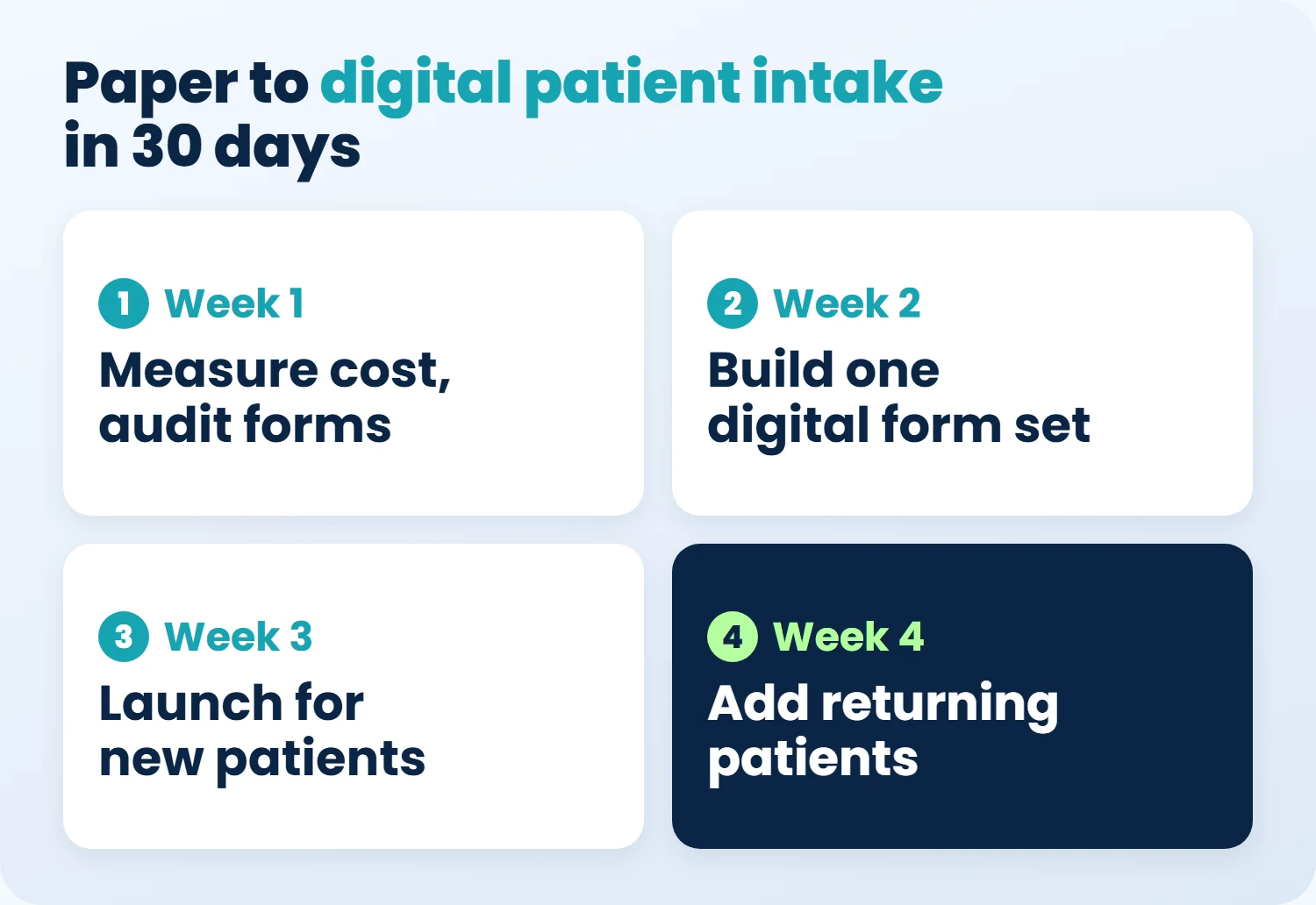
- Week 1. Record your baseline with the calculator numbers above, and finish the location audit
- Week 2. Build one digital form set, cut every question billing and clinicians don’t use, and hide questions that don’t apply to the patient
- Week 3. Launch for new patients only, with a text link that opens without a portal login three days before the visit and a reminder the day before
- Week 4. Add returning patients with a confirm-or-update screen and a card photo, offer caregiver access when you book the visit, and keep a tablet at the desk with a staff member nearby
Track completion by age group every week so you can see who’s getting left behind, and skip PDFs that patients have to print, sign, and scan back. By the end of the month, most forms should arrive complete before the visit, which gives the rest of your intake journey clean data to build on.
How to Choose Digital Patient Intake Software
The tool you pick decides how much of that plan sticks. Before you sign, check for these nine things.
- Answers land in EHR fields. Responses fill discrete fields in the chart and billing system, not a PDF someone has to retype.
- A signed BAA. The vendor signs a business associate agreement before any patient data goes in.
- No login required. A text or email link opens the form on any phone, with no portal account or app download.
- Card capture and eligibility checks. Patients photograph their insurance card and ID, and coverage gets checked before the visit instead of at the desk.
- Language and accessibility. Forms come in the languages your patients speak, which supports your Section 1557 language access duties, and follow WCAG accessibility guidelines so patients using screen readers can finish them.
- E-signatures with an audit trail. Each signature records who signed, which version of the form, and when.
- A returning-patient flow. A confirm-or-update screen shows what’s on file instead of asking for the whole packet again.
- Form version control. One master form set with version history, so every location hands out the same questions.
- Completion reporting. Completion rates by location and age group, so you can see who’s being left behind.
How OmniMD Reinvents the Patient Intake Journey With AI
OmniMD builds on clean intake data inside one EHR, practice management, and billing system, and its AI agents handle each cost you just priced.
- The first call. AI Front Desk answers patient calls around the clock, books visits, and sends intake forms, so new patients get started before they arrive.
- Before the visit. AI Front Desk collects intake forms, captures demographics, and runs eligibility checks before the patient walks in, which is where misspelled names and lapsed plans get caught.
- Check-in. The Patient Kiosk handles self check-in, insurance validation, and demographic updates, giving older patients a guided option at the desk.
- The visit. AI Clinician listens to the visit and writes a structured note into the same chart as the intake answers.
- The claim. AI Medical Coder suggests codes while the note is written, AI RCM scrubs the claim before it goes out, and RPA for billers pulls claim status and EOBs back into the system.
Every step runs in one connected system, so a detail your patient enters once travels from the first call to the payment without anyone retyping it.
See how much of the number your calculator showed OmniMD can take off your books.
Questions Practice Managers Ask About Digital Patient Intake
What is a digital patient intake form?
A digital patient intake form is the online version of the paper registration packet. Patients fill it in on their own phone, a tablet, or a computer before or at the visit, and their answers flow straight into the practice’s EHR and billing system instead of being retyped by front desk staff.
How do I create a digital patient intake form?
Start from your current paper packet and cut every question billing and clinicians don’t use. Group what’s left into demographics, insurance, health history, and consents, then rebuild it in your EHR’s intake tool or in a HIPAA-compliant form builder that signs a BAA and writes answers into chart fields.
How long does it take to switch from paper to digital intake?
Most clinics can make the switch in about four weeks: record a baseline and audit your forms in week one, build one digital form set in week two, launch for new patients in week three, and add returning patients in week four.
Does a digital intake vendor need a business associate agreement?
Yes. Any vendor that stores or transmits your patients’ health information for you is a HIPAA business associate, so sign a BAA before any patient data goes into the system.
Are e-signatures valid on consent and financial forms?
In most cases, yes. The federal ESIGN Act and state e-signature laws generally give electronic signatures the same legal weight as ink, though you should confirm any state-specific consent rules with your compliance lead.
Should returning patients fill out the whole packet again?
No. Show them what’s on file, ask them to confirm or update it, and collect a fresh card photo at every visit.
Should we keep paper forms as a backup?
Yes, a small stack. Print it from your current master file for internet outages or patients who ask for paper, and have staff enter those answers the same day so the chart stays complete.
This article is general information, not legal, compliance, or billing advice. Dollar figures in the table, the worked example, and the calculator are estimates built from the public data cited above, and your clinic’s numbers will differ.

Divan Dave is the Founder and CEO of OmniMD, a pioneering healthcare IT company he established in 2002. With over two decades of leadership, Mr. Dave has been instrumental in transforming traditional care delivery into modern, data-driven digital health systems.