

Best Specialty-Specific EHR Software for 2026 (Top 5 Picks for US Practices)
Comparison Table
| Criteria | OmniMD | ModMed | Nextech | Canvas Medical | PCC |
| Core focus | Multispecialty ambulatory | Surgical and procedural specialties | Ophthalmology and aesthetics | Custom care models | Independent pediatrics |
| Specialties covered | 20+ | 11 | Ophthalmology, derm, plastics, ortho, optometry, med spa | Cardiology, BH, psychiatry, GI, CCM, cardiometabolic, longevity, primary, urgent (per Canvas) | Pediatrics |
| Best in KLAS 2026 | None | None | Ambulatory Ophthalmology | Ambulatory Specialty EHR | Ambulatory Pediatric Solutions |
| KLAS score | No award | No award | 74.5 (C range) | 84.1 (B range) | 94.8 |
| Other recognition | None found | Black Book #1 in 11 specialties, Software Finder Excellence Award | Software Finder Excellence Award | None found | None found |
| Software Finder rating | 4.1 | 4.4 | 3.9 | No reviews yet | 4.8 |
| Software Finder review count | 43 | 456 | 154 | No reviews yet | 20 |
| Customer service score | 8 | 9 | 8 | None found | Not listed |
| Value for money score | 8 | 9 | 8 | None found | Not listed |
| Software pricing | $299 to $699 per user monthly | $500 to $1,000 per provider monthly | Custom quote | Custom quote | Custom quote |
| Implementation cost | Migration help in top tier | $2,000 to $6,000 per provider | $5,000 to $25,000+ | None found | None found |
| RCM services | Top tier | Percent of collections | 3% to 7% of collections | Billing automation (per Canvas) | None found |
| Typical rollout | No recent data | 2 to 4 months | 2 to 4 months | Plugin setup time | None found |
| AI capabilities | AI Scribe, AI Front Desk | Ambient Scribe, code suggestions | AI-driven charting | Plugin automation (per Canvas) | None found |
| RPM and CCM | Built in | No recent data | None found | CCM customers (per Canvas) | None found |
| Device and imaging | RPM devices, lab and imaging | Dermoscopy, OCT, ortho imaging | Topcon, Zeiss, Heidelberg, Optovue | Via plugins (per Canvas) | None found |
| Photo tools | Wound image annotation | Body-map photo capture | Before-and-after galleries | None found | None found |
| ASC support | Not listed | Surgery center tools | Facility and anesthesia billing | None found | Not applicable |
| Interoperability | Lab and imaging integrations | Quest, LabCorp, Waystar | CommonWell, Carequality | Via plugins (per Canvas) | None found |
| Deployment | Web, Android, iOS | Web, Android, iOS | Cloud or on-premise | None found | None found |
| Reviewer praise | Customer service, easy note sign-off | Specialty charting, iPad workflow | Ophthalmology workflows, optical inventory | None found | None found |
| Main watch-out | Peak-hour speed, uneven support | Cost, specialty limits | Pricing, reporting, dated UI | B-range score, setup time | Pediatrics only |
| Independent poor-fit notes | None found | Primary care, other specialties | Primary care, multispecialty | None found | Adult medicine (by design) |
Let’s start with a little bit about myself. I have spent years as a Product Owner and Privacy Officer, sitting beside clinicians from more than 20 specialties and watching how they use their EHR. The lesson that stuck with me is that an EHR built for everyone ends up fitting nobody particularly well.
- A cardiologist wants the last three lipid panels in view the moment a chart opens.
- A therapist wants room for a long narrative note without the system squeezing it into tiny boxes.
- A pediatrician wants prescribing that works the first time, even with a toddler squirming on the exam table.
- An ophthalmologist wants OCT and visual field results flowing straight into the chart, with nobody taking screenshots and uploading them by hand.
Why a Specialty-Specific EHR Beats a General One
The strongest case comes from the 2026 KLAS research on clinician EHR experience, which covered more than 121,000 clinicians across 92 healthcare organizations. The findings show how far most EHR experiences still have to go.
- Only 22% of organizations that surveyed their physicians reached the top ‘Elite’ tier on KLAS’s six-level scale.
- Just 12% of organizations that surveyed their nurses reached that same tier, and nurses were more likely than physicians to report a “Basic” or “Struggling” experience.
- Organizations that remeasured saw their Net EHR Experience Score rise by 6.2 points on average, and seven of them improved by 15 points or more.
- Ambient AI stood out as one of the clearest bright spots for physicians, who described major time savings and less after-hours charting.
Two findings from that same report speak directly to specialty practices.
- Physicians want AI tuned to their specialty. Even while praising ambient AI, physicians said it still needs better optimization by specialty and visit type.
- KLAS put the burden on vendors. Its guidance for EHR vendors says systems need to account for the unique needs of different specialties and focus areas to be easy to learn.
That nurse gap deserves a closer look in a specialty setting. Nurses and MAs handle rooming, vitals, intake, and prep work. When a system ignores your specialty, they’re the ones clicking through irrelevant fields on every single patient.
The award structure is shifting too. For this year’s rankings, KLAS added 11 new categories, including Ambulatory Plastic Surgery Solutions. Separate awards now exist for ophthalmology, pediatrics, behavioral health, plastic surgery, and ambulatory specialty EHRs. That structure tells you the research community treats specialty fit as its own measure of quality.
What ‘Specialty-Specific’ Should Mean in Practice
Many vendors describe themselves as specialty-specific. The label only means something when it shows up in these seven places.
- Documentation templates. An OB chart should open with GTPAL and an auto-calculated EDD. A behavioral health note should include PHQ-9 and GAD-7 scoring. A cardiology chart should surface stress test and echo documentation without extra searching.
- Coding logic. Documentation should trigger the right coding options as it’s written. In dermatology, a lesion map should support accurate CPT selection. In podiatry, wound images should link straight to procedure codes.
- Compliance prompts. Psychiatrists need suicide risk assessment prompts. Pain management teams need controlled-substance documentation checks. Surgeons need pre-op clearance reminders. Each group should see only the alerts that apply to them.
- Device and imaging connections. Ophthalmology, cardiology, and dermatology depend on images and diagnostic outputs, and those should land in the chart automatically.
- Specialty reporting. A GI practice should see GI metrics, and a pediatric office should track well-child visits and immunizations, all without exporting to a spreadsheet.
- AI that knows your vocabulary. An ambient scribe trained on your specialty’s terms produces notes that need fewer corrections before you sign.
- Specialty-shaped billing. Surgical practices with an ASC need facility fee capture. Chronic care programs need RPM and CCM billing tied to documented monitoring.
Buyers keep ranking these capabilities near the top. In the 2026 Black Book surveys, the highest-rated platforms across specialties earned their scores through specialty-native templates, deep specialty workflows, and reliable implementation. In procedure-heavy practices, the chart carries photos, treatment maps, and consent history, which is why charting depth decides so many purchases.
How We Picked the Top 5 Specialty EHRs
We measured every vendor against those seven capabilities using three signals from this year.
- KLAS recognition. We started with the KLAS awards, since they’re based on direct customer feedback within each specialty segment.
- Independent review data. We checked ratings, review counts, sub-scores, and recurring praise or complaints on Software Finder pages and independent EHR directory reviews updated this year.
- Search visibility. We looked at which vendors appear on page one of Google when US practices search for specialty EHR software.
We left out general-purpose EHRs that win on breadth across all practice types. This list sticks to systems whose design centers on specialty workflows.
The 5 Best Specialty-Specific EHR Systems
1. OmniMD
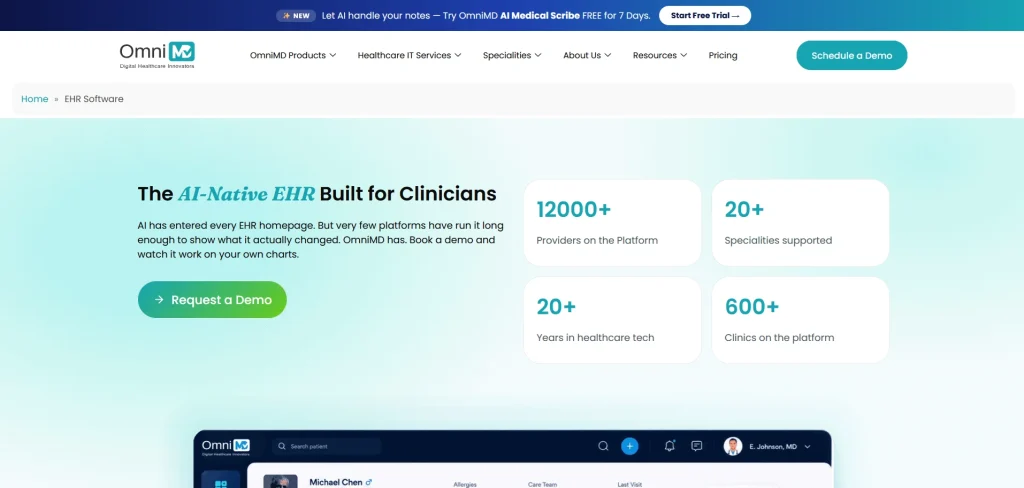
- Who we serve. We customize our products to more than 20 specialties, including cardiology, urgent care, internal medicine, and pediatrics. Our team also supports OBGYN, psychiatry, behavioral health, and podiatry practices.
- Published pricing. We offer three tiers. EHR Essentials runs $249 per user per month, the Growth Clinics Suite runs $449, and the Enterprise and Multi-Location Suite runs $699.
- How to access it. We run on the web, Android, and iPhone or iPad.
- How our users rate us. Our customers have given us a 4.1 rating across 43 verified reviews. Customer service scores 8, and ease of use scores 8.
What each tier includes
- EHR Essentials. ONC-certified charting, e-prescribing, smart templates, scheduling, a secure patient portal, and optional telehealth.
- Growth Clinics Suite. Adds our AI Medical Scribe, AI Front Desk Automation, RCM-ready workflows, lab and imaging integrations, inventory management, and advanced analytics.
- Enterprise and Multi-Location Suite. Adds RCM and billing services, a dedicated success manager, 24/7 priority support, data migration assistance, and multi-location dashboards.
Why I ranked OmniMD first
I know that putting your own company at the top of a list invites a raised eyebrow. My reasoning comes down to five points.
- One platform runs the whole specialty workflow. Most specialty EHRs stop at the chart and send you to other vendors for billing, remote monitoring, and patient intake. OmniMD keeps EHR, practice management, RCM, RPM, CCM, telehealth, and billing services on one database.
- Monitoring data flows straight into billing. For a cardiology practice, blood pressure and heart rate readings from RPM devices land in the same chart the cardiologist documents in. The CCM time and RPM codes then flow to billing without an export, an interface, or a second contract.
- Specialty depth holds up across 20+ specialties. ModMed’s 11 specialties lean toward procedural fields like dermatology, ophthalmology, and orthopedics, and independent reviewers describe Nextech as a poor fit for multispecialty groups. OmniMD gives each specialty its own templates and workflows.
- Every department shares one patient record. A psychiatrist documents with behavioral health templates, the urgent care team works from walk-in intake, and both see the same medication list. A new prescription in one department shows up for the other the moment it’s signed.
- Our AI writes the note in your specialty’s format. The AI Medical Scribe listens to the visit, separates provider and patient speech, and drafts a structured note in the specialty’s own format. An OBGYN visit comes out as an OBGYN note, and a podiatry visit comes out as a podiatry note.
- AI front desk tools keep high-volume clinics moving. AI Front Desk Automation handles scheduling and intake on the same system, which helps specialties like urgent care manage patient volume without adding staff. Both AI tools sit in the Growth Clinics Suite as native features, with no third-party AI vendor bolted on.
Where we still have work to do
- We didn’t take a KLAS award this year. Three other vendors on this list did. I’d rather you hear that from me, and it’s a fair factor to weigh as you compare.
- Peak-hour speed has room to improve. Our Software Finder product page notes that users like our navigation and dashboard, but occasional slow system performance is still a recurring concern. Our team keeps shipping performance updates, and it’s worth testing the system during your own busiest hours in a demo.
- Support can feel uneven. SelectHub’s analysis rates overall user satisfaction at 87% across 56 reviews, yet it still calls out customer support as an area for improvement. We take that seriously, so ask us how support works for your practice size and time zone before you sign.
Who should shortlist us
- Practices with several specialties under one roof.
- Practices planning to add RPM, CCM, AI front desk tools, or billing support without bringing on another vendor.
- Practices that want pricing clarity before starting a demo.
2. ModMed
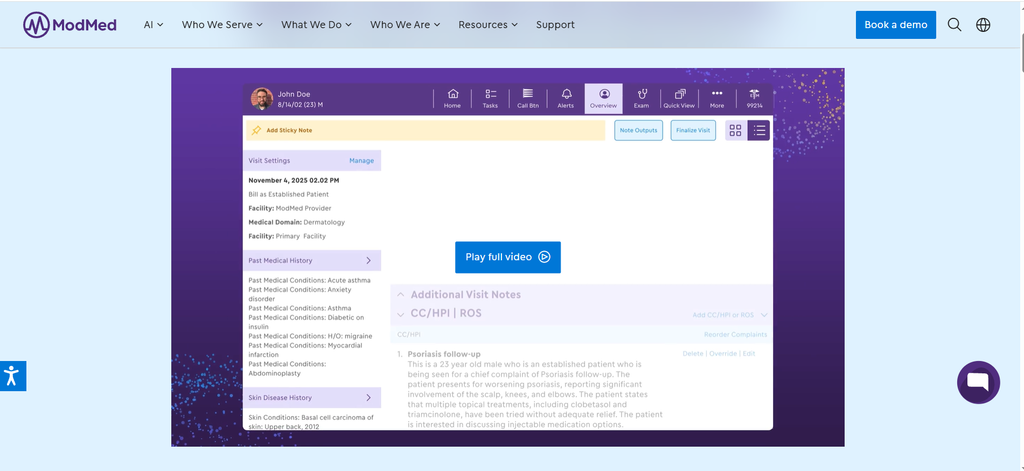
Best known for. Dermatology, ophthalmology, orthopedics, and gastroenterology through its gGastro product.
- Specialty coverage. According to a September review on MedicalRecords.com, ModMed supports 11 specialties. These are dermatology, ophthalmology, orthopedics, ENT, pain management, plastic surgery, podiatry, urology, allergy and immunology, OB/GYN, and gastroenterology.
- Scale and recognition. The same review reports more than 50,000 providers on the platform. It also notes a number one ranking in this year’s Black Book survey across all 11 specialties.
- Pricing. Software typically runs $500 to $1,000 per provider per month, implementation adds $2,000 to $6,000 per provider, and RCM services are usually priced as a percentage of collections.
- Review base. On its Software Finder profile, ModMed holds a 4.4 rating across 456 reviews, the largest review base on this list. Customer support and value for money each score 9 out of 10, while ease of use scores 8.
What makes it stand out
- Specialty depth. ModMed earned the 2026 Software Finder Excellence Award, which draws on 12 months of verified reviews, buyer activity, and expert recommendations.
- Device connections. According to its MedicalRecords.com review, ModMed integrates with dermoscopy equipment, ophthalmic diagnostic devices such as OCT, and orthopedic imaging systems, plus clinical photo capture with body-map annotation.
Where it falls short
- Cost. That same MedicalRecords.com review lists a higher price point than general-purpose EHRs among ModMed’s limitations.
- Scope limits. It also notes ModMed isn’t suitable for primary care or specialties outside its 11.
- Rollout time. The review puts typical implementation at two to four months.
Who should shortlist it
- Single-specialty or multi-location groups within ModMed’s 11 specialties that want deep specialty charting and can absorb premium pricing and a multi-month rollout.
3. Nextech

- Best known for. Ophthalmology, plastic surgery, dermatology, orthopedics, optometry, and med spas.
- Recognition. Nextech IntelleChartPRO won this year’s KLAS ophthalmology award with an overall score of 74.5. It also carries the Software Finder Excellence Award.
- Scale. A September directory review reports that Nextech has built specialty EHR software since 1997, serves more than 11,000 providers, and holds the largest market share among eye care EHRs.
- Review base. Software Finder shows a 3.9 rating across 154 reviews. Ease of use, customer support, and value for money each score 8 out of 10.
What makes it stand out
- Diagnostic device interfaces. Bidirectional connections with Topcon, Zeiss, Heidelberg Engineering, and Optovue equipment import results straight into the chart.
- ASC workflows. Nextech handles facility fee charge capture, anesthesia billing, and ophthalmology surgery coding across the clinic-to-surgery continuum.
- Aesthetic and dermatology tools. Surgeons can manage standardized before-and-after galleries. Dermatologists get biopsy tracking that flags unreturned pathology and workflows for Mohs surgery.
- Interoperability. The platform participates in CommonWell and Carequality and supports EPCS for controlled substances.
Where it falls short
- A winning score in the C range. Nextech’s 74.5 falls in the C range on a standard 100-point grading scale. That means it won its segment without reaching the scores seen in other categories.
- Pricing complexity. Software Finder’s verdict notes that pricing can be restrictive for smaller practices, and the directory review lists a complex pricing structure among Nextech’s limitations.
- Implementation cost. The directory review estimates $5,000 to $8,000 in implementation fees for a small dermatology practice, and more than $25,000 for a 10-provider ophthalmology group with an ASC.
- Interface and reporting. Recurring concerns include an outdated interface, slowness at peak times, and reports that are hard to customize.
- Narrow scope. The same review lists primary care and multispecialty groups as poor fits.
Who should shortlist it
- Eye care groups and surgical practices with an ASC, where imaging devices and facility billing drive both revenue and daily workflow.
4. Canvas Medical
- Best known for. Custom and newer specialty care models.
- Recognition. Canvas Medical EMR Platform won Ambulatory Specialty EHR, according to KLAS’s winners list.
- Customer mix. Canvas reports that its KLAS survey respondents included cardiology, behavioral health, psychiatry, gastroenterology, chronic care management, cardiometabolic health, longevity medicine, primary care, and urgent care organizations.
What makes it stand out
- Plugin-driven automation. Canvas describes customer-specific plugins that change how the EMR behaves and automate clinical, operational, and billing work.
- Prebuilt starting point. The company says traditional specialty clinics can start from a library of prebuilt plugins without writing code.
- Care model flexibility. This setup suits practices with value-based contracts or visit structures that don’t follow a standard template.
Where it falls short
- A winning score in the B range. Canvas scored 84.1 on KLAS’s 100-point scale. That’s above Nextech’s 74.5, and it still sits in the B range on a standard 100-point grading scale.
- Setup time. Since much of Canvas’s value comes from configuring plugins, plan for time before your workflows feel complete, though its no-code Studio tool, launched in May, aims to shorten that work.
- Thin independent review data. Canvas has a Software Finder listing with custom pricing and no reviews yet, so ask for peer references in your specialty.
Who should shortlist it
- Practices with unusual care models, value-based contracts, or staff who enjoy shaping their own workflows.
5. PCC
Snapshot
- Best known for. Independent pediatrics.
- Recognition. PCC Pediatric EHR and PM won Ambulatory Pediatric Solutions in this year’s KLAS awards with a score of 94.8, a category PCC says it has now won eight years in a row.
- Background. PCC describes itself as an independent benefit corporation marking more than 40 years in operation this year.
What makes it stand out
- Pediatric e-prescribing. PCC highlights prescribing designed for pediatrics, including mobile prescribing.
- Front desk relief. Patient pre-check-in and expanded portal scheduling target the busy check-in windows that slow pediatric offices.
Where it falls short
- Pediatrics only. If your practice plans to add adult medicine or adolescent-to-adult transition services, you’ll eventually outgrow it.
- Limited independent data. PCC holds a 4.8 rating across 20 Software Finder reviews and quotes pricing on request, so lean on peer references and the KLAS results.
Who should shortlist it
- Independent pediatric practices that value a long-term vendor relationship built only around kids’ care.
Which Specialty EHR Fits Your Specialty
The table covers the vendors. This view flips it around and starts from your specialty, using the coverage each vendor documents today.
- Cardiology. OmniMD and Canvas both serve cardiology. OmniMD brings structured cardiology dashboards and RPM, while Canvas brings plugin-based customization.
- Behavioral health and psychiatry. OmniMD offers built-in PHQ-9 and GAD-7 scoring with treatment plan tracking. Canvas counts behavioral health and psychiatry among its KLAS respondents.
- Ophthalmology. Nextech holds this year’s KLAS award and the deepest device interfaces. ModMed also supports ophthalmology with OCT connections.
- Dermatology. ModMed and Nextech both support dermatology. ModMed leans on specialty charting and body maps, and Nextech adds biopsy tracking and Mohs workflows.
- Orthopedics. ModMed includes orthopedics among its 11 specialties and connects with orthopedic imaging systems, and Nextech also covers orthopedics.
- Gastroenterology. ModMed offers a dedicated gGastro product, and Canvas lists GI among its customers.
- Plastic surgery and aesthetics. Nextech brings before-and-after galleries and med spa tools, and ModMed includes plastic surgery among its 11 specialties.
- Pediatrics. PCC is the current KLAS pediatric winner, and OmniMD supports pediatrics inside a multispecialty setup.
- OBGYN. OmniMD offers ACOG-aligned prenatal views, and ModMed also supports OB/GYN.
- Podiatry. OmniMD offers wound image annotation and DME ordering, and ModMed also supports podiatry.
- Urgent care. OmniMD provides a dedicated urgent care mode, and Canvas lists urgent care customers.
- Multispecialty groups. OmniMD keeps 20+ specialties on one patient record.
How We Built OmniMD to Support 20+ Specialties on One Platform
ModMed, Nextech, and PCC go deep within one specialty or a narrow cluster, and Canvas depends on custom configuration. That works well if your practice lives in one lane.
Over the years, though, I’ve watched a very different picture play out again and again. A group runs cardiology, behavioral health, and urgent care under one roof and ends up with three vendors, three logins, and three patient records that barely talk to each other. Nurses, the group KLAS found more likely to struggle, end up re-entering the same data across all three systems. That frustration shaped every design decision we made.
Our answer was to keep one patient record and reshape the workflow around each specialty. We built these views with clinicians from each field in the room, reviewing mockups and signing off before anything shipped.
- Cardiology. We put ejection fraction trends, stent history, and the last three lipid panels on the chart screen, right beside EKG and echo results.
- OBGYN. We designed prenatal summary views around ACOG forms, built GTPAL documentation with automatic EDD calculation, and lined up lab timelines with prenatal schedules.
- Behavioral health. We added rich text and voice input to progress notes, built in PHQ-9 and GAD-7 scoring, and automated treatment plan reviews with goal tracking.
- Podiatry. We gave clinicians wound image annotation, DME ordering, and surgical report templates linked to billing codes.
- Urgent care. We created a dedicated mode with one-click problem lists, triage protocols, and discharge instructions up front, because speed decides everything there.
Behind those workflows, we built two engines that keep specialties from colliding.
- Compliance rules by specialty and state. Your psychiatrist sees risk assessments, your surgeon sees pre-op checks, and neither one wades through the other’s alerts.
- Billing that reads the note. Documentation triggers the right coding options as it’s written, which protects revenue in specialties where small coding misses add up fast.
So why do I believe this can be a game changer for your practice?
- Growth gets simpler. Adding a service line means turning on a mode inside a system your staff already knows, with no new contract, login, or interface to maintain.
- Programs share one chart. RPM, CCM, our AI Medical Scribe, AI Front Desk, and AI RCM all feed the same record your providers use every day.
- Costs stay predictable. With public per-user tiers, you can price out a new specialty before you commit.
- Teams stay connected. We designed for front desk staff, nurses, providers, billers, and compliance officers alike, so handoffs stop falling through the cracks.
Questions to Ask in Your Next Specialty EHR Demo
Whichever vendor you lean toward, the gap between true specialty depth and a relabeled generic system usually shows up within 20 minutes of a live demo. The questions below point to exactly where to press.
- “Show me a visit from my specialty, start to finish.” Ask them to walk through your most common encounter, including the note, the orders, and the claim.
- “How does your AI scribe handle my specialty and visit types?” KLAS found physicians still want better optimization here. Bring real phrases from your exam room and test them.
- “Which of my devices connect directly?” Name your diagnostic equipment, imaging vendor, and monitoring devices, and ask for live customers using those connections.
- “What does my contract allow if we shrink or change?” Multi-year terms can be hard to reduce later, so get downgrade terms in writing.
- “What’s the full first-year cost?” Ask for software, implementation, migration, and RCM fees in one number, since implementation alone can run from a few thousand dollars to more than $25,000.
- “Which specialty reports come built in?” Ask to see your key metrics, such as wRVU tracking, on screen before you sign.
- “Can I talk to a customer my size, in my specialty?” A 20-minute call with a peer practice tells you more than any review page.
FAQs
1. What is a specialty-specific EHR?
It’s an EHR designed around the templates, coding, compliance prompts, device connections, and reporting needs of one or more medical specialties.
2. How much does a specialty EHR cost in 2026?
- OmniMD publishes tiers from $249 to $699 per user per month.
- ModMed typically runs $500 to $1,000 per provider per month, plus $2,000 to $6,000 per provider for implementation.
- Nextech quotes pricing on request, with RCM services at 3% to 7% of collections.
3. How long does implementation take?
Independent reviews this year put typical ModMed and Nextech rollouts at two to four months.
4. Can one EHR serve several specialties well?
- Yes, when it’s built with separate workflow modes for each specialty on a shared patient record.
- That setup avoids the duplicate data entry that comes from running a separate system for each department.
5. Which specialty EHRs won Best in KLAS in 2026?
- Canvas Medical won Ambulatory Specialty EHR with a score of 84.1.
- Nextech won Ambulatory Ophthalmology Solutions with a score of 74.5.
- PCC won Ambulatory Pediatric Solutions with a score of 94.8.
6. How do I know if my current EHR lacks specialty depth?
- Providers regularly chart after hours.
- Staff keep side spreadsheets to track specialty metrics.
- Billers fix specialty codes by hand week after week.
- Device images get uploaded manually instead of flowing into the chart.
Find the EHR That Understands Your Specialty
Try one simple test at your next demo. Watch whether the vendor asks what you practice, then check whether the screen in front of you changes because of your answer. All five systems on this list pass that test in their own areas. Your best choice comes down to one question. Does your practice live in a single specialty, or are you building something that serves several? Once you know that answer, the comparison table above does the rest.

Dr. Giriraj Tosh Purohit is an experienced Product Manager and Security officer with a strong background in healthcare technology and management consulting. With expertise spanning clinical workflows, EHR, RCM, Digital Health, and AI-driven products, he has been instrumental in shaping innovative healthcare solutions.